Quick answer
If your Airbnb isn’t getting bookings, the problem is almost always one of two things: either guests can’t find your listing (a visibility problem), or they find it but don’t book it (a conversion problem). Check your view count in the Airbnb dashboard first. High views but low bookings means your photos, pricing, or description is turning people away. Low views means the algorithm isn’t showing you at all. Knowing which one you have changes what you fix first.
You open your Airbnb dashboard every morning and the calendar looks the same. No new requests, no messages, no pending bookings. Meanwhile, a listing two streets away with worse photos somehow stays fully booked. That gap between your property and your results is almost never about the property itself.
Our Airbnb virtual assistant team at STR Assistance regularly works with hosts who come to us with this exact frustration: listed, set up properly, but not booking. When we dig into their listings, the reasons are usually specific and fixable. One host had a strong property but a cover photo that didn’t show it. Another was priced 15% above their local average without realizing it. One had a response time sitting at 8 hours when the algorithm rewards under 5 minutes. Once we identified exactly what was holding each listing back and fixed it, bookings started moving again, sometimes within the same week. This guide comes from that hands-on experience.
Below are the 13 most common reasons your Airbnb isn’t booking and how to fix each one. If your bookings have slowed down gradually rather than stopped completely, many of the same fixes apply.
First: Figure Out Whether It's a Visibility Problem or a Conversion Problem
Before working through the 13 reasons below, check one number first: your listing’s view count in the Airbnb dashboard.
If views are healthy but bookings aren’t coming: the problem is conversion. Guests are finding your listing but choosing not to book. That usually means your photos, pricing, title, or reviews are the issue, not your search ranking.
If views themselves are low: the problem is visibility. The Airbnb algorithm isn’t showing your listing to searchers, so it doesn’t matter how good your photos are if nobody ever sees them. That’s a different set of fixes entirely, Improving your Airbnb listing SEO can help strengthen your listing’s visibility and make it easier for potential guests to discover your property in search and our guide on what to do if your listing isn’t showing in searches covers the visibility side in full.
Most struggling listings have one problem or the other, not both. Fixing the wrong one wastes time.
1. Booking Settings Are Working Against You
Airbnb lets you customize how guests can reserve your property, from booking patterns to stay lengths and cancellation policies. The wrong combination of settings can quietly filter you out of searches or make guests hesitate.
Settings that tend to keep listings booked:
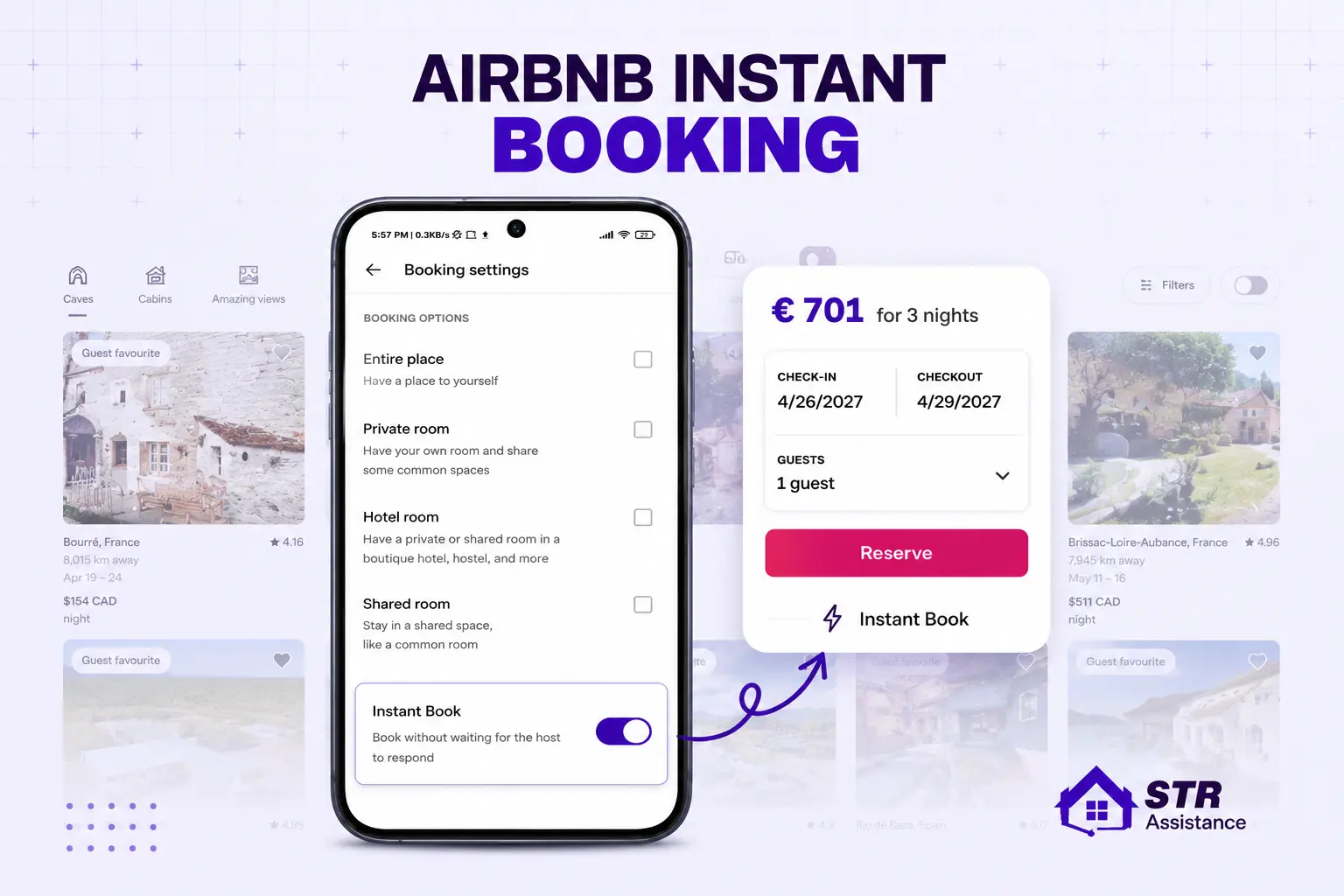
- Enabling Instant Booking on Airbnb is the highest-leverage setting change on this list. Listings with Instant Book on rank meaningfully higher in search. You can still set guest requirements like a good track record, pre-booking message, or valid ID.
- Set the shortest acceptable stay length to keep your calendar flexible. Overly long minimums exclude guests searching for shorter trips.
- Adjust pricing and details seasonally rather than leaving them static year-round.
2. Calendar Availability Issues
Another reason Airbnb isn’t letting you book is because the host calendar isn’t updated. You should update and manage your Airbnb host calendar to maintain availability. You can select the listing you want to modify in the calendar, change block or open dates, and manage pricing.
You can do the following things to manage availability:
- Keep open dates as high as possible. Only block dates you truly can’t host.
- Create an availability window so guests can book far enough in advance.
- Specify clear check-in and check-out time ranges.
- Sync your Airbnb calendar with other platforms like Vrbo or Booking.com to avoid double bookings. If you’re managing this manually, our guide on how to manage your Airbnb calendar covers the mechanics.
3. Poor Listing Photos
Poor and unclear listing property photos significantly reduced the bookings. High-quality photos entice the property’s presentation, attract guests, and improve search ranking. Follow the mentioned strategy to update listing photos on Airbnb:
What to do:
- Clear away clutter and arrange furniture so the space looks inviting.
- Showcase the listing’s best features first: a standout view, a well-designed kitchen, unique architectural details.
- Use natural light wherever possible, or add artificial lighting to brighten dim spaces.
- Upload photos at a minimum resolution of 1024 x 683 pixels.
- Add captions to every photo so guests know what they’re looking at.
- Your cover photo is the single highest-ROI optimization. Show your most distinctive room at eye level with warm, natural light, not a wide drone shot of the exterior.
- Consider hiring a professional photographer for your initial set.
4. Weak Listing Description
A vague or incomplete description leaves guests with unanswered questions, and unanswered questions lead to scrolling past your listing, not booking it. With Airbnb’s 2026 natural language search update, your description text is also matched directly against full-sentence guest queries, so specific, descriptive language now affects your search visibility too.
What to do:
- Use clear, specific language. “Great location” says nothing. “Five-minute walk to the metro and two blocks from the farmers market” says everything.
- Highlight what makes your property different, whether that’s the layout, the neighborhood, or a specific amenity.
- Mention all key details: bedroom and bathroom count, bed sizes, kitchen setup, and any limitations honestly.
- If you want guidance on writing a description that actually converts, our guide on how to write an Airbnb listing description covers this in depth with real examples.
5. Overpricing or Undervaluing Your Property
Pricing is the most common reason a listing gets views but not bookings. Overpricing keeps your calendar empty and can trigger negative reviews from guests who expected more for the cost. Underpricing creates suspicion and attracts guests who may not treat the space well.
One recent shift worth noting: Airbnb standardized a 15.5% host-only service fee on December 1, 2025. Because this fee is now built into host pricing rather than split with the guest, your displayed nightly rate is the full guest-facing number. Many hosts who didn’t reprice after this change now appear more expensive than they actually are relative to the competition.
What to do:
- Research similar listings in your area and compare their pricing, amenities, and guest ratings.
- Adjust pricing for seasonal demand and local events rather than keeping a flat rate year-round.
- For new listings with no reviews, consider starting 10 to 15% below comparable listings to build momentum, then raise gradually once reviews come in.
- Consider dynamic pricing tools like PriceLabs or Beyond Pricing if you’d rather not track this manually.
6. Strict Booking Policies
A strict booking policy means no or minimum flexibility is offered to guests while booking. Guests fear losing money if their plans change. Hosts with strict booking policies may face lower booking rates in a competitive market as they’re not welcoming potential guests.
Instead, hosts can apply the following booking strategies:
- Evaluate your booking policies per listing, not as a blanket rule.
- Consider moderate or flexible policies to attract a wider range of travelers, especially for listings in competitive markets.
- Balance host protection with guest flexibility. A firm but not punitive policy often performs best.
7. Strict Cancellation Policy
A strict cancellation policy on Airbnb reduces guests’ interest in your property, leading to fewer bookings due to a lack of flexibility. Under this policy, guests can cancel and get a full refund if they cancel within 48 hours of booking or at least 14 days before check-in. Otherwise, 50% of the booking amount will be refunded for cancellations between 14 and 7 days. Additionally, guests will receive no refund if they cancel the reservation within 7 days of the booking.
This strict nature makes the guest uninterested in your property. They also don’t feel safe about the cancellation policy. So, the hosts should apply:
- Choose a cancellation policy that matches how your business actually runs.
- Flexible or moderate policies generally attract more bookings without significantly increasing cancellation risk.
- Monitor your cancellation rate after any policy change. The goal is more net bookings, not just more bookings that cancel.
8. Poor Communication with Guests
Poor communication reduces the credibility of your host account to guests, which can result in reduced bookings on Airbnb properties. Also, as an unresponsive host, you could get negative reviews and lower guest satisfaction. Beyond reviews, slow host responses can also lower your response rate and push your listing down in search.
Here are some professional tips to improve communication on Airbnb:
- Respond to inquiries and reservation requests as quickly as possible. Under an hour is good; under 15 minutes is better.
- Keep your host acceptance rate healthy by accepting requests that fit your rules and blocking unavailable dates in advance, rather than declining requests later.
- Provide clear, specific answers. Don’t make guests ask follow-up questions for basic details.
- Keep all communication on Airbnb’s messaging platform so it’s documented.
- Reach out proactively to confirm details and address potential issues before check-in.
9. Seasonal Demand Drops
Seasonal variations in market demand significantly affect booking rates. Peak seasons fill calendars; off-seasons leave them empty. Local events create temporary spikes in demand that fade quickly after.
What to do:
- Use dynamic pricing based on seasonal demand. Charge higher during peak periods to compensate for slower months.
- Offer discounts and promotions during off-seasons to attract bookings that would otherwise go to competitors.
- Adjust minimum-stay requirements seasonally. Shorter minimums during slow periods keep your calendar flexible.
10. Negative Guest Reviews
Reviews are one of the strongest trust signals on the platform. A listing with multiple negative reviews will lose bookings regardless of how well everything else is set up. Guest Favorites badged listings, which require a 4.9+ average, now carry significant weight in Airbnb’s 2026 search ranking.
What to do:
- Address specific issues guests have raised. Don’t dismiss criticism; fix what’s fixable.
- Respond to every review professionally and specifically, whether positive or negative. Our guide on how to respond to guest reviews covers how to handle both well.
- Focus on earning reviews that mention specific positives: cleanliness, check-in ease, accurate description.
11. Lack of Amenities or Outdated Decor
Guests expect comfort, convenience, and a modern living experience. Missing basic amenities or visibly dated decor makes guests choose a competitor, even if your price is lower.
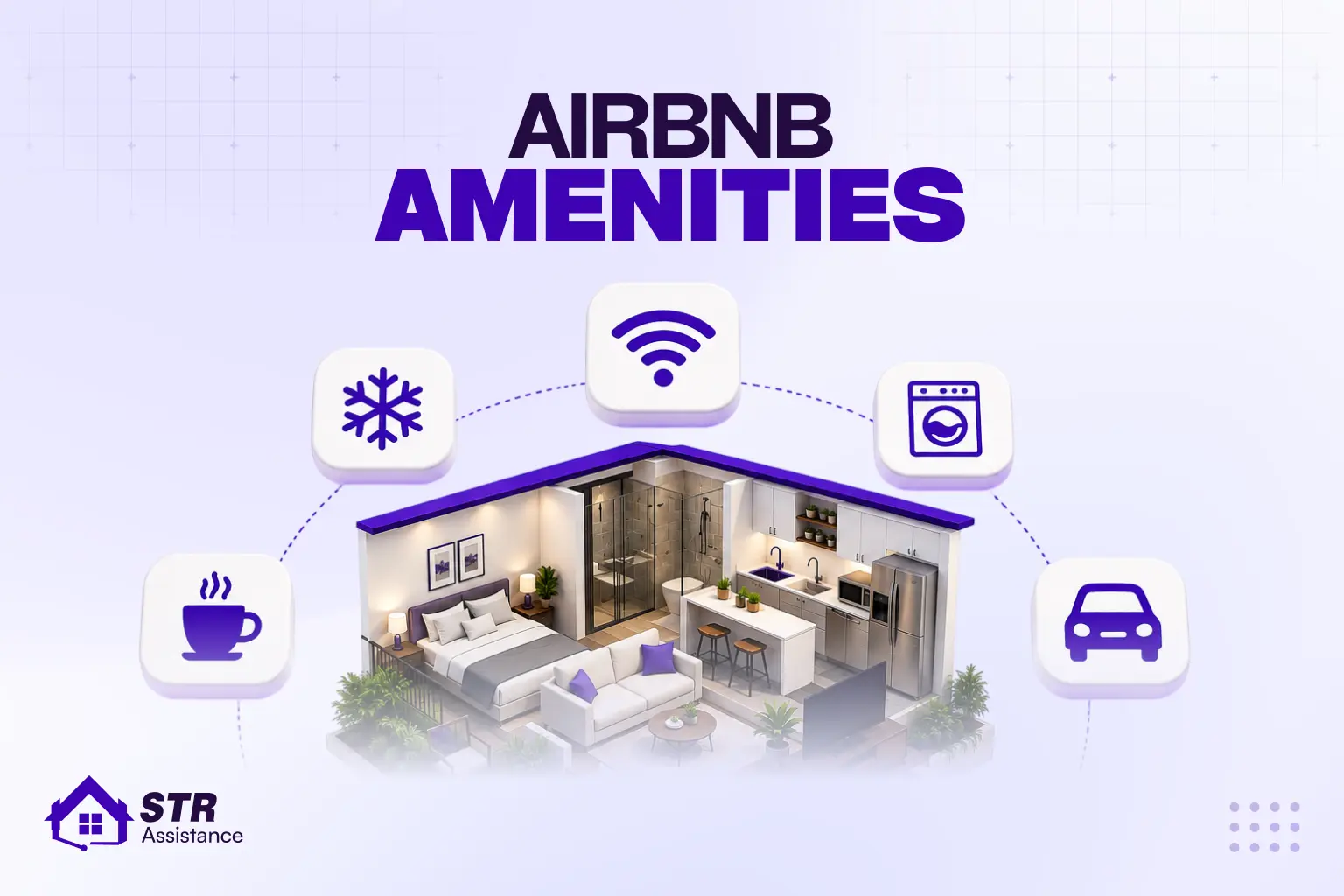
Four amenities that filter the most searches: fast Wi-Fi, a workspace, free parking, and air conditioning. Missing any of these tags means missing every search that includes them.
What to do:
- Ensure basic essentials: reliable Wi-Fi, air conditioning or heating, kitchen essentials, quality bedding.
- Renovate outdated spaces with modern decor and lighting. Even small updates, like new throw pillows, fresh paint, or better light fixtures, can shift how guests perceive the space.
- Add smart-home features where practical: keypad locks, smart thermostats, streaming-ready TVs.
12. High Competition in Your Area
Sometimes bookings drop not because your listing got worse, but because the market around you got more competitive. New listings, renovated competitors, or a shift in how guests search can all change where your listing sits relative to others.
What to do:
- Offer something competitors don’t. A unique feature, a specific guest-type focus, or an included amenity can differentiate your listing.
- Keep pricing competitive by regularly checking what comparable listings that are actually booked, not just listed, are charging.
- Turn on Instant Book if you haven’t already. In competitive markets, the visibility boost alone can be the difference.
- Make sure your title and description are specific and keyword-rich. “Cozy apartment” competes with thousands of others. “Quiet studio near the convention center, self check-in” competes with far fewer. If you’re stuck rewriting yours, our roundup of the best Airbnb listing titles breaks down what makes a title actually stand out in a crowded market.
13. Not Promoting Your Listing
Most hosts don’t realize they can actively promote their listings both on and off Airbnb. Relying solely on organic search means competing only inside the platform, which gets harder as more listings enter the market.
What to do:
- Create and run a custom promotion on Airbnb with specific discounts.
- Share your listing on social media and consider paid advertising for seasonal pushes.
- List on multiple platforms (Vrbo, Booking.com) to reach guests who don’t use Airbnb exclusively.
- Go beyond marketplaces and build your own direct booking website, so guests can find and book you without depending on Airbnb’s search results.
- For a broader strategy, see how to get more bookings on Airbnb.
How STR Assistance Helps Hosts Fix Booking Problems
Let’s Get Your Bookings Back on Track
Most hosts who come to us already know something is off with their listing. They just can’t tell exactly what, or they don’t have the time to test fixes one by one while the calendar stays empty.
What we actually do is start with the dashboard. We check whether the problem is visibility or conversion, then go through the listing the same way a guest would: photos, title, description, pricing, settings, reviews. When something doesn’t hold up, we fix it directly rather than handing back a list of suggestions.
One host came to us fully set up but hadn’t had a booking in three weeks. The issue turned out to be two things: blocked dates they’d forgotten to reopen after a personal stay, and a cover photo that showed the exterior instead of the living space. We cleared the calendar, swapped the photo, and the first booking came in four days later.
That’s the kind of work our Airbnb listing management service covers, not a one-time audit, but ongoing adjustments as the market moves around you.
Conclusion
If your Airbnb isn’t booking, the single most useful thing you can do is check your dashboard view count before changing anything. High views but no bookings means your listing needs work. Low views means the algorithm isn’t showing you. Every fix on this list works better when you know which problem you’re solving.
A quick checklist before you move on:
- Check your view count to diagnose visibility vs conversion
- Review your photos, especially the cover photo
- Compare your pricing against listings that are actually booked, not just listed
- Clear any pending To-Do tasks and open blocked dates
- Respond to guest inquiries faster than you think you need to, since a low response rate quietly cuts your visibility
- Ask for reviews after every positive stay
Consistency matters more than any single fix. The hosts who stay booked aren’t doing anything complicated. They’re just doing the basics reliably, every time.
FAQ
Your listing may be snoozed, unlisted, or missing a setup step. It could also be suppressed by the algorithm if your calendar is heavily blocked, your response time is slow, or your conversion rate has dropped. Our full guide on what to do if your listing isn't showing covers every scenario.
Most new listings get their first booking within 1 to 3 weeks if priced competitively and fully set up. Airbnb gives new listings a temporary visibility boost, though this boost was reduced roughly by half in 2026, so building reviews quickly matters more than before.
Yes. Instant Book listings rank 15 to 25% higher in Airbnb search results. The tradeoff is less control over who books, but you can set requirements like verified ID and positive review history to manage guest quality.
Not necessarily. A lower price can help build momentum if you're a new listing with no reviews, but if you're an established listing with decent reviews, dropping the price usually signals a conversion or visibility problem that price alone won't fix. Diagnose first, then decide.