Most guests arrive at an Airbnb with the same five questions — where do I park, how do I get in, what’s the WiFi, what time is checkout, and who do I call if something goes wrong. If your welcome letter doesn’t answer all five before they ask, expect those messages to arrive at inconvenient hours.
An Airbnb welcome letter template is a pre-written, customizable message you send to guests 24 to 48 hours before check-in. It covers the essentials — entry instructions, WiFi, parking, house rules, and your contact details — so guests arrive informed and you spend less time answering the same questions every stay. Studies show that hosts who send clear pre-arrival messages see 60 to 70% fewer guest inquiries before and during check-in.
As a short-term rental virtual assistant company managing properties across Airbnb, Vrbo, and Booking.com, we’ve handled guest communication across hundreds of active listings. We know exactly where check-in confusion starts and what a welcome letter needs to prevent it. The templates below are free, tested across real bookings, and available in PDF, Word, and Canva formats so you can pick the one that fits your workflow.
Download the Airbnb Welcome Letter Template (Canva, PDF & Word)
In the early days of managing listings, every welcome letter was written from scratch. Different tone, different structure, different information every time — and guests still asked the same questions. So we built one base version that works across property types: clear enough for guests to scan on a phone, specific enough to prevent the most common check-in messages.
The template has been refined across 800+ active bookings. What you’re getting isn’t a guess at what works — it’s what we send through our own Airbnb virtual assistant workflow every day.
Three formats — choose what fits your operation:
- PDF: Print it or attach it directly to your Airbnb message. No editing needed beyond the placeholders.
- Word: Adjust the tone, swap sections, add property-specific detail. Full text control.
- Canva: Add your logo, match your colors, and align it with your welcome book or listing photos.
Download the Airbnb Welcome Letter Template
How to Use the Airbnb Welcome Letter Template
Open the template, replace the bracketed placeholders with your guest’s name, check-in time, Wi-Fi password, parking details, and contact number, then send it through Airbnb messaging 24 to 48 hours before check-in.
Look for the brackets. Swap or fill in your actual details. Most hosts finish their first version in under 10 minutes. Start with the basics every guest asks about:
- Guest name
- Check-in and check-out times
- Wi-Fi name and password
- Parking instructions
- Your contact number
- Get those five right. The rest can wait.
Adjust the tone: Here, you need to match it to your property.
- A beach house? Keep it relaxed.
- A city apartment near offices? Be direct and professional.
Change the opening and closing lines to fit.
Keep it Short and Scannable: Make your template clear, concise, and easy to scan. Guests read this on a phone. Dense paragraphs get skipped. Break the content into short sections with bold labels. That gets read.
Use the same template for every booking. Just replace the placeholders. No rewriting from scratch each time.
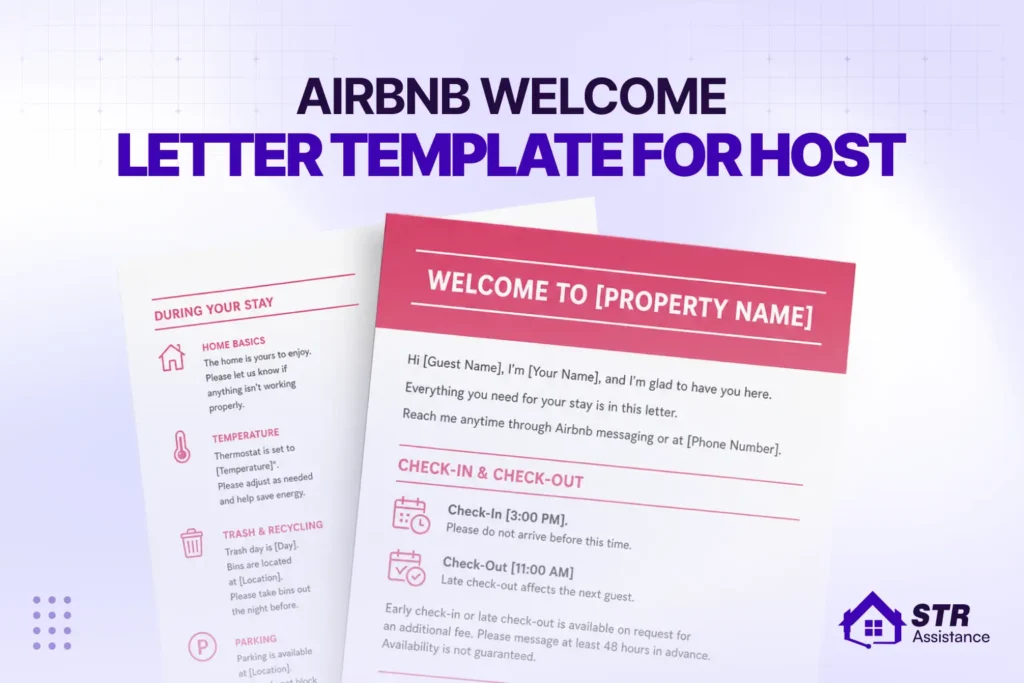
Template Preview (Short Preview Version)
Hi [Guest Name],
We’re looking forward to hosting you at [Property Name]. Here’s everything you need before you arrive.
Check-in: [Check-in Time] | Check-out: [Check-out Time]
Access: The door code is [Code]. The lockbox is on the right side of the front door.
Wi-Fi: Network: [Network Name] | Password: [Password]
Parking: [Parking Instructions]
Message us anytime at [Phone / Airbnb Message] if anything comes up.
Have a great stay,
[Your Name]
Can I Print My Airbnb Welcome Letter?
Yes — and for certain property types, a printed letter works better than a digital one. Cabin guests, beach house guests, and longer-stay guests often prefer something physical to hold rather than scrolling back through Airbnb messages.
If you print your welcome letter:
- Use standard letter-size paper with clean margins — avoid decorative borders that print poorly
- Bold the WiFi password and door code — these are the most referenced details
- Place one copy on the kitchen counter and one in the bedroom
- Laminate it if you have back-to-back bookings — it survives better across multiple stays
For urban apartments with fast turnover, digital delivery through Airbnb messaging or a linked PDF is more practical. For rural properties, cabins, and longer stays, a printed copy adds a hospitality touch most guests notice.
.
Why Hosts Need an Airbnb Welcome Letter
Sending a clear pre-arrival message directly reduces guest inquiries before and during check-in. Hosts who use structured welcome letters consistently report fewer repetitive messages, smoother check-ins, and better review scores — because guests who arrive informed don’t start their stay with frustration.
According to Airbnb’s Superhost requirements, hosts must respond to at least 90% of guest messages within 24 hours to maintain status. A welcome letter reduces the volume of incoming messages, which directly protects that response rate metric without requiring faster typing.
Builds a Positive First Impression
A guest’s first real touchpoint with your property is this message — before they pack their bags, before they arrive at the door. A short, clear welcome letter tells them the host is organized and the stay will be smooth. A missing or vague one puts doubt in their mind before they even leave home.
Reduces Repetitive Guest Questions
As a host, you know that in the STR operations, the same five questions come up before almost every check-in. These are Wi-Fi, parking, door access, check-in time, and check-out time. A good welcome letter answers all five before the guest asks. That alone removes most of the pre-stay messaging load.
Improves Guest Experience And Reviews
Guests who arrive informed tend to settle in faster. They don’t want to spend the first 20 minutes looking for the Wi-Fi password or texting the host about parking. If you send consistent pre-arrival messages, it helps ensure guests have a smoother stay, and you can see this show up in their Airbnb ratings over time. That calm start affects how they feel about the whole stay.
Helps Hosts Look Organized And Professional
A timely template-based message signals that you run a professional STR operation. Guests notice when a host has a clear, reliable system. It builds confidence before they even walk in the door. This matters even more when you’re managing multiple listings at the same time. Unprepared hosts damage their reputation.
Supports Automation And Reuse
Once the template is set, you don’t write this message again. You just update a few fields and send. Tools like Airbnb’s scheduled messaging, Hospitable, or Guesty can pull guest details and send the letter automatically. The template does its job without you touching it, booking after booking. It’s saved time.
Encourages Better Communication And Trust
Clear instructions reduce misunderstandings. A guest who knows exactly what to expect arrives without frustration. Including your contact info and a direct line for anything that comes up tells guests you’re reachable. That alone reduces the likelihood of a negative review from something small going sideways.
What to Include in an Airbnb Welcome Letter
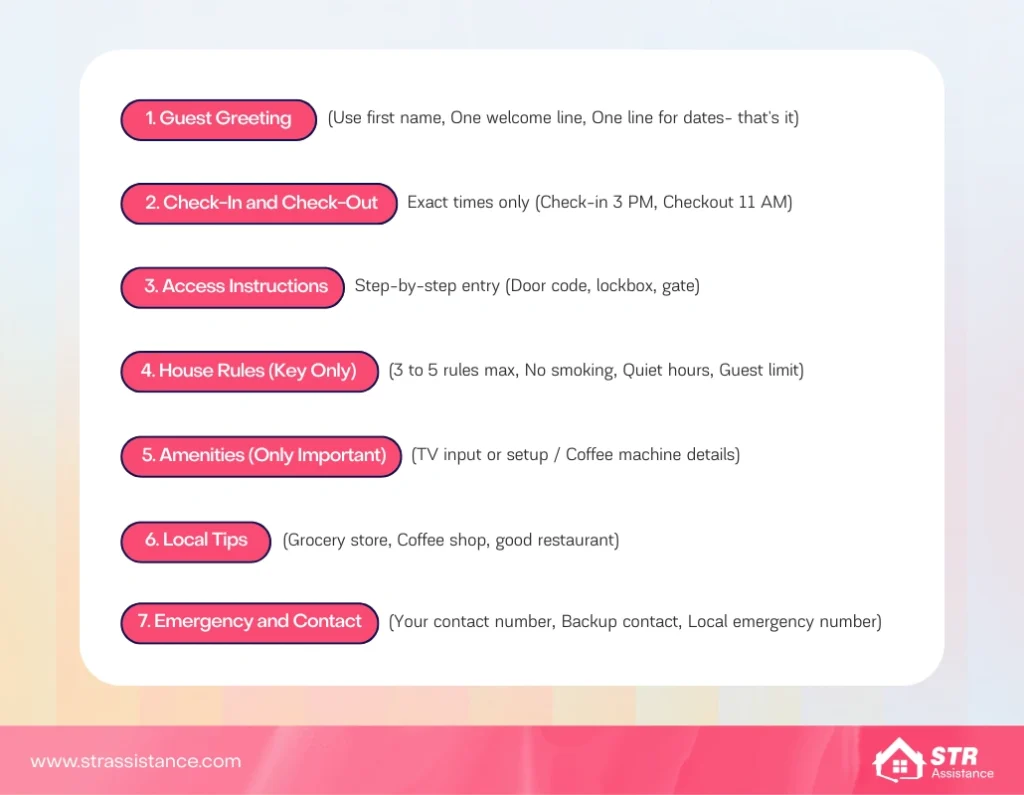
An effective Airbnb welcome letter includes a guest greeting, a clear check-in time, and step-by-step access details. It also contains key house rules, essential amenities, simple local tips, and a reliable contact for support. Let’s look at each in detail:
Guest Greeting and Host Introduction
Use the guest’s first name. One line welcoming message for them, one line confirming the dates, that’s it. We’ve seen hosts write four-paragraph intros that guests skip entirely. They’re looking for the door code, not a story about how much you love hosting. Keep it short, keep it useful.
Check-In and Check-Out Details
State the exact time. Not “around 3 PM.” Not “flexible.” A specific time check-in at 3 pm, checkout at 11 am. If you do allow early check-in, say how it works and whether it costs extra. Everything has to be mentioned. Guests plan their travel around this. Vague timing creates extra messages and confusion and costs reputations. Exact timing creates smooth arrivals and smooth stays.
Access Instructions
Walk through the entry the way a stranger would. Where is the lockbox, exactly? Left side of the door or right? What’s the code? Is there a building gate before the front door? Every gap in these instructions becomes a phone call at 11 PM. You’ve gotten those calls. Write the access section once, write it completely, and you won’t get them.
House Rules Reminder
Pick 3 or 5 important rules that actually matter at your property. No smoking, quiet after 10 PM, no unregistered guests. Whatever your real concerns are, state them plainly. The welcome letter is not the place for a full rulebook. If guests need the full list, your house rules template or a printed copy inside the property handles that.
Amenities and Features
Only mention things that need a word of explanation. The smart TV requires switching to HDMI 2. The Nespresso with pods in the second drawer. The thermostat takes 10 seconds to respond. Guests figure out normal things on their own. Flag the non-obvious ones here. A single line on each is enough.
Local Tips
Two to five recommendations, max. The closest grocery store and one good coffee spot. Or a place like a restaurant, local free parking, that’s genuinely useful. A list of 12 restaurants is not. If you want to give guests a proper neighborhood guide, put it in the Airbnb guidebook inside the property. The welcome letter is not the place for it.
Emergency and Support Contact
Give them a number to reach you. Give them a backup if you’re not always available. If the property is rural or far from town, include the local emergency number too. Guests don’t expect problems. But when something breaks at midnight, and they have no number to call, that’s when a three-star review gets written. One line here prevents it.
What's the Difference Between a Welcome Letter and a Welcome Book?
These two terms get used interchangeably, but they serve different purposes at different stages of the guest journey.
Welcome letter: sent before arrival, usually 24 to 48 hours before check-in. Short, focused, and covers only what guests need to get in the door: entry code, parking, WiFi, and your contact number. Guests read this on their phone while packing or in transit.
Welcome book: left inside the property for guests to refer to during the stay. It covers everything in more detail — appliance guides, local recommendations, house rules summary, emergency contacts, and checkout steps. Guests use it as a reference guide throughout their stay.
Most professional hosts use both — a pre-arrival letter through Airbnb messaging, and a welcome book either printed at the property or linked digitally in the check-in message.
Airbnb Welcome Letter Template Examples
Four versions below, each built for a different situation. Copy directly and edit the placeholders.
Short Welcome Letter Template
Short version – works for most bookings
Hi [Guest Name],
Welcome! We’re glad to have you at [Property Name].
Check-in: [Time] | Check-out: [Time]
Door code: [Code] — lockbox is at the front entrance on the left.
Wi-Fi: [Network] | Password: [Password]
Parking: [Instructions]
Message me at [Phone or Airbnb message] if anything comes up.
[Your Name]
Detailed Welcome Letter Template
Detailed version – good for first-time guests or longer stays
Hi [Guest Name],
Looking forward to hosting you at [Property Name] from [Check-in Date] to [Check-out Date].
GETTING IN:
Check-in is from [Time]. The lockbox is on the right side of the front door. The code is [Code]. Return the key to the lockbox when you leave.
WI-FI:
Network: [Network Name]
Password: [Password]
PARKING:
[Parking instructions — street, garage, permit details if applicable]
A FEW THINGS TO KNOW:
- [House rule 1 — e.g., No smoking indoors]
- [House rule 2 — e.g., Quiet hours after 10 PM]
- [House rule 3 — e.g., No additional guests]
THE SPACE:
[One or two sentences about what makes the property useful — e.g., “The kitchen is fully stocked. Pods for the Nespresso machine are in the top drawer by the sink.”]
NEARBY:
[Grocery store name] is 5 minutes away. [Coffee shop name] is a short walk and opens at 7 AM.
Check-out is by [Time]. Leave the towels in the bathroom and the key in the lockbox.
Message me anytime at [Phone / Airbnb messaging] — I’ll respond quickly.
Hope you have a great stay,
[Your Name]
Luxury Airbnb Welcome Letter Template
Luxury version – for premium properties where tone matters
Dear [Guest Name],
Thank you for choosing [Property Name]. We’ve prepared everything for your arrival and look forward to making your stay exceptional.
ARRIVAL:
Check-in begins at [Time]. A member of our team will be available to meet you at the property. If you prefer a self-guided entry, the door code is [Code].
WI-FI:
Network: [Network] | Password: [Password]
PARKING:
[Valet / Private parking details]
YOUR STAY:
[Property Name] includes [highlight two or three premium features — e.g., “a heated pool available from 8 AM to 10 PM, a fully stocked kitchen with espresso station, and concierge-level local recommendations in the welcome book on the kitchen counter”].
HOUSE POLICIES:
To ensure all guests enjoy the property as intended: [brief, polite statement of top 1-2 rules].
ASSISTANCE:
For anything during your stay, reach us at [Phone]. We aim to respond within 15 minutes.
We hope this stay exceeds every expectation.
Warmly,
[Your Name / Property Team Name]
Automated Message Version (for Airbnb Hosts)
Automated version – paste into Airbnb scheduled messaging or your PMS
Hi {{guest_first_name}},
Your stay at [Property Name] is coming up on {{checkin_date}}. Here’s everything you need.
CHECK-IN: [Time] | CHECK-OUT: [Time]
ACCESS: Door code [Code] — lockbox at the front door, left side.
WI-FI: [Network] | Password: [Password]
PARKING: [Instructions]
Message me here on Airbnb or at [Phone] if anything comes up before or during your stay.
Looking forward to hosting you.
[Your Name]
Note:
Replace {{guest_first_name}} and {{checkin_date}} with the merge tags your platform uses. Airbnb’s native scheduler supports %guest_first_name%. Hospitable and Guesty use their own tag formats.
How to Customize the Airbnb Welcome Letter Template?
To customize your welcome letter template, pick the right tone (warm, direct, or formal). Then add what confuses guests at your property, like parking, Wi-Fi, or door codes. Update local tips each season. Done.
- Pick the right tone and stick with it: Warm and casual works for beach houses and cabins. Direct and efficient fits city apartments with business travelers. Formal suits, luxury listings where guests expect polish. Mixing all three in one letter looks sloppy.
- Adapting your property type: A cabin needs fire pit rules and directions. GPS drops out in rural areas. A beach house? Outdoor shower and sandy towel policy. A city apartment: building access, elevator codes, and which floor. Every property has one or two things guests get wrong. Put those at the top.
- Adjusting for different guests: Families want to know about stairs, pool rules, safety stuff. Couples want two good nearby spots, not a list. Business travelers need Wi-Fi and parking sorted immediately. Prioritize what they actually care about.
- Update local tips twice a year: Summer guests want hikes and beach access. Winter guests want ski rentals or indoor options. Five minutes of updating makes the letter feel current instead of copy-paste.
How STR Assistance Builds Welcome Letters for Hosts
Our team has refined welcome letter templates across 800+ active Airbnb bookings. What we’ve learned isn’t available in a generic template — it comes from watching where guests still get confused even after receiving a welcome letter, and fixing those gaps across real properties.
The most common failure point we see: access instructions that make sense to the host but not to a guest arriving at night for the first time. “Lockbox on the front door” fails when there are two doors. “Park in our spot” fails when there are twenty unmarked spots. We write access instructions the way a stranger would need to read them — not the way a host who knows the property would write them.
Beyond the welcome letter, our short-term rental virtual assistant team handles full guest communication — from pre-booking inquiries through post-checkout review requests — across Airbnb, Vrbo, and Booking.com. For hosts dealing with check-in issues regularly, a properly built welcome letter template is usually the first fix that makes the biggest difference.
How to Automate Airbnb Welcome Letters
Use Airbnb scheduled messages or tools like Hospitable, Guesty, and Lodgify to send welcome letters automatically before check-in, reducing missed messages and improving guest experience.
- Airbnb’s built-in messaging tools: Airbnb has its own built-in messaging system. Open your Inbox, go to Scheduled Messages, and set up a template. Trigger it 24 to 48 hours before check-in. Airbnb automatically fills in the guest’s name.
- Templates and scheduling: you can use third-party automation tools like Hospitable, Guesty, Lodgify, and OwnerRez to send your message across Airbnb, Vrbo, and Booking.com. Just build the template once, and use it every time when guests confirm their booking- It saves your time.
Benefits of Automating Your Airbnb Welcome Letter
Automation removes the risk of a missed message entirely. One forgotten pre-arrival message means a guest arriving with no entry code — and that turns into a bad review, not a property problem.
Airbnb’s built-in scheduled messages, Hospitable, Guesty, and Lodgify all support automated welcome letters with personalization tokens that pull guest details directly from the booking. Guest name, check-in date, property address — all filled in automatically. You write the template once and the system handles the rest across every booking.
For hosts managing more than three or four listings, manual tracking becomes unreliable during busy periods. A missed message during a high-occupancy week costs more than the time saved by not setting up automation. The Airbnb message templates guide covers the full automation setup if you want to build the complete pre-arrival through post-checkout messaging workflow.
If you’d rather have someone handle the full guest communication system — templates, automation, and live responses — our Airbnb virtual assistant services cover exactly that.
Related Airbnb Host Templates
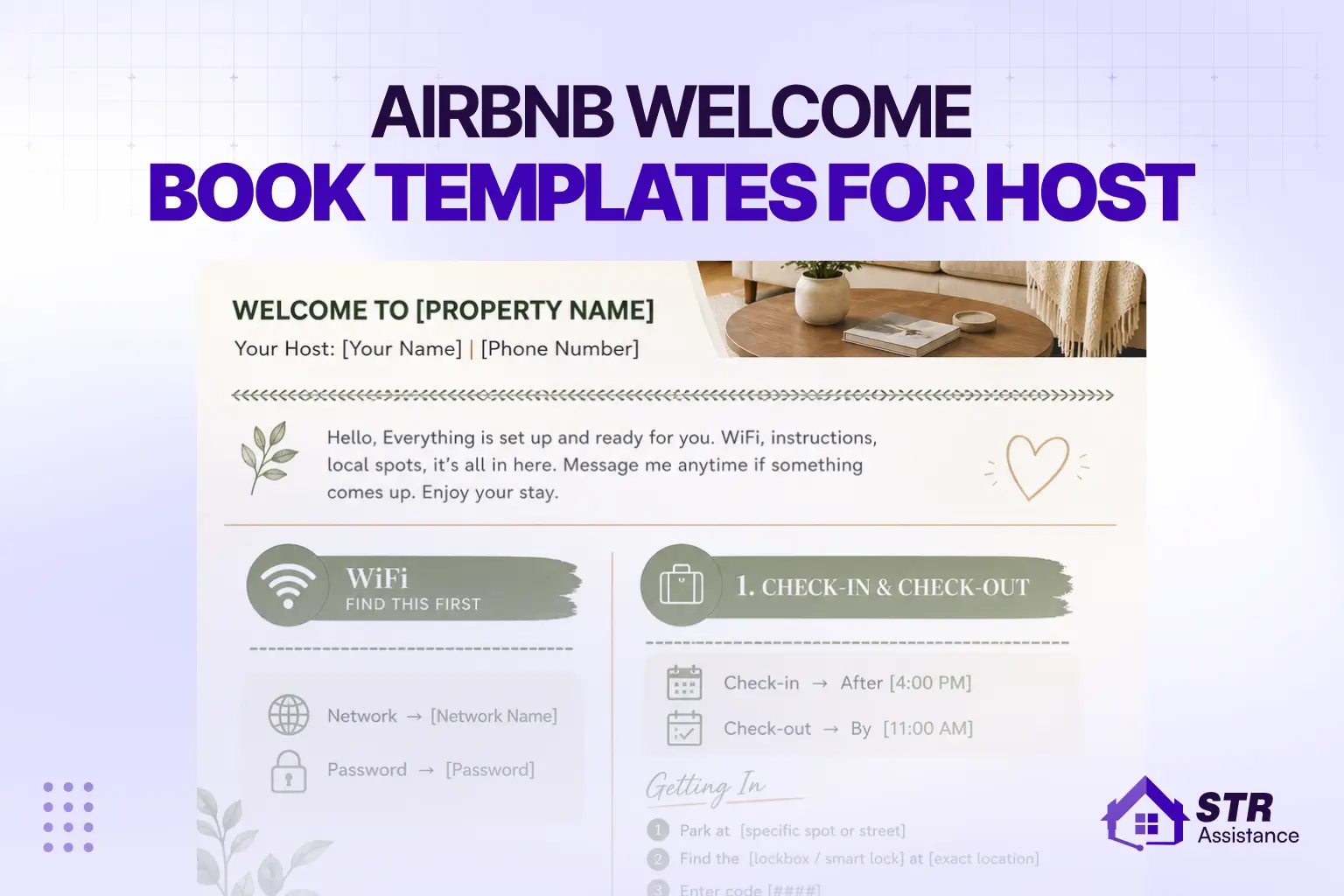
- Airbnb Welcome Book Template: Full in-property guide for guests during their stay
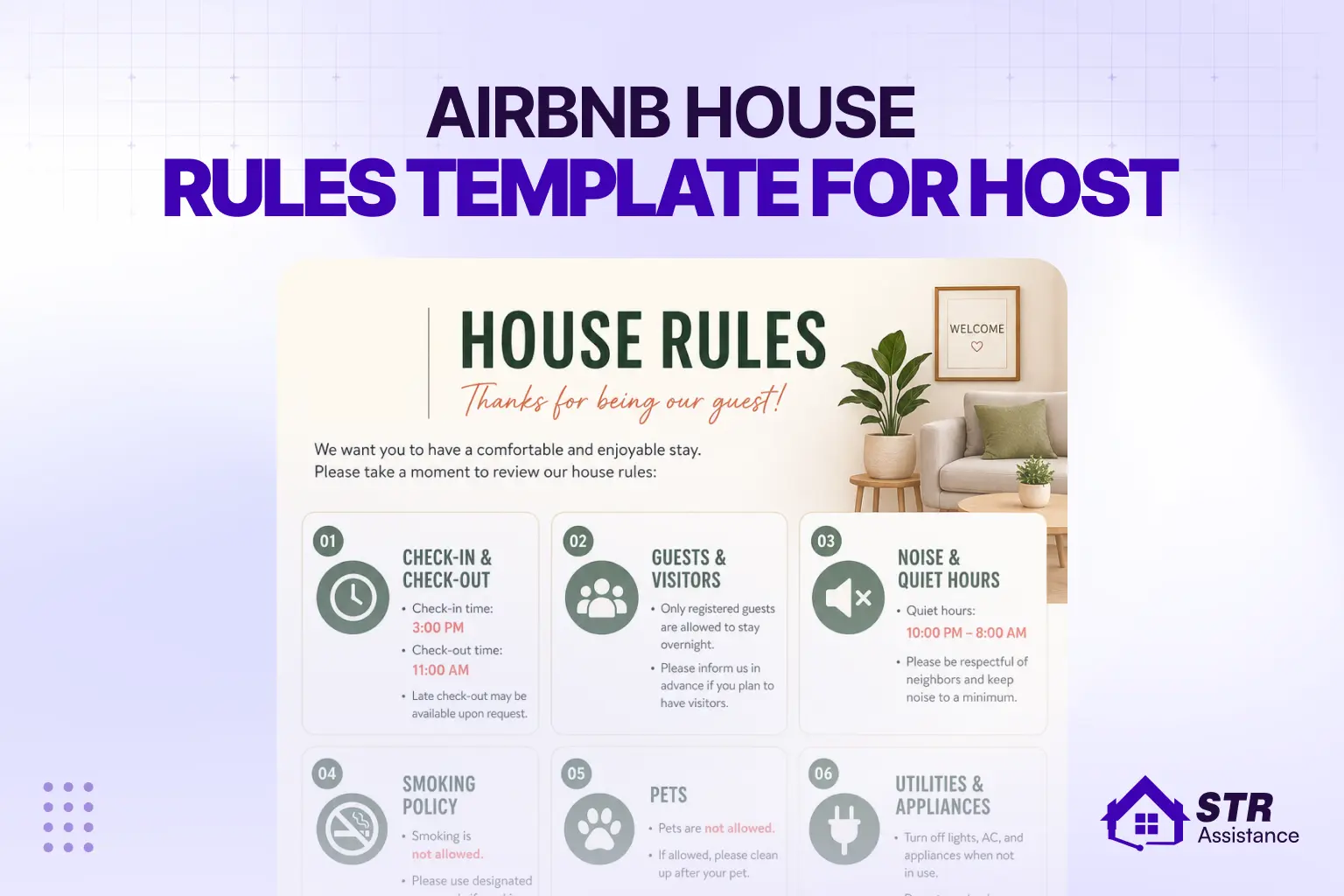
- Airbnb House Rules Template: Clear, enforceable rules without the legal-document tone
- Airbnb Check-In Instructions Template: Step-by-step access guide to prevent check-in issues
- Airbnb Check-out Instructions Template: Simple, guest-friendly departure checklist to reduce missed tasks, cleaning issues, and post-stay confusion.
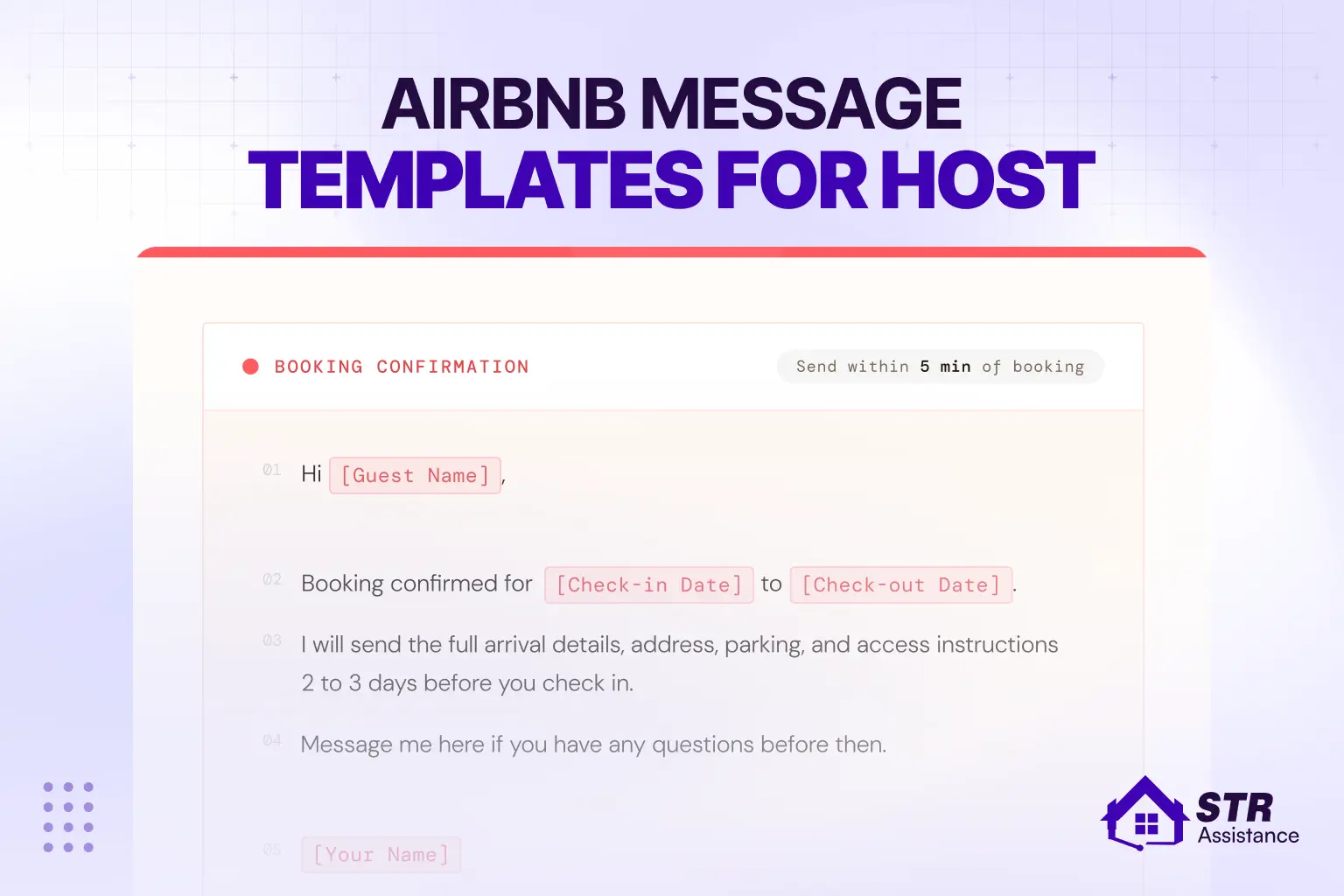
- Airbnb Message Templates for Hosts: The full messaging workflow, from inquiry to post-stay follow-up
FAQs About Airbnb Welcome Letter Template
What Is An Airbnb Welcome Letter?
The Airbnb welcome template is a short message you send before arrival through Airbnb, within 24-48 hours. It tells the guest how to get in, where to park, the WiFi, and your check-in and check-out times. We keep it simple. Guests open this message to get answers fast. If they find what they need, they do not message you again.
When Should I Send The Welcome Letter To Guests?
Yes. We use one base message for all bookings. We only change the guest name, dates, and any small details for that stay. If you use Airbnb scheduled messages or tools like Hospitality or Guesty, even those small edits happen automatically.
Can I Reuse The Same Welcome Letter For Every Booking?
Yes. We use one base message for all bookings. We only change the guest name, dates, and any small details for that stay. If you use Airbnb scheduled messages or tools like Hospitality or Guesty, even those small edits happen automatically.
How Do I Personalize An Airbnb Welcome Letter Template?
Use the guest’s first name. Confirm their dates. If they shared why they are visiting, mention it in one short line. Then lead with what matters to them. Families look for safety and space. Work guests look for WiFi and parking. Keep it short and in a warm tone. That is enough to make it feel personal.
Is It Okay To Send The Welcome Letter By Email Instead Of Airbnb Messages?
Use Airbnb messages first. Guests check the app before arrival more than email. You can send an email as a backup. This helps with direct bookings or longer stays. But keep the main details inside Airbnb so nothing gets missed.
Bottom Lines
A good Airbnb welcome letter takes 10 minutes to set up and saves hours of back-and-forth messaging across every stay. Guests get the information they need before they ask. You stop answering the same five questions before every check-in.
The template above is a starting point — not a finished product. Customize the access instructions for your specific property, adjust the tone to match your listing, and update the local tips each season. The structure works. The details are yours to fill in.

STR Assistance Team
We are a dedicated team of virtual assistants specializing in managing and optimizing short-term rental properties. With a passion for simplifying the lives of property owners, our team brings years of expertise in guest communication, pricing optimization, cleaning coordination, and overall property management across multiple rental platforms like Airbnb, Vrbo, and Booking.com.