- Key Takeaways
- Airbnb does not allow a listing or an account to be transferred. Its Terms say, “You may not transfer your account to someone else.” Its help center says reservations can’t move to a new host or account.
- We have shown 4 ways. The new owner creates a new listing, the account is handed over, the listing is recreated on another account you own, or the new owner joins as co-host or primary host. Handing over an account breaks the terms.
- Reviews, ratings, and Superhost status stay with the original account in every route. A co-host arrangement keeps them working for the listing, but it does not change who owns it.
- Confirmed bookings stay with the original host. Cancelling costs a fee of 10%, 25%, or 50%, depending on timing, and the host gets no payout for it.
- The new owner builds everything again: listing, payout details, tool connections, and local permit. Permit transfer rules differ by place. San Antonio permits are not transferable, Washoe County’s can be transferred by an administrative process, and San Bernardino County needs a new application.
- A co-host can run the property during the handover. The listing owner stays responsible for bookings, payouts, and tax paperwork until the last stay ends.
A listing is not transferable to another account according to Airbnb terms and conditions article number 2908, and the current reservations, reviews, and ratings also cannot be shifted to a new listing even though it is for a similar property.
There are two situations for listing transfer: the property owner sells the property to someone else, and now the new host might want to get the previous bookings, reviews, and everything. Or the existing host creates a new account and wants the previous account listing transferred to the new account. Both of these are prohibited by Airbnb.
Then what is the option? We will be very honest that it’s not possible, but we will talk about 4 ways hosts use to move to a new listing. Create a new listing in the new account, move the listing information to the new account, or add the new host as a co-host. Or hand over the existing account, which we do not support, as it violates Airbnb rules.
However, remember that there will be a new URL for the listing; the previous one has to be removed by the previous hosts, and nothing will be inherited from the new listing.
Today, let’s talk about how a host can transfer a listing to a new owner, what moves with the shift, what to do with the existing booking, the next steps with the new listing, and the local rules to get into consideration.
Can You Transfer an Airbnb Listing to a New Owner?
Hosts cannot transfer a listing or an Airbnb account to a new owner, not even family members or friends, nor can they merge or split the accounts or listings. So, the reviews, reservations, and Superhost status also cannot be shifted to another host account. The new owner, or the new account, has to create a new listing for the property if it is sold or if the owner changes accounts, even though the property or space is the same.
Here, a co-host can take responsibility by being given access to the account, and later the host can make the co-host the primary host. But direct transfer of the listing is not possible.
Transferring an Airbnb listing actually means two things. The buyer may want the bookings, reservations, and Superhost badge transferred to his listing, as the property is the same. Or the owner is the same and just wants to shift the listing under a different login. Neither is possible.
Airbnb Article 2908, Terms of Service, Section 16, says, “You may not transfer your account to someone else.”
The same article, section 5.1, says, “You may only maintain one Listing per Accommodation. A property can have multiple Listings only if it has multiple places to stay.”
Article 1431 states, “For one reason or another, you might have more than one Airbnb account. Unfortunately, there’s no way to merge or move information or bookings between them.”
All three statements show Airbnb has no specific feature, nor does it have any policy where a host can shift, merge, or transfer the account or listing. A new host can create another account, and the old host can simply deactivate the current account.
A short summary of whether you can transfer the listing is
- New owners have to create a new listing under their own account.
- Reviews and ratings cannot merge or be transferred to another profile or listing, even if the space is the same.
- Existing reservations also cannot be moved to a new account.
- Hosts cannot sell property with existing bookings, either change or cancel the bookings.

Your options for transferring an Airbnb listing
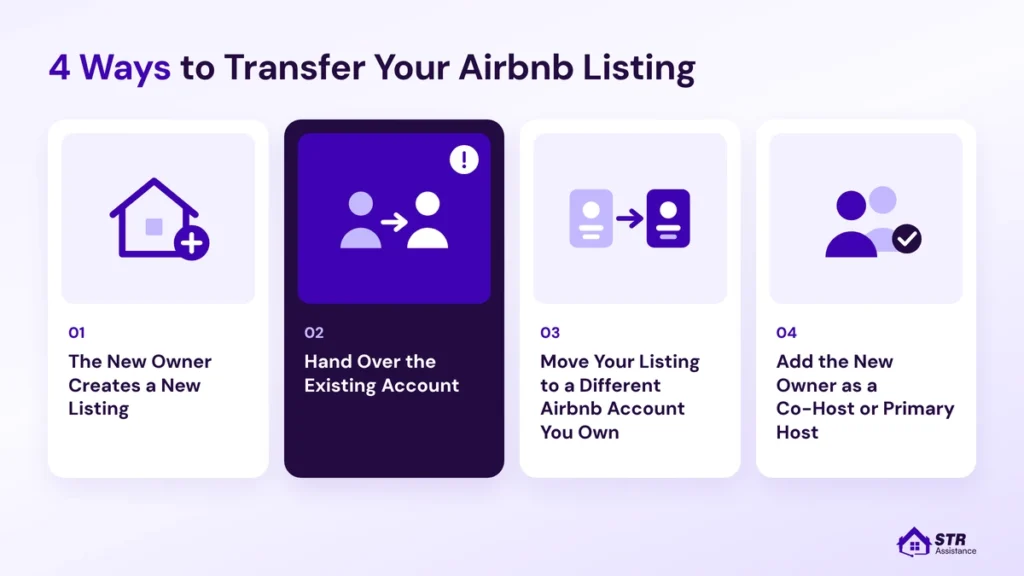
As we already mentioned, there is no built-in feature for transferring a listing in Airbnb. But there are 4 different ways hosts use when they sell the property or want to move to another account.
Check this comparison table for the 4 ways.
Route | Who it suits | What moves | What you lose | Risk with Airbnb’s terms |
1. New owner creates a new listing | Property sale | Nothing on Airbnb. Photos and performance data if the seller shares them | Reviews, rating, Superhost status, listing URL | None. This is the standard route |
2. Hand over the existing account | A seller and buyer who want the old account | Everything stays in one account | The Terms. The account itself is at risk | High. Breaks the ban on account transfer |
3. Move the listing to another account you own | One owner, new company or split accounts | Nothing. The listing is rebuilt | Reviews, URL, Superhost status on that listing | Medium. Only one listing per accommodation is allowed |
4. Add the new owner as co-host or primary host | A change of management, not of ownership | Day-to-day control | Nothing, but ownership and responsibility stay put | Low. It is an Airbnb feature |
How to Transfer an Airbnb Listing, Route by Route
4 ways to transfer or change an Airbnb listing we are talking about. Which to choose is entirely up to you.
The first is straightforward: simply creating a new listing for the property sale; there is no risk or rule violation with this. The second is to hand over the existing account, which is risky. Third, create the new listing with the same information, title, description, and everything manually. And last is adding a co-host and then shifting them to the primary host.
1. The New Owner Creates a New Listing
When the property owner is selling the property to someone else, the new buyer becomes the real listing owner and should create a new listing. This is the risk-free and ethical way, as per Airbnb, since there is no built-in feature for transferring listings.
Set up the new listing from scratch, like adding the new payout details, adding titles, descriptions, photos, and publishing the property.
Follow this process for new listing transfer:
- The previous host first has to snooze the listing.
- Then deactivate the listing. These two terms are old labels, and now Airbnb uses “unlist” for snooze and “remove” for deactivate.
- However, when the host unlists the listing, it stops new reservations and hides the listing from the search results, but doesn’t block the dates.
- The host can either host the existing guests or cancel the reservations that have cancellation fees and refund guests with other consequences as per Airbnb rules. Hosts can unlist for up to 6 months or indefinitely.
- When all the confirmed reservations are done hosting or cancelled, then the host can remove the listing; that makes it completely gone from the search results and can’t be reset.
The new host can request the vendor list, cleaners’ contact, recurring guest feedback, or occupancy rate from the previous host to save time.
2. Hand Over the Existing Account
Airbnb prohibits handing over the existing account and strictly states that the host should not share personal information with others.
Some hosts may hand over the existing account, where the new host can change the name, email address, phone number, payout methods, and ID verification. But what about the business type and registration number? You cannot change these.
Airbnb can suspend, ban, or limit an account if it breaches the rules.
While researching, we have found some suggestions on dedicated hosting for one property. But Airbnb’s account policy does not allow this. It states that users should not have more than one account and should not use the same personal information, like a government ID.
So, our verdict would be a no to using this way to getting the old listing access no matter how good ratings or reviews that listing have.
3. Move Your Listing to a Different Airbnb Account You Own
When you move the other account, you can create a new listing similar to the previous one with similar information if you want, but right now we have been saying shifting the same one is not possible.
Here, if you want the previous information and details in the new one, you have to do it manually, as there is no tool of automation available. The process is similar to what we described in the first option. You have to first unlist the listing, host the existing reservations until there are no future reservations, and then remove it. In this process, you can copy the details and get the photos and add them to the new listing.
Why can hosts not keep two listings? Because Airbnb has specific rules for one listing per accommodation.
You will get a new listing URL also. So, plan everything new based on this new listing. You will find information about what to do with the new listing in later sections; check that out.
4. Add the New Owner as a Co-Host or Primary Host
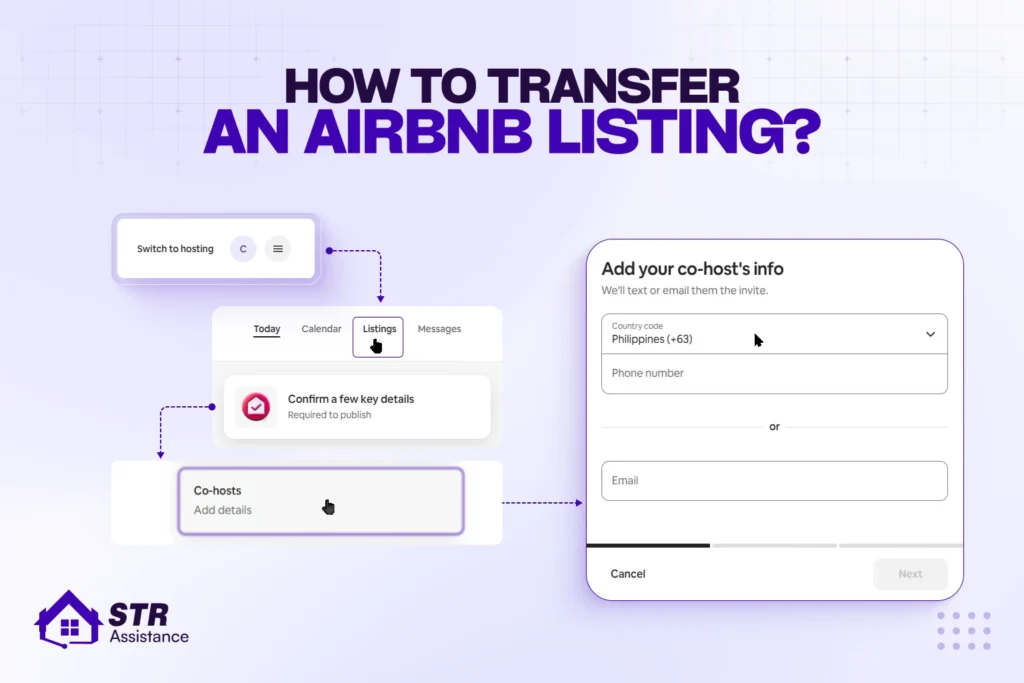
Since listing transfer is not possible, hosts have found out a trick: adding the new owner as co-host then setting them as the primary host. A listing has up to 10 co-hosts.
The process is: Invite the owner from the listings → Listing editor → co-hostsco-host. → Invite a co-host.
To remove a co-host, the process is: Listing editor under co-host → Select the person → Click Remove co-host.
This is a route co-host, and that just moves the arrangement without moving the ownership. This means the owners still stay legally responsible, have the payout set up, and are responsible for current and future booking requests, and for any consequences.
So, if you are thinking about this option, first know the responsibilities of a co-host, how it differs from a property manager and a virtual assistant. Then decide if this option feels feasible or not.
What Happens to Reviews, Superhost Status, and Bookings in Each Route?
Whichever route a host chooses 1 or 3, nothing shifts to the new listing; the reviews, Superhost status, ratings, and current bookings each stay in the previous listing and on that specific account. Airbnb has no features or rules to transfer these. Creating a listing means everything have to start from the start, and work newly to get the Superhost status and rank on Airbnb.
For the 2nd route, since everything is the same- the URL and listing- the status, ratings, and reviews stay with the account.
But for the 4th route, since the new owner is joining as a primary host and does not need to create another listing, the reviews and everything stay on that account. But the Superhost status is only for the actual owner of the account; the co-host cannot earn that.
Item | 1. New listing | 2. Account handover | 3. Move to your other account | 4. Co-host or primary host |
Reviews and rating | Start at zero. Old reviews stay on the seller’s profile (Airbnb) | Stay with the account. The buyer gets them only through the banned handover | Start at zero on the new listing (Guesty) | Stay on the owner’s profile (Airbnb) |
Superhost status | The buyer earns their own | Stays with the account | The other account is judged on its own record | Stays with the owner. Not earned by the co-host (Airbnb) |
Listing URL | New URL | Same URL | New URL. The move creates a new listing (Guesty) | Same URL |
Calendar and future bookings | Stay on the old listing (Airbnb) | Stay in the account, but the handover is banned (Airbnb) | Stay on the old listing until checkout (Guesty) | A co-host with access manages them. The owner stays responsible (Airbnb) |
Payout details | The buyer sets their own | Tied to the seller’s details until changed | Each account needs its own payout setup | The owner controls payouts and can share part with the co-host (Airbnb) |
Guest messages and history | Stay on the old account. The new listing starts empty | Stay in the account | Stay on the old account | A co-host with messaging access works in the same threads |
What to Do With Existing Bookings During a Transfer
The hosts have options of either hosting the guests for the confirmed bookings, unlisting it, accepting no further bookings until the listing transfer completes, and then removing it when there are no reservations anymore. There is the option for cancelling the reservation also. And the host can add the new host as a co-host, so the guests do not need to rebook, and the stay doesn’t get cancelled.
We advise hosts not to cancel the bookings and honor the existing bookings unless there is some serious issue and the host has solid evidence to prove it. The host can decline the pending requests, or the new owner, as a co-host, can accept the booking. This depends, actually, because if the new host is opening a new listing, then it is better not to accept any booking in the previous listing.
Why we discourage reservation cancellation is because the host loses the payout for the reservation and has to pay a fee of 10%, 25%, or 50%, depending on the time of cancellation after the confirmation of the booking. Airbnb has host cancellation penalties.
Not only that, if the host has Superhost status, it may be affected. Airbnb can block the specific days reserved for the booking also. So, it’s better to wait until all the bookings are done.
Before You Transfer: Permits, Tax, and Legal Checks
Before you start with your new listing, you should know which legal papers stay with your new listing, what you need to apply for, your local rental rules that apply to your new listing, VAT, taxes, and everything.
What Stays With the Seller and What the Buyer Applies For
- Stays with the seller: The deed, title, mortgage and insurance, any homeowner association approval, the company, tax ID and bank account behind the rental, and the Airbnb account history. Reviews, Superhost status, and messages stay with the old account.
- Buyer applies again for: The short-term rental permit or registration number, any zoning approval or conditional use permit that is personal to the applicant, the business license and lodging tax account in the buyer’s name, and the buyer’s own insurance.
- Seller’s existing permit: Do not assume it passes to the buyer. The examples below show three different answers inside one country.
Tax Questions to Ask a Local Professional
- Occupancy or lodging tax: Who remits it for bookings before, during, and after closing?
- Sales, VAT, or tourist tax: Does the buyer need a new registration before taking bookings?
- Income reporting: Who receives Airbnb’s tax documents for each period? The listing owner receives one for the full booking amount.
- Income and sale gain: How are rental income, expenses, and the gain on the sale split between seller and buyer?
- Deposits and fees: Who keeps or returns cleaning fees and any deposits on stays that cross closing day?
Legal Questions to Ask a Local Attorney
- Does the ordinance allow a transfer, a successor approval, or only a new application?
- Is short-term rental still allowed under the buyer’s ownership structure and intended use?
- Do the governing documents or loan terms restrict short-term letting?
- Who answers for confirmed reservations, refunds, damage claims, and disputes?
- Who is covered for injury and damage before and after closing?
- Must the seller disclose permit status, complaints, violations, or unpaid taxes?
Local Rules That Show How Different Transfers Can Be
Here are some local rules we are highlighting, but do your own research also, in your specific country, zone, and area.
- San Antonio, Texas: A permit is valid for three years and is not transferable. Each unit needs its own permit, and the registration number must be displayed on the listing. The buyer applies for a new permit.
- Washoe County, Nevada: A permit is required for rentals under 28 consecutive days in the unincorporated areas. The county’s FAQ says the permit can be transferred to the new owner administratively. The new owner submits updated documents, including a new affidavit, and names the local responsible party. No new inspection is needed.
- San Bernardino County, California: Stays under 30 days need a permit, with an exterior inspection by a code enforcement officer and an interior checklist from the owner. It is renewed every year, as Airbnb’s county page says. The county’s FAQ says a new owner must submit a new application.
- Columbus, Ohio: A permit is required for stays under 30 nights and is renewed each calendar year. Neither Airbnb’s Columbus page nor the city’s permit page says whether a permit transfers. Ask the city’s License Section before closing.
- Cupertino, California: The city requires registration for stays of 29 nights or less. Per Airbnb’s Cupertino page, second homes and vacation rentals are not eligible. A buyer who will not live in the home cannot run short stays there, and listings without a permit number or exemption are blocked.
- Raleigh, North Carolina: The city issues a Short-Term Residential Rental Registration number after it processes the application. The number must appear on all advertisements, including the listing page.
After the Transfer: What the New Owner Should Set Up
The first thing a new owner should do is verify the account and set up the listing. If the previous host shares any integrated tools that used to help him, reconnect those. Also, work on optimizing the listing through Airbnb SEO. When the first booking is confirmed, try to provide good support to get the first 5-star review.
We work with hosts regularly who are completely new to the platform or just got a property and want to list it on STR platforms and manage their Airbnb. Our virtual assistants for Airbnb help them from scratch, and the process becomes easier for the host, as we have our own checklist and strategy already worked for 800+ hosts. Nothing is a mess if you know the process, for which you can do some research also.
Verify the Account
- Airbnb asks for legal name, date of birth, address, business details, government ID, tax information, and payout methods to add.
Rebuild the Listing
- Try to use current, high-quality photos. If you do any renovation or changes in the property, then the new photos are a must.
- Set the title and description, and add the amenities details.
- Set the house rules.
- Manage the Airbnb calendar, check for any blocked dates, or use tools to prevent double bookings.
- Reschedule the cleaners’ timing.
Reconnect the Tools
- Use dynamic pricing tools.
- Integrate calendar sync or a channel manager.
- There are also tools for automatic messaging.
- Set new smart lock codes.
Does the Other STR Platform Allow Listing Transfer?
Other major STR platforms like Vrbo and Booking.com have different rules on listing transfer.
Like Airbnb, Vrbo does not allow listing transfers to another owner’s account. But if both of the hosts agree and request Vrbo, the new listing can get all the past reservations and reviews shifted. In the meantime, the host needs to attend to the confirmed booking and serve the guests.
The rule is more flexible with Booking.com, as listing ownership is transferable to a new owner, and the current owner needs to contact Booking.com. The old owner has to agree on this. The requests need the new owner’s name, email, phone number, and other details. When the requests are being reviewed, the calendar stays open for new bookings.
Platform | Can the listing or account be transferred? | What happens in practice |
Airbnb | No. There’s no way to transfer account ownership to a different host or move information or bookings between accounts. | The new owner creates a new listing. Reviews stay with the old account. |
Vrbo | No direct transfer of the listing. Its Property Sale and Host Transition Policy covers sales and manager changes. vrbo+1 | The new host creates a new listing. Photos and descriptions can’t be transferred. Reviews can be transferred on request, and Vrbo Support moves reservations. |
Booking.com | Yes, through an official change-of-ownership process. | The current owner starts the request in the Extranet, and the property moves to the new owner’s partner account. |
Airbnb Listing Transfer FAQs
No. You sell the property, and the buyer opens their own listing. You can hand over the performance data, the photos if the contract allows it, the guest feedback, and the vendor list. The reviews, the rating, and the Superhost badge stay on your account.
No. Airbnb has no merge. It tells hosts to keep one account and deactivate or delete the other. Complete any pending reservations first, because they are cancelled when you deactivate. Deactivating hides your listings, and some information such as reviews may stay visible. Deleting is permanent and cannot be undone. Airbnb explains both on its page about deactivating or deleting an account.
No. The same rule applies to family and partners. Give them co-host access, or let them publish their own listing. Some guides suggest moving the listing by transferring the company that holds the account. Airbnb says business type and registration number can't be edited once verified, and it has not published a rule on selling the company. Take legal advice before you rely on that idea.
Not the ownership. Add the manager as a co-host or primary host. You keep the payout setup, the tax paperwork, and the responsibility for bookings. The manager gets the access you choose, and you can remove them at any time.
Only when it does not move. A co-host or primary host change leaves the listing and its link in place. A new listing, or a rebuild on another account, gets a new link, and Guesty confirms that moving a listing creates a new one.
Unlist it, block the calendar, and remove it after the last checkout. Airbnb lets you unlist for up to 6 months or indefinitely, and confirmed guests are still hosted. Unlisting does not block future dates, so block them yourself. Permanent removal is not allowed until every reservation is complete. Reviews on an unlisted listing stay on your profile and can't be deleted. Deactivate the whole account only if it holds no other listing.
Conclusion
Airbnb does not have any rules or features to transfer a listing from one account to another, and the reservations, ratings, and bookings are also not transferable. When a host sells any property, the new owner needs to create another one, and the old listing should be removed by the old host. We have shown some ways hosts use to transfer listings, where it is not advisable to hand over any existing account.
So, if you are thinking of transferring any listing, the best option is to create a new one. Start everything from scratch, work on the Airbnb SEO, rank the listings, and attract guests with your listings’ completeness and optimized information.