- Key Takeaways
- Airbnb SEO is the process of optimizing your listing to rank higher in Airbnb’s internal search results, and it works completely differently from Google SEO.
- Airbnb’s ranking processes 800+ signals per search, and no two guests see the same results, so ranking is personal, not fixed.
- The top two ranking signals in 2026 are conversion rate and click-through rate. Superhost status alone does not move your ranking.
- A listing converting at 4% or higher will climb above competitors with more reviews. Below 2% means something is broken.
- The new listing boost lasts roughly 14 days, not 90. New listings must convert at 2.2% from day one or lose visibility fast.
- Guest Favorites now carries more ranking weight than Superhost, and it updates daily per listing, not quarterly per account.
- Review recency beats review volume. A listing with 40 fresh reviews can outrank one with 200 older ones.
- Hosts who moved to the 15.5% flat fee without repricing may now appear overpriced in Airbnb’s internal comparisons.
- If you are getting views but no bookings, that is a conversion problem. No views at all is a ranking problem. Each needs a different fix.
When guests search for a property on Airbnb, the listings that appear at the top are not random. Behind every search result, Airbnb’s SEO system works to match guests with the most relevant properties, ranking listings based on factors like popularity, location match, availability, and how complete the listing itself is.
We’re STR Assistance, a short-term rental virtual assistant company providing trained virtual assistants for Airbnb and other vacation rental platforms. Our team includes Shawon, our Airbnb SEO Expert, who leads listing optimization across 800+ managed properties. Managing listings at that scale has shown us which ranking signals actually move a property up or down in search, and we stay closely tied to how Airbnb’s algorithm works and its updated rules. This guide reflects that direct experience.
This guide breaks down how Airbnb’s ranking system works today, what changed with the April 2026 Terms of Service update, and what to fix first if your listing has dropped in search visibility.
What Is Airbnb SEO (And How It's Different From Google SEO)
Airbnb runs its own internal search engine, entirely separate from Google. Airbnb SEO means optimizing your listing so it ranks higher when guests search for properties like yours on that platform. The goal is simple: show your listing to the right guests at the right moment, which directly increases your booking likelihood.
Airbnb SEO benefits both hosts and guests. Listings with clear titles, accurate descriptions, and complete details rank higher in relevant searches. When guests find the right property, they are more likely to book and leave positive reviews, which further improves the listing’s visibility over time.
Airbnb weighs four main areas when deciding how high your listing ranks:
- Relevance & Keywords: title clarity and description accuracy, both of which drive click-through rate.
- Listing Quality & Conversion: photos, listing completeness, and how often viewers actually book.
- Guest Experience: review quality and volume, response speed, and Guest Favorites badge status.
- Pricing & Availability: price competitiveness against comparable listings and calendar freshness.
Each of these plays a different role in how guests find and choose your listing. The sections below break each one down.
Airbnb SEO vs Google SEO
Both Google SEO and Airbnb SEO share the same goal of matching the right person with the right result, but the strategies are completely different. Google SEO depends on content strategy, backlinks, and site authority. Airbnb SEO depends on listing optimization and guest-conversion signals.
Airbnb SEO has no direct connection to Google rankings. It is a closed system that only Airbnb controls.
Airbnb SEO matters even if you never market on Google. Airbnb’s search is its own demand engine. Your listing can receive consistent bookings through Airbnb’s platform alone, even when your direct booking website has no organic traffic at all.
That said, if you are building a direct booking website with one of the website builders with SEO control, Google SEO and Airbnb content marketing can bring additional organic traffic and bookings on top of your Airbnb visibility.
How Does Airbnb Search Work?
Airbnb’s search algorithm has millions of data points to detect which listings a guest is most likely to book. Particularly, Airbnb prioritizes more the quality, popularity, price, and location. This is a kind of filtering listing that needs to match guest criteria, such as property attributes, prioritizing properties that deliver great experiences, have competitive pricing, and convert browsers into paying customers.
Nobody sees the same listing twice. Your listing may sit at position four for one guest and be invisible to the next, searching the same dates.
Airbnb itself describes the system as one that sorts through millions of listings to find the right match for each search, returning results that reflect the guest’s specific criteria — not a fixed ranked list that everyone sees.
To help hosts get started, the algorithm is designed to make sure new listings show up well in search results. New listings usually show up in search results within 24 hours, but in some cases, they may take longer.
The 3-Layer Model Airbnb Uses to Rank Your Listing
Airbnb’s ranking model actually works in three layers: whether your listing gets shown, whether guests click your listing, and whether guests book after clicking.
Layer 1: Whether Your Listing Gets Shown at All
Does your listing even appear in search? This depends on guest filters, availability, host settings, and, most importantly, your location and pricing.
- Location: Listings in popular areas or near major attractions are more likely to appear in search results.
- Price: Airbnb compares your total price with similar listings nearby. Competitively priced listings have a better chance of being shown.
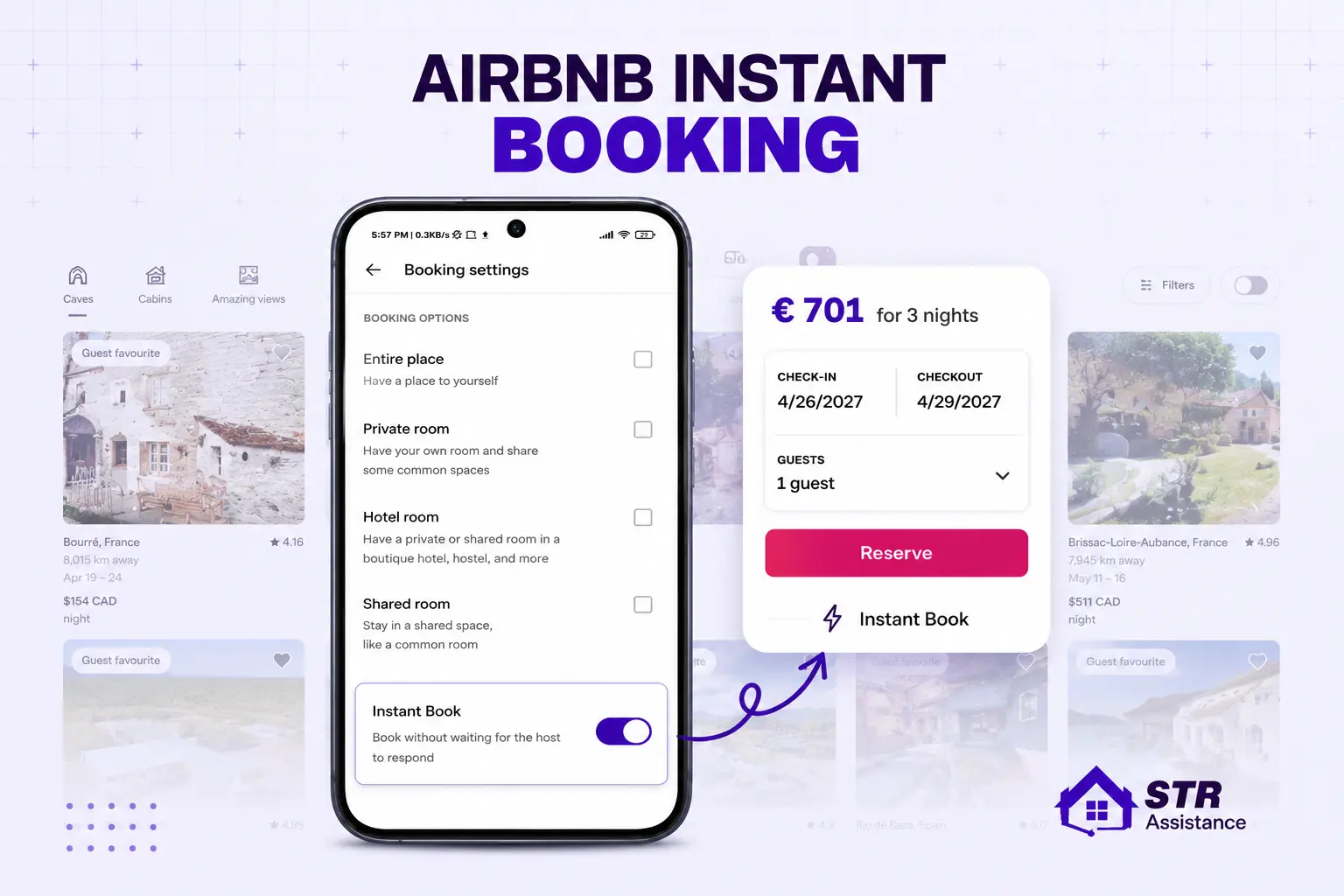
- Availability & settings: An open calendar, Instant Book, guest filters, and other listing settings all affect visibility.
Layer 2: Whether Guests Click Your Listing
Once your listing appears, does a guest click on it? This is where your listing quality matters most.
- Quality signals: Your cover photo, title, photos, videos, ratings, reviews, Guest Favorite badge, and overall listing quality all influence whether guests click.
- Price: Guests compare prices before clicking, so competitive pricing can improve your click-through rate.
Layer 3: Whether Guests Book After Clicking
After a guest clicks your listing, do they book? Airbnb looks at both quality and popularity signals.
- Quality: Your description, photos, amenities, reviews, response speed, communication, customer service, cancellation policy, and overall listing details all influence booking decisions.
- Popularity: Bookings, wishlists, guest messages, and other engagement signals tell Airbnb that guests like your listing, which can improve future rankings.
How Airbnb Personalizes Results for Each Guest
Airbnb shows personalized search results for each guest by using the guest’s information for a better user experience. The algorithm checks the guests’ interactions with the platform, such as what category they filter, which destination they are looking for, or what type of property they are searching for.
Two guests can search the same city, on the same dates, and see completely different listings in a completely different order. A guest who’s booked three cabins gets shown more cabins. A guest who always books Instant Book listings sees those pushed higher in their results specifically.
This personalized information can be:
- Guest’s past bookings
- Search history
- Language
- Device
- How long they have lingered on similar listings before
Another important point you should remember is, if a guest is searching for a specific type of Airbnb and there is no good-quality listing available, then the algorithm shows other types of listings even though they don’t meet the criteria.
How the Review Cycle Feeds Back Into Ranking
Every stay eventually becomes data, and that data feeds directly back into where your listing ranks next. When a guest has a great stay and leaves a 5-star review, that review becomes an immediate ranking signal.
A slow, lukewarm, or missing review works in the opposite direction. A listing with fresh five-star reviews can outrank one with a larger but older review history. Review recency matters more than review volume in Airbnb’s 2026 ranking model.
What Actually Changed in Airbnb's Ranking Algorithm in 2026
Airbnb’s ranking algorithm shifted meaningfully in 2026. These are the confirmed changes that matter most for host visibility.
April 2026 Terms of Service Update
On April 20, 2026, Airbnb updated its Terms of Service to formally disclose how its recommendation system works for the first time in the platform’s history. The updated terms confirmed that the ranking system processes 800+ signals per search, personalizes results for every individual guest, and considers location, search history, language, past bookings, seasonality, price, guest count, and review recency in every query. No two guests see the same ranked list.
Guest Favorites Badge
The Guest Favorites badge now carries more ranking weight than Superhost status alone. It requires a 4.9+ rating and updates daily per individual listing. A Superhost with a 4.8 average can rank below a non-Superhost at 4.95 who holds the Guest Favorites badge. The estimated ranking weight attached to the badge is around 25%, though Airbnb has not officially confirmed an exact figure.
Host Service Fee Change
On December 1, 2025, Airbnb standardized most independent hosts to a flat 15.5% host-only service fee. Professional hosts using PMS software had already moved to this model on October 27, 2025. Previously, the fee was split: hosts paid around 3% and guests paid an additional 14-16%. Under the current model, hosts pay the full 15.5% from their payout while guests see one all-inclusive price. Hosts who did not reprice after this change may now appear overpriced in Airbnb’s internal comparisons without realizing it.
Instant Book Placement Boost
Instant Book appears to improve search placement, with 2026 estimates suggesting a 15% to 25% higher position for listings that have it enabled. Airbnb has not officially confirmed an exact figure.
New Listing Boost Window
Airbnb’s new listing boost has dropped from roughly 90 days to approximately 14 days. Listings that do not reach a search-to-book conversion rate of around 2.2% at market-average pricing within that window risk losing visibility quickly. Everything needs to be complete and optimized on day one.
Content Freshness
Updated photos, descriptions, amenity selections, and calendars help listings stay competitive in 2026. Listings with recently refreshed content consistently perform better in search — content freshness is now a confirmed ranking signal.
Cancellation Policy Change
The April 2026 update made the 24-hour free cancellation window universal for any stay under 28 nights and retired the old Strict cancellation policy. Hosts previously on Strict were automatically moved to Firm. Because booking friction affects conversion rate, and conversion rate affects ranking, this policy change has a direct visibility impact even though it reads like an administrative update.
Airbnb Ranking Factors That Matter Most in 2026
There are more than a hundred factors that work on the platform for ranking, and among them, the core factors are conversion rate, CTR, reviews, price competitiveness, and rating. But not all of the factors are weighted equally. Our Airbnb SEO expert, Shawon, deals with thousands of listings every day to get a higher rank. Based on years of experience and Airbnb’s official updates, we have seen so far, these eight factors are the most impactful for Airbnb SEO in 2026.

1. Conversion Rate (The Top Ranking Signal in 2026)
Conversion rate is the percentage of guests who view your listing and actually complete a booking. It’s one of the most important numbers in Airbnb’s entire ranking system. You’ll find it in your host dashboard under Performance, as a views-to-bookings ratio over a rolling window.
When working on our hosts’ Airbnb SEO, our team considers a 2% conversion rate the baseline. 4% or higher is strong, and it’ll pull your listing up even against competitors with more reviews. Below 2% means there is something wrong with your listing.
The fix should start with setting competitive pricing first, then your cover photo, then your cancellation policy. Turn on Instant Book if it’s off, since it removes a real booking friction. And watch your wishlist saves specifically: plenty of saves with few actual bookings is a pricing or terms mismatch, not a demand problem.
2. Click-Through Rate and Cover Photo Quality
Click-through rate measures how often guests click your listing after seeing it in search results. Here, a real and attractive cover photo does most of that work before a guest reads a single word. Then comes the title, and those few seconds guests read your title decide whether they would have a look into your property or not. Other than that, price band and badges are important CTR drivers too.
Instant Book and Guest Favorites badges also lift click-through on their own, and guests actively filter for both.
To increase the CTR for your listing, add the best photo of your property as the cover, a wide, horizontal shot in natural daylight, with no people and no clutter in the frame. The title is equally important, so optimize it properly.
3. Review Recency vs. Review Volume
Review recency, that is, recent reviews, matters more than the total number of reviews in Airbnb’s 2026 ranking model. A listing with 40 recent reviews can rank higher than one with 200 older reviews.
When your guest checks out, ask for a review within 24 hours of checkout, while the stay is still fresh in the guest’s mind. If your last review is over 60 days old, focus on getting new bookings and reviews to improve review recency.
One detail most hosts miss entirely is Airbnb reads the actual text of reviews, not just the star rating attached to them. Recurring specific mentions of cleanliness, check-in ease, and communication speed carry more importance than a single glowing paragraph that never repeats.
4. Price Competitiveness Against Comparable Listings
Airbnb compares your price with similar listings in your area, not with a fixed idea of what’s expensive. It looks at whether your price is reasonable compared to the listings guests are most likely to compare with yours.
If your price is 10–15% higher than similar listings, your booking rate can start to drop. Compare your listing with 5–10 similar properties, and use a dynamic pricing strategy. Our dynamic pricing service keeps this competitive automatically for many hosts.
Also, focus on pricing your peak dates first, then keep your next 28 days competitive. Airbnb shows these prices to guests searching with flexible dates, so higher rates can reduce your visibility.
5. Response Rate and Response Speed
Response speed is more important than ever. In 2026, Airbnb began rewarding hosts who reply in under 5 minutes, instead of the old 24-hour benchmark. Guests comparing several listings at once tend to book whoever answers first, and Airbnb’s algorithm has clearly noticed the same pattern. The 24-hour window still shapes your official numbers, so it’s worth understanding how response rate and listing ranking connect before you start missing messages.
Turn on app notifications and use saved reply templates for common questions like check-in, parking, Wi-Fi, and pet policies to respond faster.
If replying within 5 minutes isn’t realistic, Instant Book can help because guests can book without waiting for a response. Declined requests can count against you as well, so if you’re wondering does acceptance rate affect ranking, that guide breaks down how the metric works. Our response rate for guest queries is under 5 minutes. Thus, our guest communication service has helped tons of hosts with multiple properties maintain the fastest response rate.
6. Listing Completeness and Missing Amenities
Every section of your Airbnb listing helps the algorithm understand and rank your property. Missing details can reduce your visibility in search results. Add all relevant amenities, even small ones like an iron, hair dryer, fireplace, workspace, or high chair, since guests often filter for these features.
A complete listing with an active calendar helps Airbnb match your property to more guest searches. A 2026 source says fresh updates matter too, with listings updated in the last 30 days ranking about 12% higher on average.
7. Host Cancellation Rate
Airbnb penalizes host-initiated cancellations, treating them roughly the way it treats a bad review. One cancellation can undo weeks of good performance, and repeated cancellations can knock you out of Superhost eligibility entirely at the next quarterly review.
- Use the extenuating circumstances flow, with real documentation attached, rather than a plain cancellation whenever something genuinely goes wrong on your end.
- Tighten your Instant Book requirements: verified ID and a minimum review history, so you’re not stuck accepting bookings you’ll feel forced to cancel later.
- Treat every cancellation as a ranking event, not just a scheduling inconvenience you’ll smooth over with the next guest.
8. Superhost Status and the Guest Favorites Badge
Superhost status isn’t a direct ranking signal on its own, a distinction Airbnb itself has confirmed, while the criteria underneath it absolutely still matter. Guest Favorites has become the more powerful signal in 2026. But getting Superhost status is still important.
The strategy can be to map your last ten reviews against the five subcategories Airbnb tracks: cleanliness, accuracy, check-in, communication, location, and value. Find whichever one is quietly dragging your average below the 4.9 Guest Favorites requires.
We have sorted two points that always push most hosts away from the Favorite Badge, and those are cleanliness and accuracy. Use a cleaning checklist, keep your listing description accurate, and fix the specific problems guests mention.
If your listing views have already dropped, try to find out the reasons and resolve the issue.
How to Diagnose Your Airbnb Ranking Problem
When you are getting no views, or there are plenty of views, but your calendar is not fully booked, you should be aware that your listing has Airbnb ranking problems.
Every ranking problem on Airbnb traces back to one of five specific points, and each one points to a different fix. So, you have to work on each one differently.
If You're Getting Views But No Bookings
This one’s a conversion problem, not a visibility problem. Guests are finding you, then walking away once they land on your listing.
In such a situation, check your:
- Price against comparables first
- Cancellation policy
- Response speed on recent inquiries
If You're Getting No Views at All
When you are getting no views at all, this is definitely a ranking problem that will impact CTR and conversion. What should you do in such a situation? Give your listing a thorough walkthrough, from the cover photo, title, description, calendar availability, and pricing structure to the optimization of your listing based on the ranking factors.
If You're Getting Bookings But Reviews Are Stuck Below 4.9
You’re converting guests fine, which means conversion is already healthy. But the problem is that you are not stepping into what your guests specifically want. It can be a a communication gap or a very slight problem with your property. And honestly, some hosts state a lot of things in the description, but when the guests’ check in, reality may not be the same.
Ask personally what the problem is and reassure them that you will work on it. This will fix a lot of problems. Also, go back to the five subcategories from the ranking factors section above. Find the one dragging you down, fix it operationally, and give the fix a few review cycles to actually show up in your average before assuming it didn’t work.
If You're a New Listing and the Boost Is Fading Fast
Remember, that boost window is roughly 14 days now, not the 90 days it used to be. If you’re inside that window and conversion isn’t near 2.2%, the algorithm is already starting to deprioritize you, quietly and without warning.
Everything needs to be live on day zero, not added gradually over the first month the way hosts used to get away with. Hero photo, Instant Book enabled, and a genuinely open calendar stretching six months out. A strong opening week matters more now than it ever did before.
If You Were Ranking Well Until Recently and Dropped
Have you changed anything in your listing recently? Or is there a vacation or peak seasonal time in your area? Is your pricing higher than that of similar listings? Or maybe your recent reviews have declined, or nearby competitors have improved their listings.
It can be anything, and you need a very thorough check of your listing and competitors, too.
How to Optimize Your Airbnb Listing for Better Search Rankings
Most of the real optimization work already lives in the ranking factors section above, so this is the condensed action list, not a repeat of it. Run through these areas in order, and treat each one as a quick gut check rather than a full rewrite.
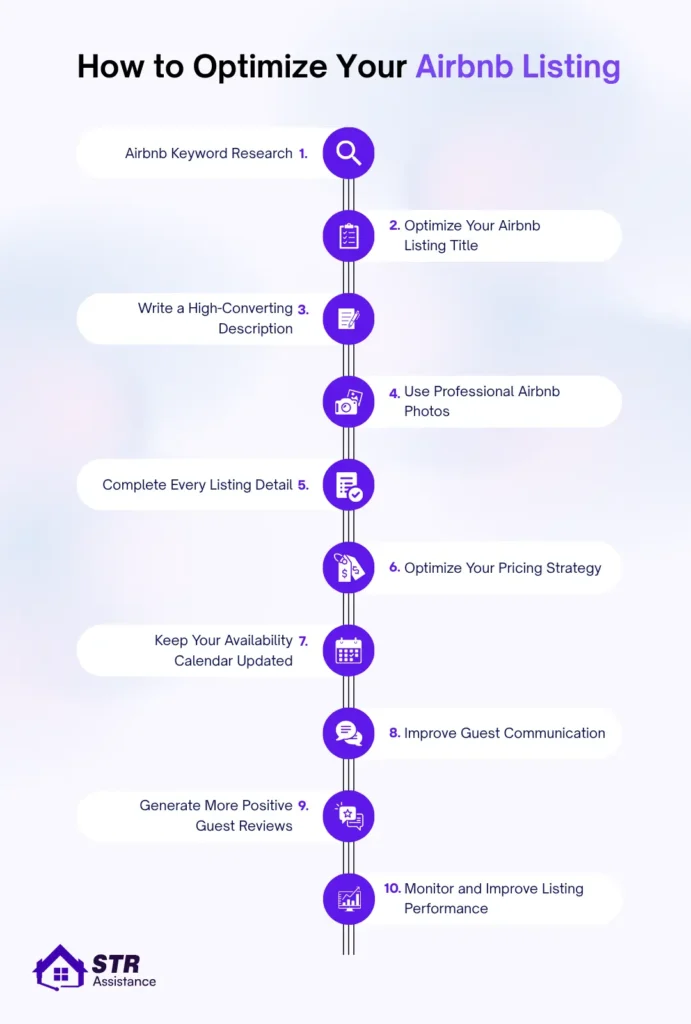
Airbnb Keyword Research
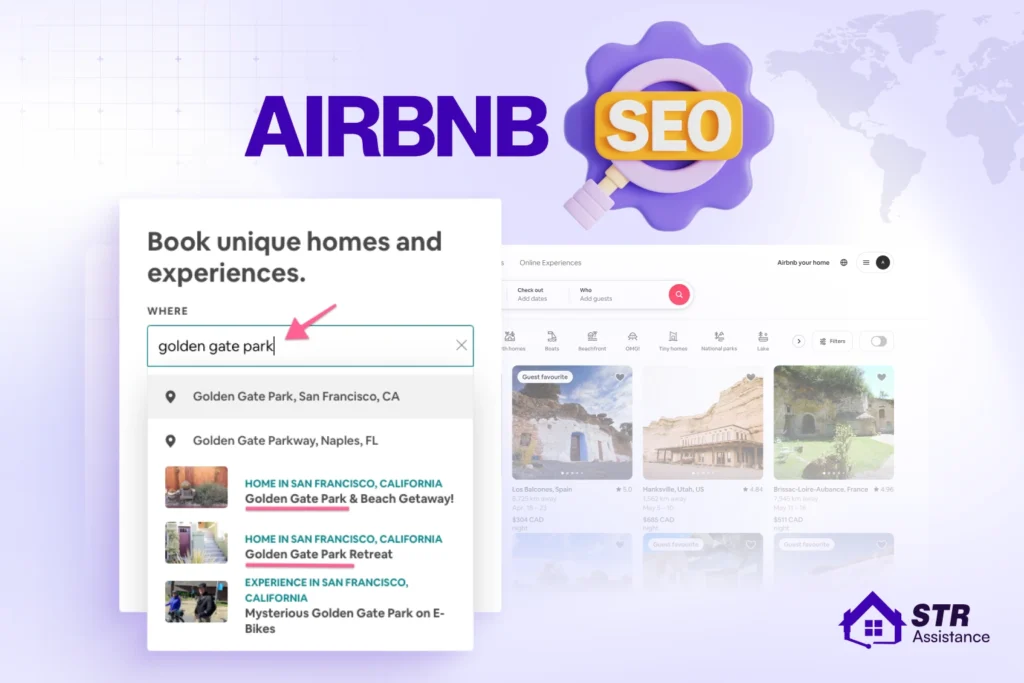
The best way to do Airbnb keyword research is to use Airbnb’s search autocomplete or check other highly rated competitors’ listings in your immediate neighborhood.
Airbnb keyword research does not work the way Google keyword research does. Ahrefs and Semrush pull data from Google’s index. Airbnb runs its own closed search system. Here are three methods that work:
- Using Airbnb’s Own Search Suggestions: Open the Airbnb app, type your city into the search bar, and watch what autocompletes before you finish typing. That autocomplete list reflects real guest search behavior on the platform; it is a built-in keyword tool most hosts never use. Try a few variations: your city plus “pet friendly,” your city plus “with pool,” and your neighborhood name on its own.
- Reading Guest Filter Language: Airbnb’s filter panel is a keyword list Airbnb built for you already. Amenities, property type, Instant Book, accessibility features each one is a phrase guests actively select before results even load. If your description never mentions “dedicated workspace” and a guest filters specifically for that, you are invisible to them regardless of how good your listing actually is.
- Analyzing Competitor Listings in Your Market: Pull up the ten listings in your area with the most reviews and the most recent activity. Read their titles first. Then their categories, then their amenity selections. Find the gap: the amenity everyone lists but nobody explains well, the guest type nobody is targeting directly. That gap is where your listing gets to stand out instead of blending in.
Tip: Create a Mix of Keyword Types
- Short-tail keywords: Broad, high-volume terms (e.g., Miami apartment, cabin).
- Long-tail keywords: Specific phrases that match guest intent (e.g., pet-friendly Miami apartment with private pool).
- LSI/Experiential keywords: Descriptive words guests associate with great stays (e.g., clean, spotless, cozy, remote).
Optimize Your Airbnb Listing Title
Your listing title is the first thing a guest reads in search results, and it decides whether they click through or keep scrolling. A weak title means fewer clicks, and fewer clicks means lower ranking over time.
Keep your title under 50 characters and lead with your strongest differentiator. That could be a standout amenity, a location advantage, or a property type guests actively search for. Do not waste characters on generic words like “cozy” or “beautiful” that every other listing already uses.
Match your title language to how guests actually search on Airbnb, not how you would describe your property to a friend. If guests filter for “pet friendly cabin with fireplace,” your title should reflect that reality if it applies to your listing.
If your current title feels generic or is not converting views into clicks, real examples built around this exact problem are worth a look. Check these Airbnb listing title examples to see what a high-performing title actually looks like.
Write a High-Converting Airbnb Description
Your description does not rank your listing on its own, but it converts the guests who click through. A guest who lands on your listing and cannot quickly find what they are looking for will leave, and that exit hurts your conversion rate, which is the top ranking signal in Airbnb’s system.
Write your description for the guest who is actively filtering for your amenities, not for a general audience. Use the exact language guests select in Airbnb’s filter panel. If your listing has a dedicated workspace, say “dedicated workspace,” not “a desk in the corner.”
Structure your description so the most important information comes first. Guests do not read descriptions top to bottom. They scan for the specific detail they care about, and if they cannot find it fast, they move on.
Be honest about tradeoffs. A clear note about street noise, a shared entry, or an older kitchen sets accurate expectations, which means fewer bad reviews and more guests who book knowing exactly what they are getting.
For real examples of descriptions that convert, see these Airbnb listing description examples built around actual guest search behavior.
Use Professional Airbnb Photos
Your cover photo is the single biggest CTR driver on your listing. Before a guest reads your title, checks your price, or looks at your reviews, they have already decided whether your listing is worth a click based on that one image.
A professional cover photo means a wide, horizontal shot in natural daylight, with no people and no clutter in the frame. The shot should show the most compelling space in your property, usually the living area, bedroom, or an outdoor space with a strong view.
Beyond the cover photo, every image in your gallery should work. Add a caption to each photo explaining what the guest is looking at and highlighting details that are not obvious from the image alone. A photo of a bedroom without a caption loses the opportunity to mention the blackout curtains, the ensuite bathroom, or the memory foam mattress.
Order your gallery intentionally. Cover photo first, then the next two or three most impressive spaces, then supporting details like the kitchen, bathroom, and amenities. Guests browse galleries quickly, so the first five images carry the most weight.
Update your photos whenever you make a meaningful change to the property. New furniture, a renovated bathroom, or an added amenity should show up in your gallery immediately. Stale photos that no longer match the listing create a gap between guest expectation and reality, which shows up directly in your review scores.
Complete Every Listing Detail
Airbnb can only match your property with a guest’s filters when the information is clearly added to your listing. Go through every section of your listing and complete all relevant details.
- Add a caption to every photo in your gallery and explain what guests are looking at.
- Highlight useful details that may not be obvious from the photo.
- Keep your calendar up to date.
- Add property type, room setup, bed count, accessibility features, house rules, and safety information.
- Mention small amenities such as an iron, hair dryer, high chair, workspace, or fireplace because guests often search for them directly.
- Mention newly added furniture, upgraded amenities, changed policies, or renovated rooms.
Hidden details hosts miss
- Be precise about the sleeping setup. Specify bed sizes, mattress type, whether beds are in private rooms or shared spaces, and how many guests can sleep comfortably.
- Mention which rooms are upstairs or downstairs, whether the bathroom is ensuite, and if any rooms are connected or separated by doors.
- Describe noise and privacy realities. Tell guests if the property is near a main road, a place of worship, train line, school, or construction site.
- Add seasonal or conditional availability. If the pool, fireplace, rooftop, AC, hot tub, or outdoor seating is seasonal, time-limited, or weather-dependent, state it clearly.
- Mention utility strength. Strong Wi-Fi, backup power, water pressure, hot water, and generator or inverter backup matter a lot in many markets but are often omitted.
- State family-use details. A high chair, crib, baby gate, child-safe outlets, step stool, and kid-friendly dishware can attract family bookings.
- Be honest about tradeoffs. A clear note about limited kitchen size, street noise, shared entry, or older furniture can reduce bad reviews and increase booking confidence.
- Include safety and comfort specifics. Smoke alarm, fire extinguisher, first-aid kit, lock type, secure windows, and a well-lit entrance are trust builders.
- Match photos to written claims. If you mention an upgraded sofa, workspace, or fireplace, show it in the gallery so the listing feels consistent.
Optimize Your Pricing Strategy
Setting the right price and staying transparent about every fee largely determines a guest’s booking decision. Here are the insights most hosts miss.
- Track competitor changes weekly. Nearby listings change photos, discounts, minimum stays, and cancellation policies, which changes your true market position.
- Watch pricing by booking window. A 0 to 3 day last-minute search behaves differently from a 30 to 90 day booking window, so one flat strategy misses both.
- Adjust for micro-seasonality. Holidays, concerts, school breaks, weather, and local events can justify temporary premiums or stricter minimum nights.
- Protect orphan nights. One-night gaps often need special pricing or minimum-stay tweaks to avoid losing two or three nights of revenue.
- Recheck after major listing edits. New photos, better amenities, or a renovated space should usually justify a price review upward.
- Do not ignore channel parity. If you sell on Booking.com or direct, inconsistent pricing can hurt trust and distort what Airbnb guests perceive as value.
- Separate peak, shoulder, and trough rules. Applying the same discount curve year-round is one of the biggest mistakes hosts make.
- Audit the base rate twice a year. Treat the base rate as a floor that gets recalibrated from booking data, not guesswork.
Keep Your Availability Calendar Updated
Do not just keep the booking calendar open. Keep it strategically open. A fully open calendar can still underperform if your minimum-stay rules create awkward dead zones or orphan nights.
- Use gap-aware blocking. Sometimes blocking one night protects a much more valuable 2 to 3 night booking window later.
- Sync all channels constantly. Airbnb, Vrbo, Booking.com, and direct calendars should be synced so stale inventory does not create hidden visibility and trust problems.
- Watch for calendar fragmentation. Many hosts lose revenue because they open dates in pieces that do not align with traveler booking behavior.
- Keep canceled or expired booking-request dates reopened immediately. If you let them sit blocked, you create invisible lost inventory.
Improve Guest Communication
Reply fast with sub-5-minute response times. Keep saved templates for your five or six most common questions. Guest communication is one of the most important factors for Airbnb SEO because Airbnb prioritizes guest satisfaction above everything else.
- Keep separate templates for inquiries, pre-booking, booking confirmation, check-in, mid-stay, issue resolution, checkout, and review requests.
- Use proactive messages before guests ask.
- Keep operational messages (check-in instructions, house rules, directions) separate from warm hospitality messages (welcome notes, mid-stay check-ins, checkout thanks).
- Keep a local-context template set. If your market has common issues like power cuts, water pressure, stairs, or traffic, address those automatically.
Generate More Positive Guest Reviews
Always ask for a review right at checkout. Airbnb has a limited review window, and timing matters.
- Use one soft thank-you message, one checkout message, and one final review reminder instead of a single blunt request.
- Ask for feedback and a review separately in your own internal process. Keep the message short and easy to answer.
- Protect review quality before you request it. Guests are more likely to leave strong reviews if you proactively solve small issues during the stay instead of waiting until checkout.
- Respond to poor reviews with calm professionalism. Your public response can influence future guest trust even when the review itself is negative.
Monitor and Improve Listing Performance
Make performance monitoring a standing habit, not a one-time setup you check once and forget.
- Track performance weekly, not once a year.
- Compare to similar listings, not just your own history.
- Watch first-page search impressions separately from search conversions.
- Track occupancy and rate together.
- Monitor blocked nights and unbooked nights.
- Review cancellation rate as a trust metric.
- Watch category-level quality scores.
- Look for sudden drops in impressions, conversion, or review rate, which usually point to a listing change, pricing issue, or market event.
How to Measure Your Airbnb SEO Performance
Airbnb itself treats search as core infrastructure. The company built over 1.1 million programmatic pages targeting location-specific searches, and organic search now accounts for roughly 15% of its total traffic.
The interesting part is Airbnb’s own website ranking on Google, a completely different mechanism from your individual listing ranking inside Airbnb’s internal search. If you run your own site, rental website design and SEO choices like page speed, structure, and local content decide how it ranks on Google. Hosts who consistently track and improve their listings perform better than those who make changes only occasionally.
Here’s what to actually watch, and what each signal is telling you when it moves.
Metric | Where to Find It | Healthy Signal | Warning Signal |
Search impressions | Dashboard, views graph | Flat or trending up over 30 days | Sudden drop of 20%+ week-over-week |
Overall conversion rate | Performance tab | 2%+ baseline, 4%+ strong | Below 2% |
Search-to-listing CTR | Dashboard | Above your market average | Below average and dropping |
Wishlist saves | Engagement section | Trending up | Saves without matching bookings |
Booking pickup, next 30 days | Calendar view | Steady booking rate | Gaps widening on peak dates |
Occupancy rate | Performance tab | Meets or beats market average | Below average for 2+ months |
Average daily rate | Performance tab | Stable or rising with occupancy | Falling ADR and falling occupancy together |
Response rate | Host dashboard | 100%, under 5 minutes | Below 90% or averaging over an hour |
Review recency | Reviews tab | New review within 30 days | 60+ days since the last one |
Average rating | Review dashboard | 4.9+ | Below 4.8, the Guest Favorites cutoff |
How STR Assistance Handles Airbnb SEO for Hosts?
We Help Optimize Your Airbnb Listing
STR Assistance is a virtual assistant service built for short-term rental hosts who’d rather spend their time growing the business than tracking a dashboard every week. Our Airbnb Virtual Assistants help hosts with proper property management tasks, from guest communication to listing management.
With our experience handling 800+ properties, we know how ranking works. It is exactly the kind of task that quietly slips when a host is also handling guest messages or everything else that comes with running a property.
Airbnb SEO prioritizes an optimized title and description, a full amenity audit against what’s actually offered versus what’s ticked, weekly performance monitoring, price band checks against real comparables, review response, and active protection of response-rate metrics. Our dedicated listing management team exactly does all of these, so your listing ranks in Airbnb search results.
Moreover, our Airbnb SEO expert, Shawon, leads the listing optimization side of our team directly, and you can see more of how that work runs day to day on Shawon’s bio page. He knows the Airbnb algorithm rewards consistency over time, not a single good week followed by months of neglect.
Is your listing not ranking well? Or do you have visitors, but they don’t convert? But what could be the actual problem, because thousands of other hosts are doing well? We can find the reason for you, and our listing management service is the best way to optimize your listing so that it actually converts, not just ranks.
A Recent Listing We Optimized for Airbnb SEO
One of the Sedona listings optimized by our Airbnb SEO Expert, Shawon, has earned a 4.96 rating across 376 reviews, a Guest Favorites badge, and a Top 5% of homes ranking — all within 11 months of going live. Every subcategory score sits at 5.0 except location and value, which sit at 4.9. That result comes from the same optimization process this guide covers: title and description accuracy, complete amenity listing, sub-5-minute response times, and consistent review management. You can see the listing directly here.
Final Checklist for Airbnb SEO
Run through this before you assume your listing is optimized. Most hosts miss more than they realize.
- Conversion rate sits at 2% or higher, checked against your dashboard, not guessed from memory.
- Cover photo is wide, bright, and free of clutter or people in frame.
- Title stays under 50 characters and leads with one specific, real differentiator.
- Description matches the exact filter-panel language guests actually search by.
- Every amenity you genuinely offer is ticked, including the five or ten most hosts forget.
- Price sits within 10 to 15% of your real local comparables, checked on peak dates specifically.
- Calendar stays open and current, with the next 28 days kept genuinely competitive.
- Response time sits under 5 minutes, or Instant Book is on as the fallback.
- Reviews get requested within 24 hours of every checkout, without exception.
- Cancellations stay rare, and any that happen go through the documented extenuating circumstances flow.
- Performance gets checked monthly at minimum, weekly during any active troubleshooting.
FAQs: Airbnb SEO
A sudden disappearance almost always traces back to one specific cause: a calendar gap, a price drift above your comparables, a cancellation, or a slipping response rate. Check those four before assuming a platform-wide change is behind it, since isolated drops are far more common than algorithm-wide shifts.
Small fixes like a title change or a completed amenity field can shift visibility within days. Bigger factors, review recency and average rating especially, take weeks to move meaningfully, since they depend on new stays actually happening and new guests actually reviewing them.
Yes, and this is one of the most misunderstood parts of the whole system. Airbnb ranks price relative to your comparables, not against some universal idea of cheap. A well-priced listing with strong conversion consistently outranks a lower-priced one with weak photos or a slow response rate.
Yes, sharply so. New listings get a short promotional visibility window, roughly 14 days now instead of the 90 they used to get, and Airbnb expects a real conversion rate near 2.2% inside that window to graduate into normal, ongoing ranking.
A single review rarely tanks a ranking on its own, but it can drag your subcategory average below the 4.9 threshold Guest Favorites requires, especially if your review volume is still small. The fix is addressing whatever the review actually flagged, not just hoping the next stay balances it out.
Airbnb personalizes every search result based on who's searching: their past bookings, their device, their language, their browsing behavior. Seeing your own listing when you search proves nothing about how it ranks for an actual stranger with different search history.
Not negatively, and often the opposite. What actually affects ranking is response speed, review quality, and calendar accuracy, not who's technically handling those tasks behind the scenes. A well-run co-host setup tends to improve every one of those numbers rather than hurt them.
The core ranking factors stay the same across every property type, but the weight of individual amenities shifts. A cabin guest filters for a fireplace and trail access. A villa guest filters for a pool and sleep count. Match your description to what your specific guest type actually searches for.
Indirectly, yes. External traffic that lands on your listing and converts still counts as a booking, and bookings feed conversion rate, which is the top-weighted signal in Airbnb's system. It won't move your ranking directly the way it would on Google, but the downstream effect is real.
Both, but differently. Guest Favorites evaluates each listing individually and updates daily. Superhost status evaluates your entire account quarterly. A host can have five listings where only two carry the Guest Favorites badge, since it's tied to that specific property's performance, not the host's reputation overall.
The ranking factors themselves don't change, but their relative importance shifts. Price competitiveness matters more during peak season when guests are comparing dozens of similar options. Response speed and flexibility matter more in the off-season, when overall search volume drops, and every inquiry counts for more.
Start with the diagnostic section above and match your actual symptom, views without bookings, no views at all, stuck reviews, a fading new-listing boost, or a recent drop from a previously stable position. Each symptom points to a different fix, so identifying the right one first saves you from guessing your way through changes that won't actually help.