Thousands of people list their first Airbnb property every week. Most of them had no idea what they were doing when they started. As a host, you don’t need hospitality experience. You don’t need technical knowledge. You need a space and the right steps in the right order. Three things most first-time hosts don’t know before they start:
- Listing on Airbnb is completely free. Airbnb only takes a fee after a booking is paid out.
- Setting up a listing takes under 30 minutes once you have your information and photos ready.
Your property doesn’t need to look like a hotel. Guests book authentic, clean, honest spaces, not lobbies.
Airbnb now has over 8.1 million active listings across 220 countries and 150,000+ cities, with more than 5 million hosts. The average U.S. host earned $13,800-$15,800 per year. Listings with more detailed descriptions get more bookings, and new listings get more push in the first 1-3 months.
STR Assistance, we’ve set up 100+ Airbnb listings from scratch and actively manage 800+ properties. This guide reflects what we’ve seen work in real operations, not what Airbnb’s help centre says in theory. Here, we cover everything you need to know about listing your property on Airbnb, from legal prep to publishing your listing to getting your first booking.
So, you can easily set up a proper listing that directly affects bookings, reviews, and guest experience.
Before You List: Ask Yourself These Questions First
Most hosts skip this and go straight to setup. That’s where the problems begin- wrong property type, unrealistic income expectations, and no communication plan when a guest messages at 11 pm. Three questions worth answering before you touch the listing.
What types of property can you list on Airbnb?
Airbnb takes more than apartments and houses. Entire homes, private rooms, shared rooms, cabins, treehouses, boats, tiny homes, and farm stays all qualify. Unique property types saw a 50% jump in booked nights between 2019 and 2021, according to an Airbnb news release. Guests are searching for them.
Luxury property is not mandatory to get more bookings, and it is not the bar. Keep clean, accurately described, and honestly priced, outperforms expensive and overhyped on review scores every time.
How much can you realistically earn?
Location, property type, season, and daily management quality all determine your actual income. The U.S. median STR occupancy sits at roughly 56% about 204 booked nights per year. A 3-bedroom at $200 a night generates roughly $40,880 gross annually before expenses.
Example: Gross annual = nightly rate × occupancy rate × 365.
- At $200/night and 56% occupancy: 200 × 0.56 × 365 = $40,880.
- At 70% occupancy: 200 × 0.70 × 365 = $51,100.
Airbnb’s earnings estimator gives you a starting point. Tools like AirDNA Rentalizer help refine the numbers. Neither tool measures how well the host actually runs the property, and that part affects revenue more than most host realize.
How much time does hosting actually take?
Your guest communication takes the most time. Airbnb shows guests your response time on your profile. A slow reply is visible before they even message you. A 2-hour delay at 9 pm costs you the booking. After that comes cleaning coordination, turnover scheduling, and handling small issues between stays.
Once your setup is organized, updates like pricing, photos, and house rules usually take a few hours each month. Part-time hosting is realistic- if communication is handled. Most hosts fall behind the moment a guest asks something at an inconvenient hour, and there’s no system to catch it.
Pre-Listing Checklist: Everything You Need Before You Hit Publish
Airbnb takes 20 minutes to set up. Fixing a fine, a suspended listing, or an HOA complaint can take months. This Airbnb checklist exists so that doesn’t happen to you. Ten minutes of prep now prevents most of that.
Check local laws and short-term rental regulations
Most new hosts skip this. It’s also what gets listings shut down.
- Does your city require a short-term rental permit or license?
- Does your HOA or building management allow short-term rentals?
- If you rent your home, do you have your landlord’s written permission?
- Is there a local tax registration requirement for STR hosts?
Airbnb will remind you about some of this during setup. Following through is on you, not them. New York, Barcelona, and San Francisco all have strict short-term rental rules, and thousands of hosts learned that the hard way.
Get your property guest-ready
Cleanliness is the one thing that determines a first impression more than anything else. A guest who walks into a spotless space will forgive a dated sofa. A guest who finds a dirty bathroom will not forgive anything else. Every listing needs these before going live:
- Essentials: Fresh linens and towels for every sleeping space
- Basic toiletries: hand soap, shampoo, conditioner, body wash
- Toilet paper: Stock at least two rolls per bathroom per stay, plus extras visible under the sink — check our Airbnb bathroom checklist for the full list of essentials
- Kitchen essentials: coffee maker, cooking oil, salt, pepper, dishwashing liquid
- Fast, reliable WiFi: Guests filter for it. Minimum 25 Mbps for a standard listing — 100+ Mbps if you want remote workers booking.
On check-in access: smart locks are better than key handoffs for new hosts. Key handoffs require both you and the guest to be available at the same time. Smart locks let guests check in without you present, which removes the coordination problem and makes Instant Book operationally manageable from day one.
Safety items Airbnb requires: do not skip these
Missing safety disclosures can prevent your listing from going live or cause it to be removed after publication. Most guides skip this section entirely. For the complete list, see our Airbnb safety checklist.
- Smoke detector: required disclosure. It must be present and working.
- Carbon monoxide detector: required disclosure. Required anywhere fuel-burning appliances are present.
- Fire extinguisher: required disclosure.
- Security cameras: outdoor only. Indoor cameras are strictly prohibited. Any outdoor camera must be disclosed in your listing before a guest books.
STR insurance: what you need to know before going live
Standard homeowner’s or renter’s insurance does not cover short-term rental activity. Most policies explicitly exclude commercial activity, and renting on Airbnb qualifies as commercial activity.
Airbnb’s AirCover for Hosts covers certain guest-caused damage, but it is not an insurance policy. It is a claims process with documentation requirements and room for disputes. If you host regularly or own a property with significant value, get a dedicated STR insurance policy before your first guest checks in.
Information to have ready before you start
- Your property’s full address
- Government-issued ID: Airbnb requires identity verification
- Bank account details: for receiving payouts
- Tax identification information
- Your complete amenity list
- At least 15-20 high-quality photos ready to upload
Now you understand about Legal prep and Safety items. Let’s see the actual listing setup step by step.
Step 1: Create Your Airbnb Host Account

Go to Airbnb.com and click “Airbnb your home.” Sign up with email, Google, Facebook, or Apple. If you already have a guest account, switch to hosting mode inside it. No second account needed.
Airbnb will offer to match you with an experienced Superhost who guides you through setup via chat or video, at no cost. Use it if you want a human walkthrough. Otherwise, this guide covers everything
Before you touch the listing, fix your host profile. Most new hosts skip this. It costs them bookings. Guests look at who’s hosting, not just what’s being offered. A blurry photo or no bio reads as careless. Both kill trust before a guest reaches the listing.
Upload a clear, friendly profile photo. Write a two or three-sentence bio which naturally includes who you are, why you’re hosting, and how you respond. It needs to feel like a real person wrote it.
Step 2: Enter Your Property's Basic Information
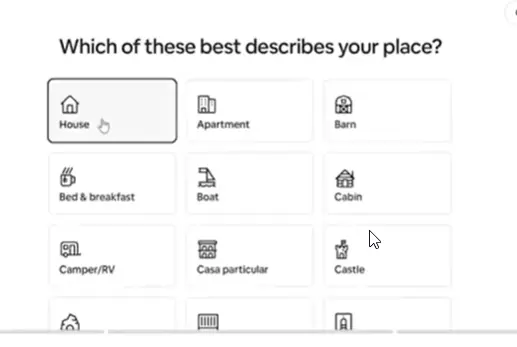
Airbnb walks you through the property type first:
- Apartment: A unit in a multi-unit building
- House: A standalone home
- Secondary unit: Garage flat, basement apartment, or guest house on your property
- Unique space: Treehouses, boats, yurts, tiny homes
- Bed and Breakfast: You host on-site and provide breakfast
- Boutique Hotel: Licensed operators only
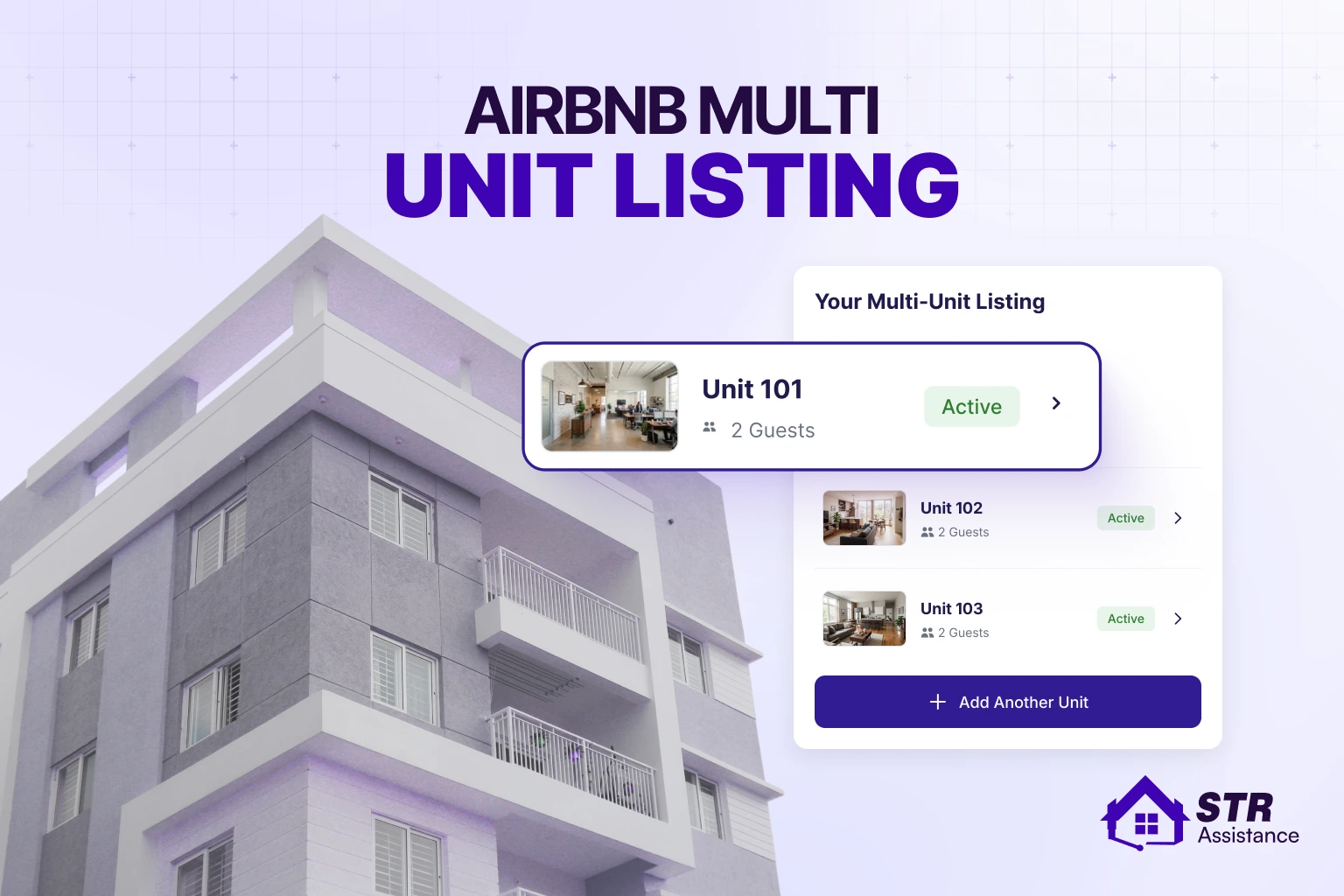
If you own more than one unit in the same building, such as separate apartments or duplex halves, setting up an Airbnb multi-unit listing works differently from a single property and affects how you manage calendars, pricing, and guest communication across each unit.
Then select the space type.
- The entire place means guests have the property to themselves, the highest earnings, and the most in demand.
- A private room is a separate bedroom with shared areas, which can help offset housing costs.
- Shared room is the least common, you and the guest share the same sleeping space.
One section most new hosts miss entirely, which is Airbnb Categories. In 2026, Airbnb had 50+ browsable sections, including Beachfront, Lakefront, Cabins, Amazing Views, OMG!, and Treehouses. A guest browsing “Cabins” doesn’t search by keyword. They scroll through the category. If your property fits and isn’t tagged, they won’t find it.
Enter the real guest capacity. Overstating it means guests arrive expecting space that isn’t there, and that shows up directly in the review. Overstating it means guests arrive expecting space they won’t find. The bedroom and bathroom counts directly affect search filters. A guest filtering for a two-bedroom won’t see a listing entered as one-bedroom.
Enter your address exactly, then check the map pin. Guests browse by map. The full address stays hidden until after booking.
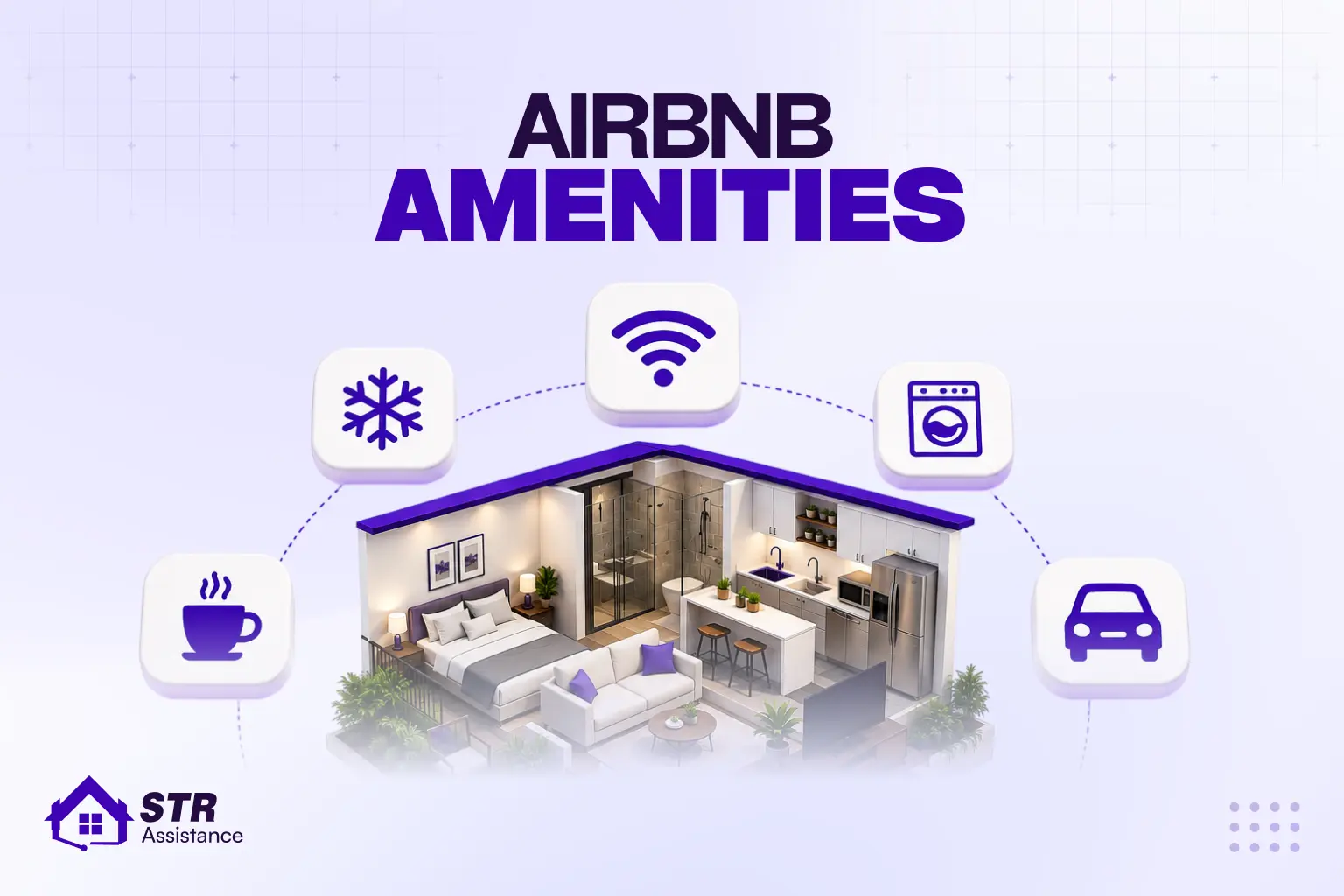
Step 3: Select Your Amenities
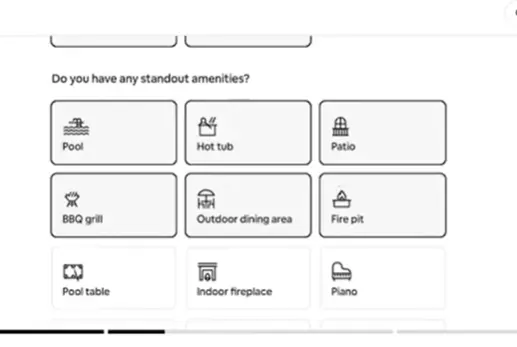
State directly in your listing what guests expect, and what makes them pick you over a similar listing.
- Essentials: WiFi, fresh linens, towels, toiletries, kitchen basics. Guests don’t praise these- they punish their absence through review.
- Standout amenities: pool, hot tub, dedicated workspace, EV charger, free parking, pet-friendly. Each one is a searchable filter. If the box isn’t checked, you don’t appear in that search.
- Required disclosures: smoke alarm, carbon monoxide detector, fire extinguisher. These are not optional. These are the most essential safety things.
Amenities most hosts forget, but guests search for. Those are:
- Coffee maker and whether coffee is provided
- Streaming services (name them specifically)
- Hair dryer and iron
- Extra blankets
- Board games or books (matters for families on longer stays)
- Local restaurant guide
- Baby crib or pack-n-play (traveling families filter for this)
A missing amenity means your listing doesn’t appear when someone searches for it. As of 2024, 90% of Airbnb listings include kitchens. If yours doesn’t, say what cooking options are available. If you are unsure what counts as a searchable amenity versus a nice extra, choosing Airbnb amenities the right way makes a measurable difference in which searches your listing shows up in, so it is worth reviewing before you check every box.
Step 4: Take Photos That Make Guests Book
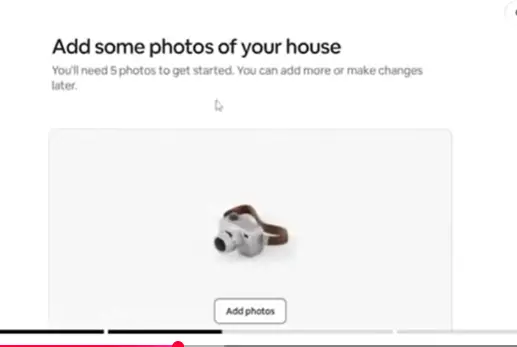
Guests decide whether to click based on your cover photo, before the title, before the price. Better photos have driven a documented 17.51% increase in bookings in tested cases. This is the one area where cutting corners costs you immediately.
The complete shot list for a new listing
- Exterior, in daylight
- Living room (best angle, not widest)
- Every bedroom separately
- Every bathroom (clean, no personal items)
- Kitchen (clear counters, organized)
- Outdoor space (patio, garden, pool)
- One standout feature (fireplace, view, anything specific to your property)
- One neighborhood shot (a nearby landmark or street)
Simple photo tips for beginners with no photography experience
Keep it simple with natural light- shoot during the day and have the curtains open. Stage every room first, clear surfaces, fluff pillows, and remove personal items. Shoot from corners to make rooms appear larger in frame. Keep Minimum 15-20 photos.
Your first image is your click-through rate. Put your best shot there. Airbnb lets you caption every photo. Almost no one does. One sentence per photo, like ‘King bedroom with blackout curtains, east-facing windows.’ It tells guests what a photo alone can’t. Takes five minutes but is worth it.
Professional photography ($200-$500) makes sense after your first bookings, not before.
Step 5: Write a Listing Title and Description That Converts
Your title gets the click. Your description decides whether guests keep reading or move to another listing. Clear details and searchable terms directly affect bookings, expectations, and review quality.
How to write your Airbnb title (50 character limit)
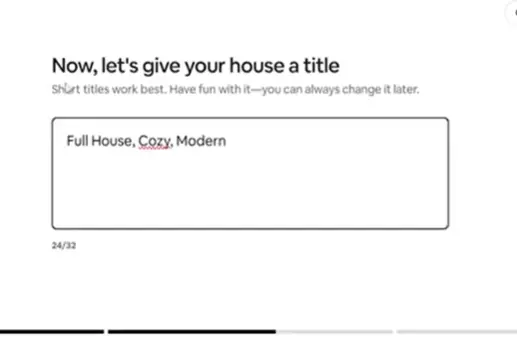
Lead with your strongest point, such as location, a specific amenity, or a practical detail guests actively search for. If you need inspiration before writing your own title, these Airbnb listing title ideas can help you see how different property features can be turned into concise, guest-focused titles. Add one practical detail guests search for- bed count, WiFi, parking, distance to something.
Weak | Strong |
Cozy Beautiful Apartment Near Everything | Bright 2BR Flat | 5 Min to Metro | Fast WiFi |
Amazing Beach House You Will Love | Oceanfront Cabin | Private Beach | Sleeps 6 |
Stunning Modern Home in Great Location | 4BR Home | Pool + EV Charger | 10 Min Airport |
Drop “cozy,” “beautiful,” “amazing,” and “stunning.” Every listing uses them. They tell guests nothing and don’t help you rank.
How to write your Airbnb description section by section
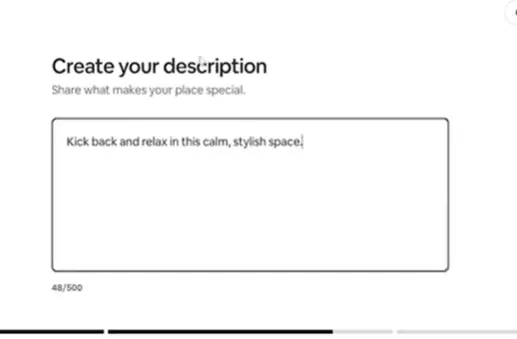
Write each Airbnb description section around guest expectations, clear details, searchable amenities, and anything that affects the stay experience. Fill every section Airbnb gives you.
- The Space: what it feels like to stay there, not a feature list. What do guests notice when they walk in?
- Guest Access: Always use the exact address. Vague access descriptions create check-in conflicts.
- Neighborhood: Add real times, not vague proximity. “8-minute walk to the metro,” not “close to transit.”
- Other Things to Note: stairs, parking, noise levels, anything that could surprise someone on arrival. Better here than in a review response.
Add everything that’s enough for a guest who arrives at exactly what they expected to leave a good review.
Write the way people search. “Fast WiFi,” “dedicated workspace,” “pet-friendly,” “self check-in”. Use them naturally. If they don’t fit the sentence, rewrite the sentence. For hosts looking to improve their listing’s overall visibility, our Airbnb SEO for hosts guide covers additional strategies for optimizing your Airbnb listing.
If you have already done everything and your listing still is not improving, a professional listing management service is the option you have left.
Step 6: Set Your House Rules
House rules set clear expectations before guests arrive. They help prevent damage, reduce misunderstandings, protect your property, and create smoother stays for both hosts and guests. Prevent problems before because it’s harder to fix after. Rules that every listing should follow:
- Exact check-in and checkout times
- No smoking inside the property, or the full property if preferred
- Pet policy (yes or no), and if yes, whether there’s a fee
- No parties or events, say it plainly. Vague rules don’t hold in a dispute
- Quiet hours, specific times (10 pm-8 am)
- Provide the maximum guest count. No extras beyond the listing number
- Mention Parking areas, where guests can and can’t park
There are some extra rules that depend on your situation:
- Noise-sensitive neighbours, let them know
- Set your expectations regarding any fragile or valuable items on the property.
- Policy for children if needed
Write firmly, not defensively. “No smoking inside- there’s outdoor seating” lands better than a bare rule. Guests respect reasons more than restrictions. Use a clear house rules template so guests know exactly what to expect before booking. That prevents confusion, reduces stress, and avoids problems later in the stay.
Step 7: Set Your Pricing
Your pricing controls occupancy, booking speed, review volume, and long-term revenue. Price too high and guests skip you. The price is too low, and you leave money on the table.
How to set your base price as a new host
Airbnb’s Smart Pricing is a starting point, not the answer. Pull up five or six comparable listings. Who has the same bedroom count and similar location, and see what they’re charging this week.
New listings have no reviews. Price 10-15% below comparable listings until you have five. Then adjust upward. A review builds more lasting volume than an extra $20 per night on a listing nobody has stayed at.
Each 5-star review drives a 3.2% increase in gross booking value and a 4.6% lift in future bookings. Superhosts earn 64% more than regular hosts on average. That gap starts at your first review.
Extra fees to configure
- Cleaning fee: research what comparable listings charge locally. Too high, and guests compare your total against a competitor and leave.
- Pet fee: charge it separately, not folded into the nightly rate. Cleaner base price that covers the actual turnover cost.
- Extra guest fee: charge per person above a base count. Prevents overcrowding and captures real revenue from larger groups.
- Weekly (7+ nights): 10-20%. Weekly stays cost less to turn over.
- Monthly (28+ nights): up to 48%. Long-stay guests are the most stable operationally.
- Early bird: locks in revenue during slower periods.
Last-minute: fills gaps that would otherwise sit empty.
Airbnb's fee structure: What you need to understand
- Every time someone books through Airbnb, you’ll get a 3% provider fee.
- Guests pay an additional service fee on top of the price you list, usually 14-16%.
- Consider both when you set your final nightly rate.
We have seen many new hosts struggle to get bookings because their pricing is wrong from the start. If you’d rather not guess week to week, professional dynamic pricing optimization adjusts your rates automatically based on demand, seasonality, and local events.
Step 8: Configure Your Calendar And Availability
Your calendar settings control booking pace, turnover timing, guest quality, and search visibility. Small availability errors lead to double bookings, cleaning failures, and empty calendar slots that directly affect revenue.
- Minimum night stay: 1-night stays fill the calendar fastest but cost the most to turn over. 2 nights is the most common default. Weekly minimums work for peak-season vacation markets.
- Advance notice: How much lead time before a guest arrives? Same-day works only if your cleaning operation is tight. 1-2 days is the safer starting point.
- Preparation time between bookings: The cleaning buffer. Most new hosts skip this.
- The result: A booking lands the moment a guest checks out with no time to turn the property. Set it before you publish.
- Booking window: 6-12 months gives better forward visibility. Shorter windows mean less predictability.
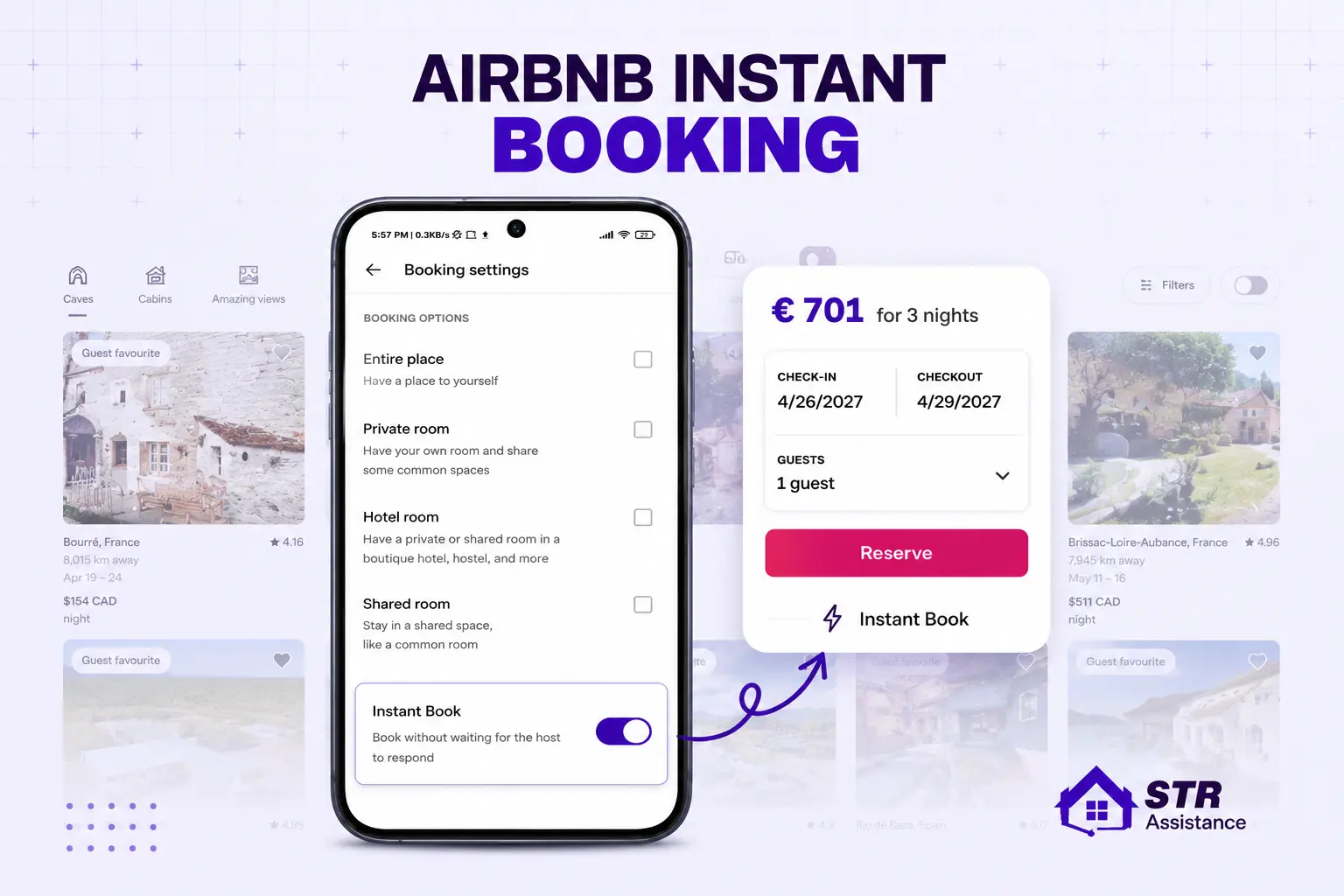
Instant Book vs Request to Book Instant Book lets guests confirm without your approval, and Airbnb favors it in search. Instant Book listings rank higher and convert better. Request to Book gives you control but comes at the cost of visibility.
Best setup for new hosts: Instant Book with guest requirements like verified ID and a positive review history. You get the ranking benefit while still filtering out unverified profiles. We set it this way on nearly every listing we configure. If you are unsure whether it fits your property, this guide on turning on Airbnb Instant Booking walks through exactly what the setting controls and when it makes sense to leave it off instead.
Turnovers fail because cleaners were notified too late or schedules were changed without updates. Proper Airbnb Cleaning Management service keeps cleaning schedules aligned with check-ins, checkouts, and last-minute calendar updates.
Step 9: Set Up Your Payout And Tax Information
Before your listing goes live, set up payouts and verify your tax responsibilities. Payment delays and tax issues usually happen when hosts skip this step early.
- Connect your bank account in Airbnb’s payout settings. Payment is released 24 hours after check-in, not at booking or at checkout.
- Payout options include direct bank transfer, PayPal, and Payoneer. Availability depends on your country.
- Airbnb collects your taxpayer details to meet local requirements. In some locations, Airbnb handles the collection and remittance of occupancy taxes. In others, that’s on you. The platform doesn’t make the distinction obvious.
- Check Airbnb’s tax help centre for your location before publishing. This is the compliance issue that surfaces months late. By then, the liability has already built up.
Step 10: Final Review and Publish
Before you hit Publish, check these nine things. Missing one after you go live is harder to fix than catching it now.
Your listing information
- Address, bedroom count, bathroom count, and guest capacity are all accurate
- Safety amenities like smoke alarm, CO alarm, and fire extinguisher are disclosed
- Bank account and tax details are connected and complete
Your content
- The strongest photo is first. That’s what guests see before they click anything.
- The title is specific. If it says “cozy” or “beautiful,” rewrite it.
- All four description sections are filled – The Space, Guest Access, Neighborhood, Other Things to Note
- House rules cover check-in time, checkout time, pet policy, quiet hours, and no parties
Your settings
- Price is 10-15% below similar listings. You have no reviews yet. Price for bookings first.
- The calendar has preparation time set between checkouts and check-ins. Without it, a guest can book the same day another checks out.
Once all nine are done, click Publish.
Airbnb reviews every new listing before it appears in search. This takes 24 hours in most cases, up to 72 hours in some cases. After approval, your listing is active but won’t rank prominently on day one. Visibility builds through early bookings and response activity. The next section covers how to use that first window before it closes.
The Critical 72 Hours After Your Listing Goes Live
Airbnb gives new listings a brief visibility boost in search results when they first go live. This window is short. Most new hosts don’t use it strategically, which is why their first 30 days underperform.
- Turn on all Airbnb app notifications immediately. Respond to every inquiry within minutes during this window.
- Response time in the first 72 hours has an outsized impact on your early algorithm positioning.
- Do a final review of your listing as a guest would see it. Check for anything missing, unclear, or off.
- Complete any remaining profile sections. Airbnb rewards listing completeness in search ranking.
- Activate any new listing promotional discounts Airbnb offers. These appear in search filters and signal to guests your property is new and offers good value.
Airbnb’s internal data shows that new listings with a promotion applied saw a 79% increase in bookings over 365 days compared to listings without one. Approximately 50% of all new listing bookings in the second half of 2023 came from listings that had applied a promotion. Don’t skip this.
How to Get Your First Airbnb Booking: New Listing Launch Strategy
To get the first booking, keep your price slightly below competitors’, enable Instant Book, reply fast, and guide guests clearly. From booking through checkout, to earn early reviews and improve Airbnb search ranking quickly.
The first 30 days decide where Airbnb places your listing in search, not just now, but for months. New listings get a short visibility boost when they go live. Most hosts don’t know it exists. Use it wrong, and you spend months trying to recover ground. Do these four things from day one:
- Price 10-15% below similar listings until your first 5 reviews come in. Those bookings aren’t about revenue yet, they’re about proof. A listing with five reviews beats a listing with none at any price.
- Turn on Instant Book before anyone inquires. Airbnb’s algorithm favors it in search. Guests convert faster when they can confirm without waiting. Add guest requirements, verified ID, and a positive review history to maintain a basic filter without losing the boost.
- Apply the new listing promotion Airbnb offers. It appears automatically for new listings. One click. Listings that used it saw 79% more bookings over the following year compared to listings that didn’t.
- Reply to every inquiry within 15 minutes in your first week. A slow reply doesn’t just lose one booking. It signals low engagement to the algorithm at the exact moment it’s paying closest attention.
For a deeper breakdown of strategies that consistently drive bookings, see our guide on how to get more bookings on Airbnb.
No inquiries after 7 days? Here's what to do if you get no inquiries in the first 7 days:
- Drop your price by another 10-15%
- Swapping your cover photo with the current one isn’t getting clicks
- Rewrite your title, leading with a different selling point
- Check your amenity list for anything missing
- Confirm Instant Book is actually on
- Don’t wait longer than a week before adjusting. The early window closes fast.
How to earn your first 5-star review:
Reviews don’t happen automatically. Happy guests forget. Your job is to make it easy for them to remember.
After Booking is confirmed: Send a warm welcome message immediately. It tells the guest they booked with someone who pays attention.
48 hours before check-in: Send all arrival check-in instructions in a single message. No gaps that force a follow-up question.
Day 2 or 3 of the stay: Send a short check-in message. Most guests say everything is fine. The ones with a small issue tell you now, not in the review.
Checkout day: Leave the property spotlessly clean. Cleanliness drives review scores more than anything else. A guest who finds the space immaculate will overlook almost everything else. A guest who doesn’t will mention it first.
Within 24 hours of checkout: Send one polite review request. One is enough. Many guests intend to leave a review and simply forget. One reminder at the right moment captures most of them.
Set all of these up as scheduled message templates before you publish.
Your first booking can arrive within hours of going live. A welcome message written under pressure at 11 pm is how details get missed, and details are what reviews are written about.
Set Up Guest Communication Before Your First Booking
Set up Airbnb scheduled messages before your first booking so guests receive fast replies, check-in instructions, checkout reminders, and review follow-ups without delays that hurt response rate or guest experience.
Most beginners publish their listing and then figure out guest communication afterwards. That’s the wrong order. A guest can book within hours of your listing going live. If you have no message templates ready, you’re scrambling at 11 pm.
Set up Airbnb’s scheduled messages before you publish. These are automated messages triggered by booking events:
- Booking confirmation: Sent immediately when a booking is confirmed
- Pre-arrival message: Sent 48 hours before check-in with full instructions
- Day-of check-in message: Sent the morning of arrival
- Mid-stay check-in: Sent on day 2 or 3 of the stay
- Checkout reminder: Sent the evening before checkout
- Post-stay review request: Sent within 24 hours of checkout
Airbnb tracks your response rate and response time. Falling below 90% response rate negatively impacts search ranking and Superhost eligibility. Automation handles routine touchpoints. Complaints, unusual requests, and problems always need a personal, considered response, not a template.
The first impression a guest forms is your message, not your property. A warm, clear, professional message makes guests feel good about their booking before they arrive. Missed inquiries, delayed replies, and late-night guest problems quickly turn into lost bookings and bad reviews.
Especially when you are a busy host managing multiple listings, it is very challenging to maintain them accordingly. That’s why a professional Airbnb guest communication service is the perfect solution for busy hosts to operate all listings smoothly. So you are not stuck managing every message yourself.
AirCover for Hosts: How Your Property Is Protected on Airbnb
AirCover for Hosts is Airbnb’s built-in host damage protection program covering guest-caused damage, liability claims, and some income loss. But successful claims require strong documentation and post-checkout evidence.
AirCover for Hosts is Airbnb’s built-in protection program. It’s included automatically with every hosting account at no extra cost.
What AirCover covers:
Benefit | What it covers | Key detail |
Host Damage Protection | Guest‑caused damage to the property and its contents | Up to $3 million per claim |
Host Liability Insurance | Injuries to guests during their stay or damage to a neighbor’s property | Covers liability claims against the host |
Income Loss Protection | Certain reservations Airbnb cancels on the host’s behalf | Compensation for lost income in eligible cases |
What AirCover does NOT cover:
Item | Not covered? | Why it matters |
Normal wear and tear | Yes | Every day use and minor ageing |
High‑value items | Yes | Cash, collectables, fine art, etc. |
Insufficient documentation | Yes | No payout without evidence |
Instant cash | Yes | It’s a claims process, not a quick payment |
What documentation you need to file a claim:
- Timestamped photos taken immediately after checkout, before any cleaning begins
- Original receipts or replacement cost estimates for damaged items
- Clear written communication records with the guest
This is why a proper checkout inspection and documentation of the property’s condition after every stay are part of the operational standard in any well-run STR. For help managing disputes when damage does occur, professional Airbnb dispute management support helps protect the claim with the evidence Airbnb requires.
If you host regularly or own a high-value property, AirCover alone is not enough. A separate STR insurance policy covers what AirCover doesn’t and removes the uncertainty of a claims dispute when something serious happens.
Your Path to Airbnb Superhost: Start Planning From Day One
Superhost status gets your listing higher in search results. It adds a trust badge for the guest filter. And Superhosts earn 64% more than regular hosts on average. Airbnb checks your performance every quarter against four numbers:
- 4.8+ overall rating
- 90%+ response rate
- 10+ completed stays, or 3+ reservations totalling at least 100 nights
- 1% or lower cancellation rate
These aren’t hard targets to hit. They’re easy to miss if you’re not paying attention from day one.
One cancelled reservation sits on your rate for 12 months. One week of slow replies can pull your response rate below 90% for the entire quarter. Both disqualify you, even if everything else is perfect. Here’s what actually moves these numbers:
Rating: Cleanliness drives it more than anything else. Guests who walk into a spotless space tend to forgive minor issues. Guests who find a dirty bathroom leave a review.
Response rate: Set up Airbnb’s scheduled messages before your first booking. Automation handles the routine touchpoints. Anything unusual gets a personal reply, fast.
Stay count: Launching below-market pricing helps you get your first bookings in quickly. Five reviews in the first 30 days beats six months of waiting for full-price bookings.
Cancellation rate: Don’t cancel. If a conflict comes up, contact Airbnb support before you touch the reservation. Airbnb-initiated cancellations don’t count against you. Host-initiated ones do.
After every checkout, message the guest directly and ask them to leave a review. Airbnb’s review system is opt-in. Happy guests forget. A short, warm message is usually all it takes.
Most hosts who stay consistent reach Superhost within 6 to 12 months of their first listing. Understanding how to become an Airbnb Superhost early helps you build the right habits, response systems, and guest experience from the start.
How STR Assistance Helps New Hosts List and Manage Their Airbnb
We Help You
List Your Property
We’re STR Assistance, a short-term rental virtual assistant company built specifically for Airbnb hosts and vacation rental managers.
We’ve helped create 100+ Airbnb listings from scratch and currently manage operations across 800+ active properties. Our trained Airbnb virtual assistants handle the daily operational load that hosts consistently underestimate before their first booking arrives.
What We Handle For Hosts:
We help hosts manage their reputation, protect their investment, and maintain strong guest satisfaction. We have successfully helped many hosts become Superhosts and maintain Superhost-level listings month after month. We are expert to help with:
- 24/7 guest communication: Inquiries, check-in support, mid-stay issues, and checkout
- Listing management: Setup, optimization, photo ordering, description writing, and ongoing updates
- Dynamic pricing: Daily rate adjustments based on real market data
- Cleaning coordination: Turnover scheduling, quality checks, and supply restocking
- Dispute management: AirCover claims, damage documentation, and resolution support
- Guest screening: Reviewing guest profiles and booking requests before confirmation
Hosts who work with us stop treating their Airbnb like a side project and start running it like a business- without working more hours to do it. We cover the parts that take the most time and carry the most operational risk, so hosts can focus on growing their portfolio.
FAQs
Is Іt Free Tо List A Property Оn Airbnb?
Yes. Nо upfront cost. Airbnb takes 3% from your payout after a booking іs paid, not before.
How Long Does Іt Take Tо Set Up An Airbnb Listing?
30 minutes іf your photos and bank details are ready. Most people lose time hunting for information halfway through the process.
How Long After Publishing Does An Airbnb Listing Go Live?
Airbnb reviews new listings before they show іn search. That takes 24-72 hours. After that, your ranking improves as you get bookings and respond to guests.
Does My Property Need To Be In Perfect Condition?
No. Clean and accurate іs what matters. Guests who get what was described don’t complain. Guests who feel misled do so in the review.
How Much Does Airbnb Charge Hosts Per Booking?
You pay 3%. Guests pay a separate 14–16% оn top оf your listed price. Both come from the same booking.
Can I Host Only On Certain Dates?
Yes. Block whatever dates you want, like personal use, maintenance, or gaps between stays. Nо minimum availability required.
What Happens Іf a Guest Damages My Property?
Photograph everything after checkout and before cleaning. File through AirCover within 14 days. Bring receipts оr replacement cost estimates. The process takes time, don’t expect a same-week resolution.
How Long Does Іt Take Tо Become A Superhost?
Airbnb checks eligibility every quarter. The bar іs a 4.8+ rating, 90%+ response rate, 10+ stays, and under 1% cancellations. Most hosts who stay on top of communication and cleanliness get there within a year.
Can I Hire Someone To Manage My Airbnb?
Yes. STR Assistance covers guest communication, listing management, pricing, and cleaning. Currently managing 800+ properties across Airbnb and other short-term rental platforms.
Can I List On Airbnb And Vrbo At The Same Time?
Yes. Most hosts running multiple platforms sync their calendars to avoid double bookings. Without that sync, a confirmed booking on one platform can conflict with a confirmed booking on the other platform for the same dates.
Final Words
Listing on Airbnb is not complicated. Doing it right from the start makes an enormous difference in your early results, and those early results shape everything that follows. The five things that matter most:
- Legal compliance: check your local rules before you publish, not after
- An accurate, complete listing: photos, amenities, description, house rules all done properly
- Strong photos: the cover image is your first and only first impression
- Competitive launch pricing: price to get reviews first, revenue second
- Fast guest communication: set up templates before your listing goes live, not after
Your first listing will not be perfect. That’s expected. Following this guide puts you significantly ahead of the average new host who learns all of this by trial and error over six months.
From your first listing setup to managing guest messages 24 hours a day- our STR Assistance helps dozen of new hosts launch confidently and earn consistently super host, without doing everything alone.
If you’re also planning to list your property on other platforms like VRBO and need help setting up your account and listing correctly, you can follow our detailed guide here: How to List a Property on VRBO.
For hosts looking to expand their reach even further, our guide on how to list your property on Booking.com covers everything from account setup and listing optimization to pricing strategies and booking management.