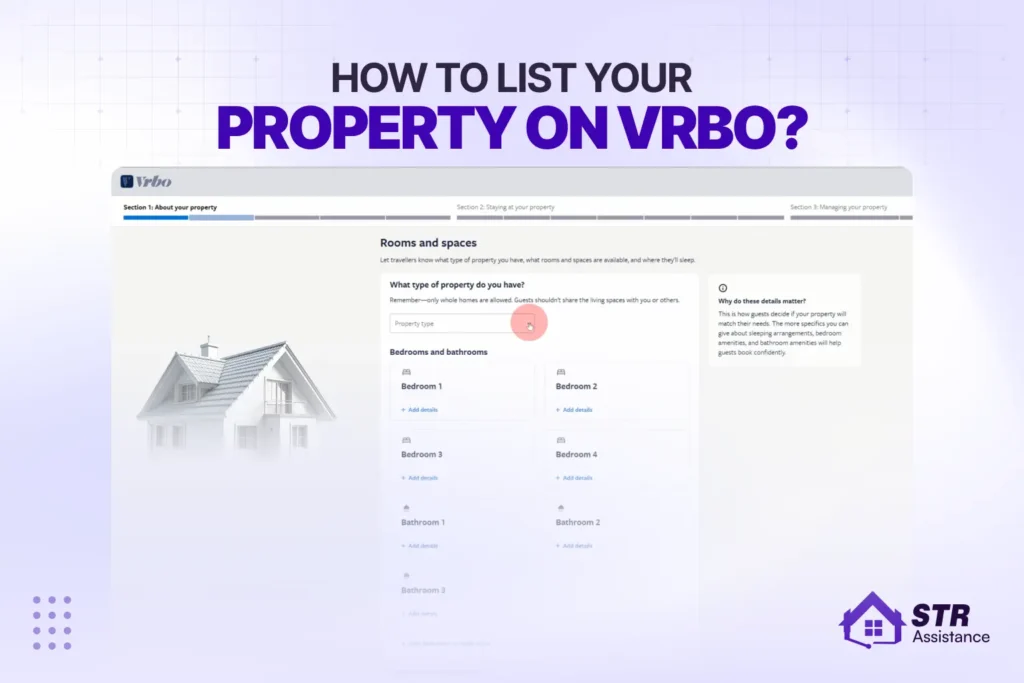
Vrbo is a vacation rental platform owned by Expedia Group that focuses on whole-home bookings for families and group travelers. If you are planning to rent out your property, learning how to list your property on Vrbo correctly is the first step to getting consistent bookings.
In this guide, you will learn the complete step-by-step process of creating a Vrbo listing, setting up your account, optimizing your property for search rankings, pricing your stay, and managing guest communication in a way that leads to more bookings.
Most new hosts make the mistake of publishing a listing without proper setup, which often results in low visibility and slow bookings. Vrbo performance is heavily influenced by how well your listing is structured from day one.
At STR Assistance, we have trained short-term rental virtual assistants experienced in managing Vrbo, Airbnb, and other vacation rental platforms. We have already listed and managed 50+ Vrbo accounts and currently handle 800+ properties across different markets. With hands-on experience in real STR operations, STR Assistance understands what it takes to optimize VRBO listings, improve visibility, and maintain consistent bookings.
In this article, STR Assistance breaks down the exact system for how to list your property on Vrbo, along with the optimization steps that help increase visibility, attract qualified guests, and avoid common hosting mistakes.
Why List Your Property on Vrbo?
Vrbo gives you access to high-intent family travellers with less competition. Especially for larger whole-home properties. It suits large vacation homes in leisure markets particularly well, where hosts set their own cancellation terms. According to recent statistics, Vrbo has 2.2 million listings, while Airbnb has 8 million. Fewer listings competing for the same guest demand.
The guests who use Vrbo aren’t scrolling for something cool. They’re a family of seven booking a beach house for July, a group of couples who want enough bathrooms that nobody’s waiting in line, and retirees who plan three months ahead and read every review. They know what they want. They filter for whole homes. If yours fits, they’ll find it, and there are a lot fewer hosts for them to choose from.
In 2025, Electroiq published that the average host earns around $33,000 a year. 76% say it covers a full year of mortgage. Your number will depend on where you are, what you have, and whether you’re actually paying attention to the listing. Some earn significantly more. Others underperform because they set up the listing once and then stop paying attention.
We already said that Vrbo runs inside Expedia Group. That means when someone’s on Expedia booking flights or hotels and decides they’d rather rent a house, it increases your exposure to ready-to-book travellers. 600 million unique visitors a month across the whole network. You don’t have to do anything extra; it’s built into how Expedia routes guests.
Last year, the platform did somewhere between $17B and $22B in bookings. If you’re already on Airbnb, adding Vrbo takes a few hours and brings in a guest type Airbnb doesn’t really attract. Different people, fewer competitors, and you actually get to set your own cancellation terms instead of working around someone else’s rules.
It’s worth doing a listing on Vrbo. Especially if you have a big property and you’re not in the middle of a city.
What You Need Before You List on Vrbo?
Before listing on Vrbo, you need a whole-home property, local STR permits, tax setup, identity verification, 6+ photos at 1920×1080, accurate location data, safety equipment, and connected banking details. Below are the detailed things that you actually need:
Legal and regulatory requirements
STR rules vary by city and even by neighborhood. Some locations require a permit number before you can publish your Vrbo listing, while others limit short-term rental nights or restrict non-owner-occupied properties entirely.
For example, San Antonio requires an annual STR permit and monthly tax filings for stays under 30 days. In New York, Local Law 18 requires hosts to be present in the building during stays, which has significantly reduced the number of active listings.
Before listing on Vrbo, always check your local regulations and HOA rules. Vrbo requires a valid permit number in many areas, and without it, your listing may not go live.
Vrbo tax collection
Vrbo automatically collects and remits occupancy taxes in most U.S. states, but in some locations, hosts are still responsible for handling tax collection themselves. Before your first booking, always check Vrbo’s tax rules for your specific market to understand what applies to your property.
Guest verification and host control on Vrbo
Vrbo verifies host identity before a listing can go live, helping ensure platform security and trust. As a host, you can also add extra controls such as requiring verified guest accounts, setting a minimum booking age (commonly 25+), and making guests accept house rules before confirming a booking.
These settings help reduce the chances of problem bookings and create a clear agreement before arrival, giving you more control over who stays at your property. For a deeper breakdown of how Vrbo verifies users and handles screening, you can read this guide: Does Vrbo Do Background Checks?
Property readiness checklist
Vrbo guests book 5-7 nights and plan ahead. Something broken at check-in goes straight into the review. Before you photograph anything: working locks, confirmed Wi-Fi, smoke detector, CO detector, fire extinguisher, marked emergency exits, first-aid kit.
Listing Requirements
Vrbo has minimum listing requirements that must be met before activation, including at least six photos (1920×1080 resolution), a description of over 400 characters, and a headline of more than 20 characters. These are not optional—missing any of them can prevent your listing from going live. Your GPS pin must also be accurate, as it directly affects which search results your property appears in.
If you want a more detailed preparation checklist that covers how hosts set up everything before going live, including step-by-step operational setup, you can also refer to our Airbnb host checklist.
Payment Setup
Add your banking details before launch. First payout comes 24 hours after check-in. Weekly after that. Keep total fees under 15% of the booking cost- Vrbo’s own data says half of guests walk away when fees go higher.
Final step before launch
Prepare a simple welcome guide with check-in instructions, house rules, and local recommendations. This reduces guest questions during their stay. Adding extra amenities like a smart TV, board games, or beach gear won’t affect search ranking directly, but they do improve guest experience and review quality—which ultimately impacts ranking.
How to Create a Vrbo Account?
Go to vrbo.com, click “List your property,” enter your property details, create an owner account with a business email, verify your ID, and connect your bank account. If you have never listed on Vrbo before, the setup takes 30 to 45 minutes if you have everything ready. Here is exactly what happens, in order.
Step 1: Go To Vrbo.Com And Click "List Your Property"

That button sits in the top right corner of the homepage. Vrbo starts a guided setup flow from there. You do not need an account yet. You create one as part of the process. Do not sign up first and then try to list. Start from that button.
Step 2: Enter Your Bedroom And Bathroom Count
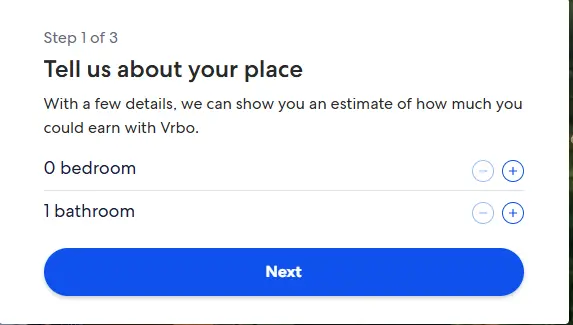
This is the first real information Vrbo asks for. Enter both numbers accurately. Vrbo uses them for size-based search filters. Guests who filter for a 3-bedroom will never see your listing if you entered 2. Do not inflate the count to appear in more searches. Guests who arrive expecting a room that does not exist will leave a review you cannot undo.
Step 3: Enter Your Property Address And Confirm the GPS Pin
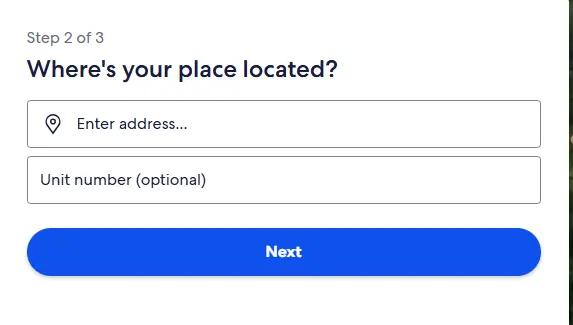
Type in your full address. A map will appear with a pin on your property’s location. Drag the pin if it dropped in the wrong spot and confirm it before moving on. Vrbo shows guests an approximate location for privacy, not your exact address. The pin position determines which geographic search results your listing appears in. A pin placed in the wrong neighborhood puts your listing in the wrong searches.
Step 4: Create Your Owner Account
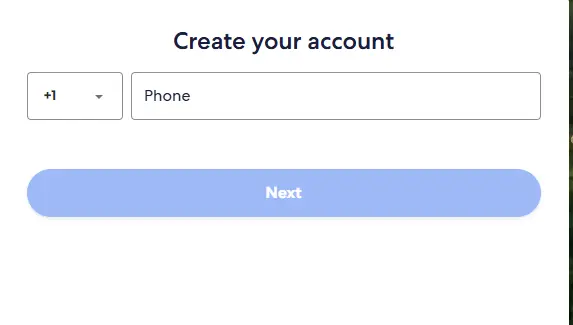
Vrbo asks you to create an account at this point. Use a business email, not a personal one. If you manage multiple listings or need to contact Vrbo support, a consistent business email keeps every interaction traceable. Use the same email you use across your other STR platforms.
Step 5: Verify Your Identity
Vrbo requires a government-issued ID before your listing can go live. You will upload a photo of your ID directly in the setup flow. A passport, driver’s license, or national ID card all work. Your listing will not activate until this step clears. Have your ID physically in hand before you start this step.
Step 6: Set Up Your Payout Method
Connect your bank account so Vrbo knows where to send your money. You will need your account number and routing number. Vrbo releases your first payout 24 hours after a guest checks in. After that, payouts move to a weekly batch schedule. Know this before your first booking so the timing does not catch you off guard.
Step 7: Understand Vrbo's Fee Structure Before You Set Any Rates
New hosts in 2026 pay a per-booking fee of 3% for payment processing plus 5% commission, totaling 8% on every booking. The $499 annual subscription is no longer available to new hosts. Only existing subscribers can renew it. Build the 8% fee into your pricing before you set a single rate. If your target is $200/night clear, the price is $217 to cover it.
Step 8: Download The Vrbo Owner App
Download the app before your listing goes live. Vrbo sends push notifications for new guest inquiries through the app. Your response time to those inquiries is a public metric on your listing, and Vrbo’s search algorithm uses it to rank you in search results. On a desktop browser, you won’t catch an inquiry for hours- sometimes longer.
On the app, you see it in seconds. Once the app is installed, turn on notifications and enable Instant Book in the settings. Blocking dates, adjusting minimum stays, and updating pricing all run faster in the app than in a browser.
We Help You
List Your Property
How tо Build a VRBO Listing That Gets Bookings?
Build a VRBO listing that gets bookings, keep your title around the bedroom count, one standout amenity, and location. Open your description with the guest experience, not a feature list. Tick every amenity filter. Keep house rules under 12, one sentence each. Let’s see the details below:
Property Title Best Practices
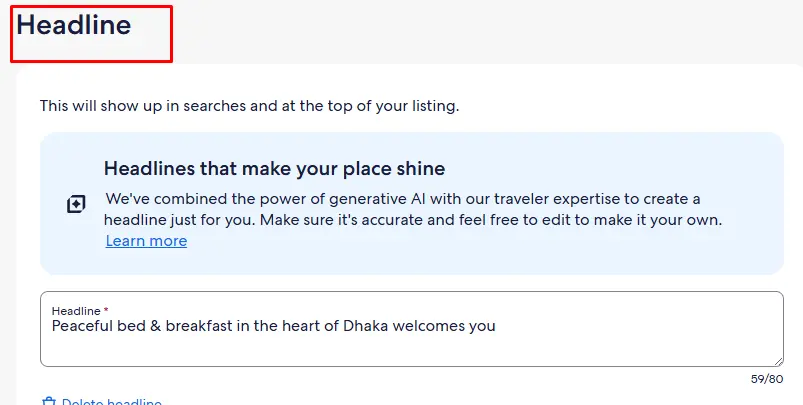
Vrbo titles allow 80 characters. Use them for what guests actually search, such as property type, location, and the one feature that sets your place apart. If you’re also listing the same property on Airbnb, reviewing writing Airbnb listing titles can help you adapt your title to Airbnb’s format and audience.
Example:
“3BR Lakefront Cabin | Private Dock, Hot Tub, Mountain Views’ gives the guest exactly what they’re filtering for. ‘Beautiful Home Near Beach’ tells them nothing they couldn’t say about 400 other listings.
Writing a VRBO Property Description That Converts
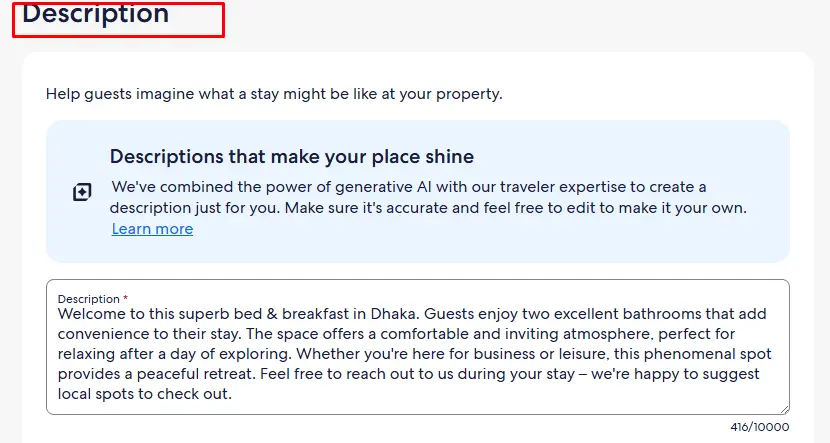
You have min 400 characters and a max of 10,000 characters to write a description. So don’t waste, open with the guest experience, not the specs. Describe what staying there actually feels like. “This four-bedroom cabin seats 12, has a hot tub 20 feet from the back door, and sits five minutes from Smoky Mountain trailheads” is something a guest can picture.
After that, cover the bedroom layout, outdoor space, parking, and named distances. “Eight minutes from downtown Gatlinburg” is usable. “Near local attractions” means nothing. Specific distances and place names help Vrbo match your listing to relevant searches and no keyword-stuffing required.
Amenities: What To List And What To Highlight
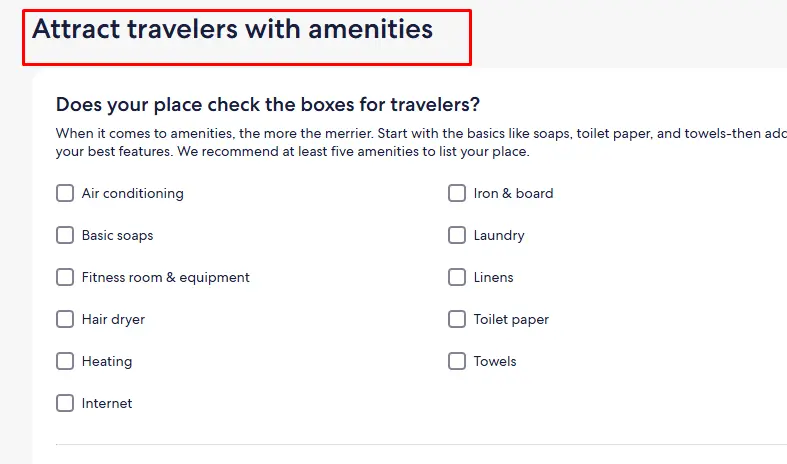
Vrbo guests apply 5 to 8 filters before the results load. A filter that your listing does not match is a search in which you do not appear.
Go through the full Vrbo amenity checklist. Tick everything that exists. Families filter by name for a grill, a pack’n play, and board games. Pool, hot tub, EV charger, confirmed Wi-Fi speed, and pet-friendly status are the most commonly used filters. Missing any one of these removes you from all searches where that filter is applied.
House Rules Setup
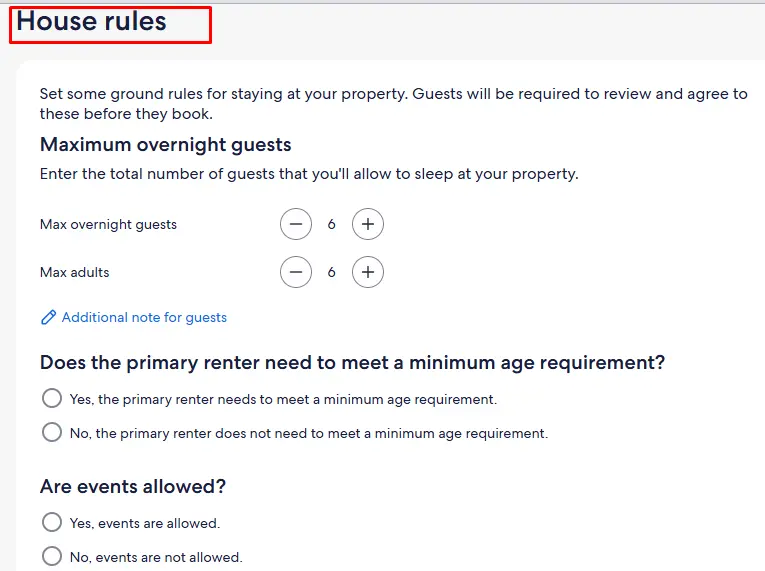
Write rules that a guest cannot misread. “No parties” is unenforceable. “No gatherings exceeding 8 guests” is not.
Guests accept the house rules before booking is complete. Vague wording gets interpreted however it suits them. One sentence per rule. Cover check-in time, checkout time, noise cutoff with a specific hour, pet policy, and smoking policy. Keep rules short, clear, and limited to the important ones. Too many rules make the stay feel restrictive before guests even book.
Vrbo Photograph: What Makes Guests Click?
The first photo decides whether a guest clicks your listing or keeps scrolling. A dark or cluttered hero shot ends the consideration before your title or price registers. Vrbo recommends at least 25 photos. Listings with 30 or more photos get booked more often. More photos mean fewer guest doubts before booking.
What to shoot and in what order
- Your strongest room or exterior lead with it. Keep this photo one.
- Living room, then kitchen
- Each bedroom, each bathroom
- Outdoor spaces by appeal: pool, deck, yard
- Standout amenities: hot tub, fire pit, game room
- Views or surrounding area
- Two or three neighborhood shots
When to shoot: Shoot between 9-11 am or 3-5 pm. Midday light flattens rooms. Never shoot with a window directly behind the camera- it darkens the interior and blows out the outside.
Phone vs. professional: A professional with a wide-angle lens beats a phone in most interiors. If the budget is tight, hire one for the hero shots only. Photography is what gets the click before the price, before the title, before anything else.
How to order and caption photos: Put your standout feature in the first five photos, with pool, sauna, open kitchen, whatever separates you from the listing next door. After that, sequence photos as if the guest walks from the front door to the back. Caption every photo with something specific. “King bedroom, blackout curtains, en suite bath” is useful. “Bedroom” tells the guest nothing.
Vrbo Pricing Strategy for New Hosts
No reviews means guests need a reason to pick your listing over an established one. Price is the reason.
- Start Below Market: Price 15-20% below similar nearby listings for your first three to six bookings. Activate Vrbo’s New Listing Promotion, which discounts your first three bookings and adds a badge in search results. After five or more reviews, raise rates to market level.
- Know Your Floor: Add up your mortgage or rent, utilities, cleaning costs, and the 8% Vrbo fee. That number is your minimum per booking. Never price below it.
- Keep Fees Simple: Most guests tolerate fees up to 5% of the booking total. Interest drops sharply once fees approach 10% or multiple extra charges appear. Two-thirds will not book if more than two separate fees appear. Fold your cleaning cost into the nightly rate instead of listing it separately.
- Set Minimum Stays: A 2-night minimum on weekends and a 3-night minimum on weekdays prevent single-night gaps that are hard to fill. Cabins and beach houses in peak markets typically require a 5 to 7-night minimum in summer. Match what top-ranked listings in your market use.
- Open Your Calendar To 12 Months: Families book three to six months in advance. A calendar showing only 60 days of availability misses those guests completely.
Use Dynamic Pricing Once You Have Reviews
Fixed year-round rates cost you money in high-demand periods and lose bookings in slow ones. PriceLabs and Vrbo’s MarketMaker both adjust your rates automatically based on local demand and seasonality. Properties using MarketMaker at least twice per quarter average 6% more revenue.
Pricing needs weekly attention based on booking pace, local events, and competitor movement. Static rates leave money on the table during slow periods and miss peak demand. We handle this dynamic pricing for hosts who don’t want to monitor it themselves.
Vrbo Guest Communication: Before, During, and After the Stay
Vrbo keeps guest contact details locked until a booking is confirmed. Every pre-booking exchange stays inside the platform. Before a guest commits, your response speed and message quality are all they have to go on.
That speed has a direct ranking consequence. Vrbo shows your response rate on your public listing. Hosts who reply within an hour consistently rank above those who take 12 or more hours. The Owner App pushes notifications for new inquiries the moment they arrive. Ignore it, reply six hours later, and your ranking takes a hit that lingers for weeks.
Before the Stay
Guest communication starts the moment a booking is confirmed. Your first message sets the tone. Slow responses and missing details set a bad tone before the guest even arrives and it shows up in reviews.
- Booking confirmation: Reply within 30 minutes. Confirm the dates, let them know when the check-in details will be available, and give them a contact for anything urgent.
- Pre-arrival message: Send this 3-5 days out. Cover the access code, parking, Wi-Fi, any property quirks worth knowing, and a couple of local spots worth visiting. Guests who arrive with full pre-arrival information leave better reviews. We see this consistently, and it’s one of the simplest things to get right.
During The Stay
Most guests will not contact you unless something is wrong. Reach out first. One check-in message and one mid-stay message asking if everything is good. That’s all it takes to catch problems before they become reviews.
- Check-in day message: Short and practical. Confirm the time, point them to the access code, and give them a number to call if something is off.
- Mid-stay check-in: On stays of five nights or longer, one message around day two is enough. Ask if everything is good. Most guests say yes and appreciate that you asked. The ones who flag something give you a chance to fix it before checkout and before the review.
After The Stay
The stay is over, but the guest relationship is not. A clear checkout reminder and a timely review request are the two messages most hosts skip, and the two that affect your rating most.
- Checkout reminder: The evening before works well. Three or four expectations: strip the beds, run the dishwasher, lock up, leave the key. That is it. A long checklist sets the wrong tone for their last morning.
- Review request: Wait 24 hours after checkout, then send something short: “Hope the stay was good. A quick review on Vrbo goes a long way for future guests.” Nothing more than that. If covering response times across time zones is a problem, we handle Vrbo guest messaging so nothing falls through the gaps.
Vrbo's Review System
Vrbo gives both sides 180 days (6 months) to leave a review, longer than Airbnb. Neither review goes live until both are submitted, or the window closes. That means you write your review without seeing theirs first.
Reply to every review you get. Good ones and bad ones. Vrbo places your response right next to the guest’s words, visible to anyone viewing your listing. How you handle a critical review tells future guests more about your operation than the complaint itself.
If a review contains false information or violates Vrbo’s content rules, you can request its removal through their dispute process. It works similarly to the Airbnb review removal process – a clear, documented case goes further than a basic flag.
How to Optimize Your Vrbo Listing to Rank Higher in Search?
Vrbo rankings depend on fast response times, low cancellation rates, strong review scores, complete listing details, and consistent host performance that helps earn the Premier Host badge. Vrbo ranks listings based on five factors.
- Response Rate and Speed: Respond to every inquiry within one hour. A listing with a 100% response rate outranks one with an 80% response rate. The Vrbo Owner App push notification is the only reliable way to hit that window.
- Honor Rate: This is your history of completing bookings without canceling. Every cancellation you initiate drops it. If a cancellation is unavoidable, contact Vrbo support and document the reason. Force-majeure situations are treated differently than discretionary cancellations.
- Review Score: A listing averaging 9.8 appears above one averaging 9.2 in most search results. Your first few bookings carry the most weight. Each review moves a short average significantly. Nail the guest experience early.
- Listing Profile Completeness: Missing safety disclosures, sparse descriptions, and incomplete damage deposit settings register as quality gaps in Vrbo’s internal scoring. Fill every field. Open your calendar at least 12 months out. Enable Instant Book.
- Premier Host Badge: Vrbo automatically assigns this to hosts who maintain strong performance across all of the above over the trailing 12-month period. There is no application. The badge appears on your listing in search results and improves click-through rate.
What Happens After You Hit "Go Live" on Vrbo?
Vrbo reviews every new listing before it appears in search. This takes 24 to 48 hours for most listings. If identity verification is pending, photos are flagged, tax setup is missing, or your description names a competitor platform, it takes longer.
The most common reasons Vrbo delays a listing are- photos below the minimum resolution, incomplete safety disclosures, missing payout setup, and an uncleared identity verification.
Use the waiting period. Finalize your guest communication templates. Set up push notifications in the Vrbo Owner App. Write your check-in instruction document, the one you will actually send to guests.
The first 72 hours after activation matter more than most hosts realize. Vrbo gives new listings a short visibility boost during this window. In real operations, impression counts run higher in the first three days than in weeks two and three. How you perform during that window sets your baseline ranking.
Respond to every inquiry within minutes. Enable Instant Book. Accept the discounted promotions Vrbo offers on new listings. Those promotions bring early bookings, and early bookings build the review history your listing needs before the visibility boost disappears.
Vrbo Pricing Strategy for New Hosts
The first booking is the hardest. No reviews, no history, and guests are comparing you to listings that have been live for years. A few things close that gap fast.
- Price below market to start: Set rates 10-15% below comparable listings for your first four to six bookings. No review history means guests need a reason to pick you. Lower pricing is the reason.
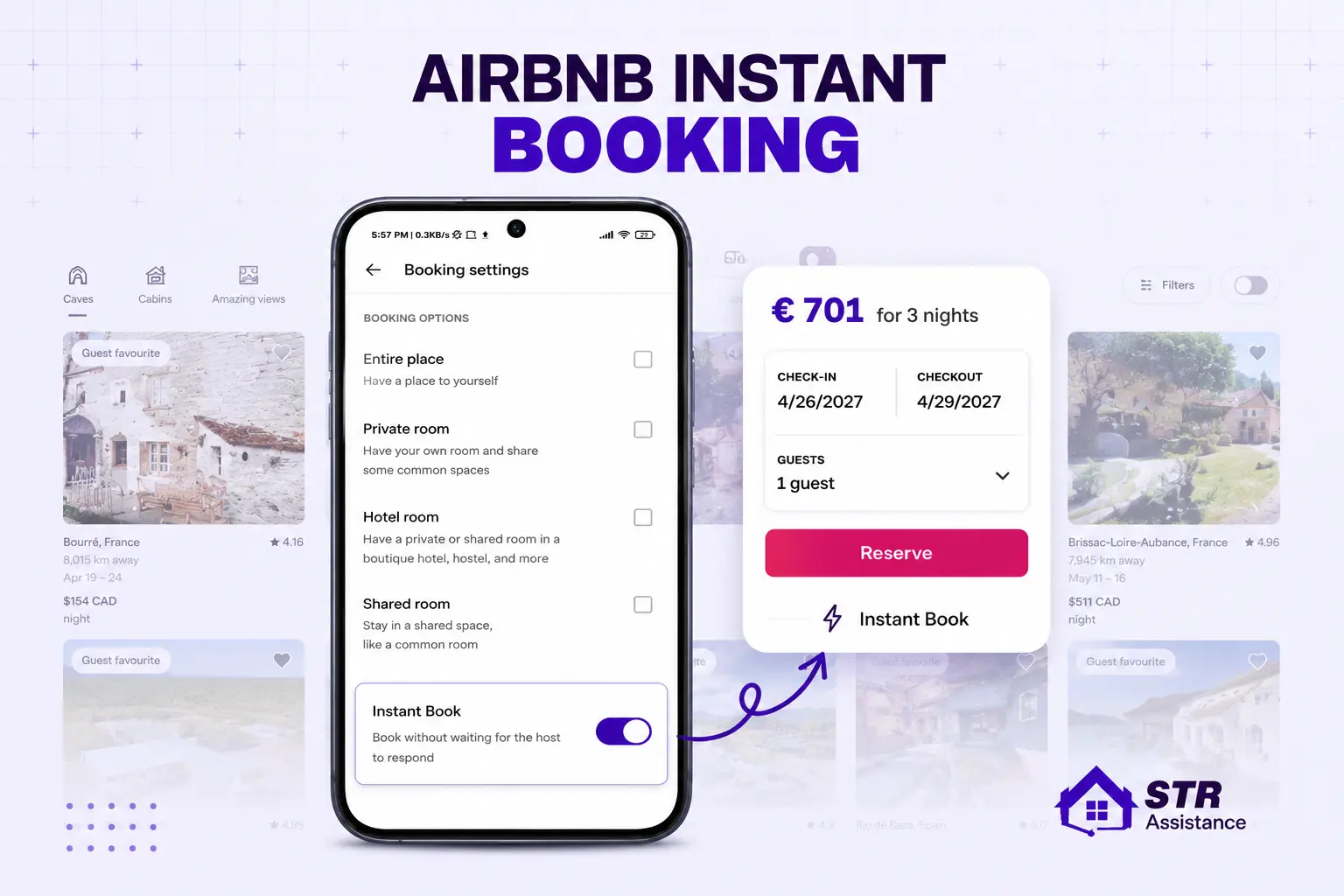
- Enable Instant Book immediately: Guests looking for quick trips will not wait for approval of a request to book. If the cabin next door books instantly and yours does not, they book the next-door cabin.
- Complete your listing profile before going live: Professional photos, accurate amenities, full description. A sparse listing signals a host who set it up in 10 minutes. A complete one signals a managed property.
- Respond to every inquiry fast: Vrbo tracks response time publicly and it directly affects your search ranking. Missing an inquiry for six hours on a new listing with no review history compounds the problem.
- Keep your booking acceptance rate at 99% or higher: Early declines set a pattern that takes months to recover from and affects Premier Host qualification down the line.
- Share your listing link with your network: Anyone in your circle traveling to your market is a legitimate first booking. A known contact leaves the same review weight as any other guest. Small discounts for first bookings are fine. Tying discounts to a specific rating is not- Vrbo’s policies are clear on that.
What Problems Come With Managing Vrbo and Airbnb at the Same Time?
Most hosts who add Vrbo to an existing Airbnb operation underestimate the workload. Two platforms, two inboxes, two review systems, two calendars and two sets of guest expectations that do not overlap as much as you would hope.
Calendar Sync Delays
Calendar sync has a gap that matters on busy dates. iCal links between Vrbo and Airbnb carry a 15 to 30-minute delay. Most days, that is harmless. On a peak Saturday in a beach or mountain market, that window is enough to create a double booking. Resolving it means canceling one guest, absorbing the platform penalty, and handling the fallout. A channel manager can reduce most of these risks by syncing calendars in real time.
Different Guest Communication Styles
Guest communication does not transfer between platforms. Vrbo guests are usually families booking weeks or months ahead. They ask detailed questions before committing. Airbnb guests book faster and message casually. Send the same template to both, and it reads wrong on at least one, which affects your response rate and review quality on both. Using platform-specific short-term rental message templates helps keep communication consistent and professional.
Cleaning Coordination Problems
Cleaning coordination breaks down at the seams. A 10 am Airbnb checkout, followed by a 3 pm Vrbo check-in at the same property, requires automated cleaner notifications and a reliable local team. Without both in place, that turnover window fails exactly when booking volume is highest. Automated cleaner notifications and scheduling tools help prevent missed turnovers.
Different Platform Fee Structures
Fee structures are different and affect your pricing on each platform. Vrbo charges 8% per booking. Airbnb’s host fee runs around 3%, though the total platform cost to guests is higher. Pricing the same property competitively on both platforms while accounting for different fee structures requires active rate management, not a one-time setup. Dynamic pricing tools can help balance rates across both platforms.
How to Solve These Challenges?
The challenges of managing Vrbo and Airbnb together mainly come down to coordination, timing, and consistency. The most effective way to handle them is by building a structured system instead of managing everything manually.
- Use a channel manager to sync calendars and prevent double bookings
- Apply automated messaging systems for platform-specific communication
- Set up reliable cleaning coordination tools or teams for turnovers
- Use dynamic pricing tools to adjust rates across both platforms
- Maintain clear operational SOPs for each platform separately
With the right system in place, managing both Vrbo and Airbnb becomes scalable and far less time-consuming.
How STR Assistance Helps Hosts List and Manage on Vrbo
STR Assistance is a short-term rental virtual assistant company that helps hosts and property managers with Vrbo listing setup, optimization, guest communication, calendar management, and day-to-day operational support. Our team works with Vrbo, Airbnb, and other vacation rental platforms, managing more than 800 properties across different markets.
We assist with listing creation, guest messaging, pricing updates, calendar coordination, cleaning schedules, and review management. By handling these ongoing tasks, we help hosts maintain faster response times, organized operations, and a consistent guest experience.
For hosts managing both Vrbo and Airbnb, we also support calendar synchronization, booking coordination, and operational workflows to reduce the risk of missed messages, scheduling issues, and double bookings.
If you’re launching a new Vrbo listing or looking to improve an existing one, STR Assistance can help streamline the day-to-day work involved in managing a short-term rental.
FAQs
How Long Does It Take For A Vrbo Listing To Go Live After Publishing?
Usually 24 to 48 hours. Missing verification, incomplete tax setup, or flagged photos push it longer. Finish every field before you submit, there is no way to speed up a stalled review.
Is It Free To List On Vrbo In 2026?
Free to create. Vrbo takes 8% per booking- 3% for payment processing and 5% commission. No monthly fee, no subscription option for new hosts.
What Is Vrbo's Fee Structure For Hosts - Subscription Or Per-Booking?
Per-booking fee for new hosts: 8% of each confirmed reservation. The $499 annual subscription is no longer available for new accounts. Existing subscribers can still renew, but the window for new sign-ups has closed.
Can I List The Same Property On Both Vrbo And Airbnb At The Same Time?
Yes, and most serious hosts do. The catch is calendar sync. iCal has a 15- to 30-minute lag. On a busy Saturday in a beach market, that gap is long enough for a double booking to slip through.
How Do I Get My First Vrbo Review With No Booking History?
Price 10-15% below the local comparable rate for your first four to six bookings. Enable Instant Book. If you know anyone headed to your market, Vrbo permits this as long as it’s a genuine stay and you don’t offer incentives tied to a specific rating.
What Is Vrbo Premier Host And How Do I Qualify?
Vrbo runs your trailing 12 months: review score, cancellation rate, acceptance rate, and completed stays. No form to fill out. It either shows up on your listing or it does not, based entirely on how you ran it.
Does Vrbo Collect Taxes Automatically, or Do I Have To Do It Myself?
Vrbo handles it automatically in most U.S. states. Where it does not, the collection and remittance fall on you. Check your specific market in Vrbo’s tax documentation before your first booking, not after.
What Happens If I Get A Double Booking On Vrbo And Airbnb?
You cancel one. The platform you cancel on drops your ranking. On Airbnb, it also pulls your Superhost status. Most hosts who go through this once get a channel manager the same week.
Can Someone Else Manage My Vrbo Listing For Me?
Yes. Vrbo allows co-hosts and property managers to operate under the primary account. STR Assistance manages Vrbo listings end-to-end like guest communication, calendar, and reviews.
How Is Vrbo Different From Airbnb For Hosts?
Whole-home only on Vrbo, no shared spaces. 2.2 million listings versus Airbnb’s 8 million, so less competition per guest. The 48 million users are mostly families booking well in advance, not solo travelers looking for a spare room tonight.
Conclusion
Vrbo generates consistent bookings when the listing is built correctly from day one. The algorithm rewards fast responses, accurate availability, and guests who leave without complaints. That is not a complex thing to maintain. It just requires consistent attention, which most hosts don’t have time for across two platforms.
Set the listing up before you go live. Use the first 72 hours after activation, Vrbo gives new listings a brief visibility boost that fades fast. Price below market until you have reviews. Keep your calendar synced. Respond to inquiries the moment they come in. Every one of those things compounds. Get them right, and your ranking climbs.
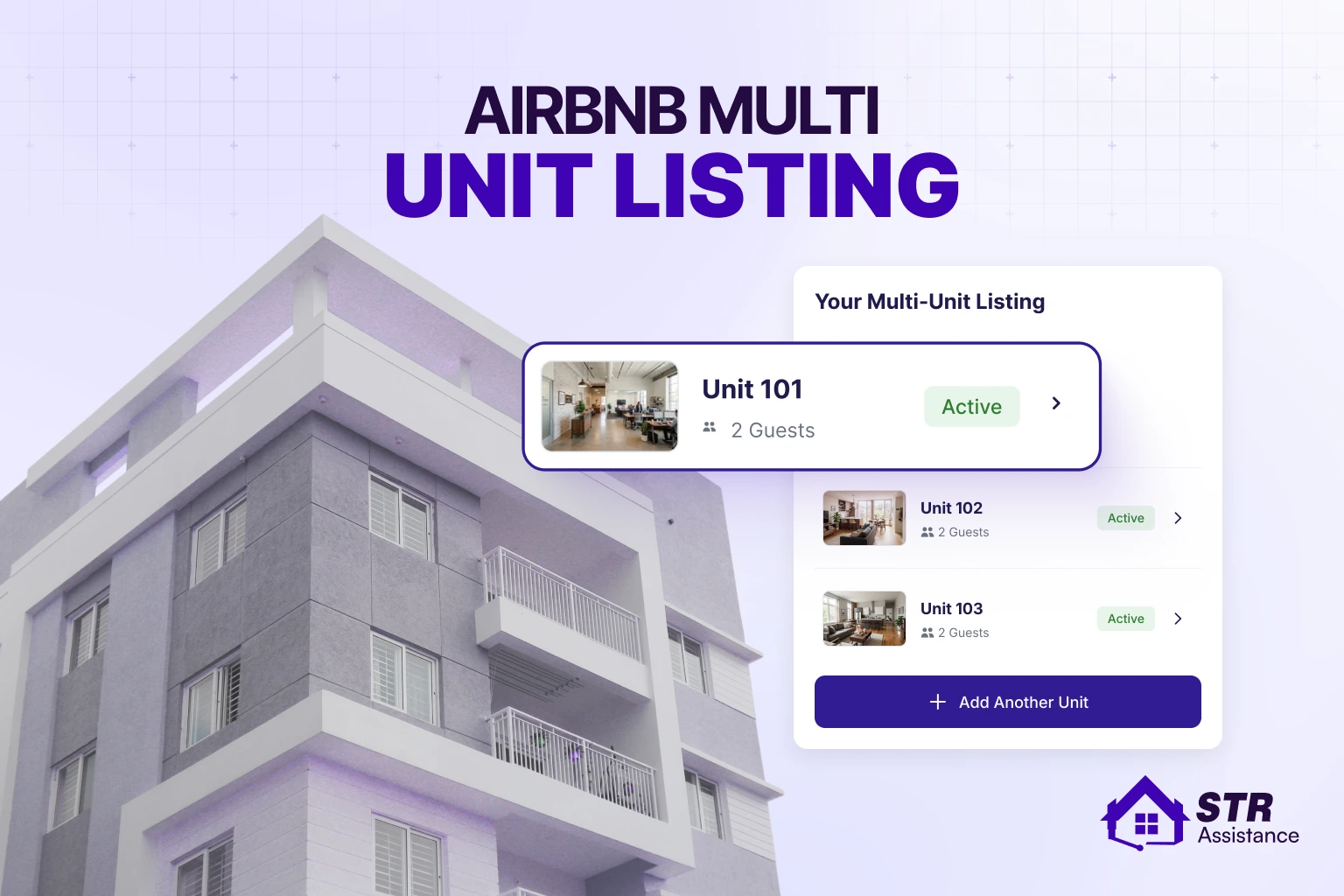
Running Vrbo and Airbnb together gets operationally heavy. Two platforms mean two inboxes, calendar coordination, guest questions, cleaner scheduling, and review management happening at the same time. At our STR Assistance, we help hosts keep both listings consistent, responsive, and operationally organized without falling behind on guest communication or day-to-day coordination. If you manage multiple Airbnb units alongside your Vrbo properties, learning about the multi-unit listing structure on Airbnb can help you understand how to organize those listings effectively.
If you’re planning to start hosting on Airbnb and need help creating your account, setting up your listing, and getting your property ready for bookings, you can follow our detailed guide on How to List Your Property on Airbnb.
For hosts who want to maximize exposure across multiple booking channels, learning how to list your property on Booking.com can help you reach a larger international audience and generate additional reservations throughout the year.