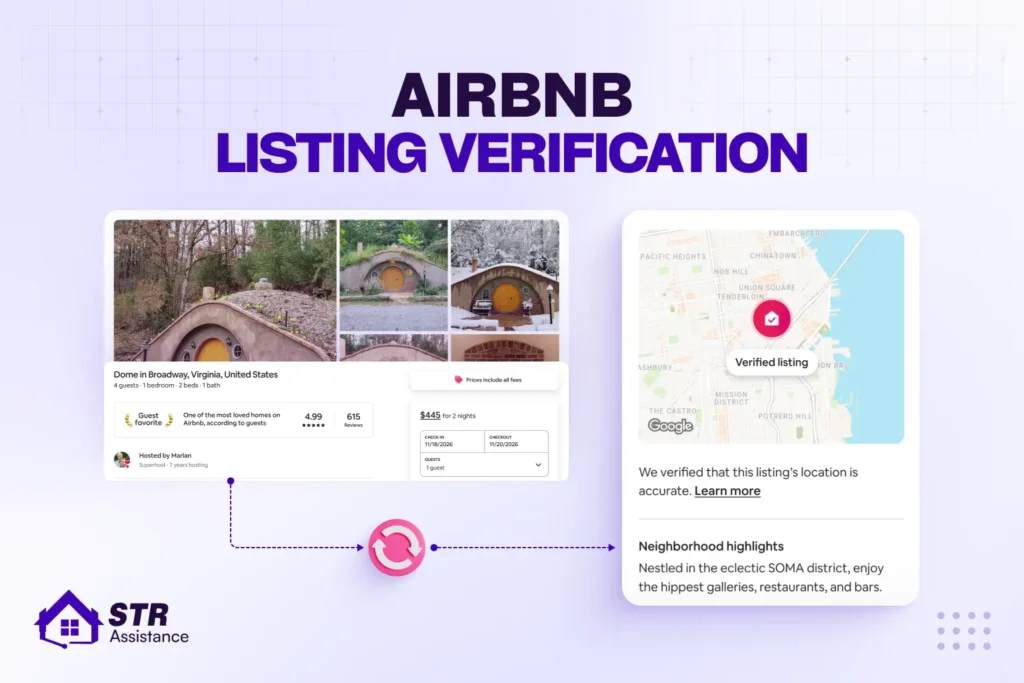
- Key Takeaways
- Airbnb listing location verification is not mandatory, and Airbnb does not penalize hosts if they do not complete it. Airbnb itself sends the request to complete listing verification.
- The verification badge on the map means the property is real, present at the listed address, and hosts can get in.
- Listing verification is not the same as identity verification, as every host must pass identity verification before publishing the listing, and business hosts in the EU, Brazil, and South Korea need to verify business details.
- Airbnb has two methods to complete the verification and mentions which one the host needs to work on.
- For the photo verification, Airbnb needs two photos, and for video verification, ask for 3 videos. Hosts or someone else on the host’s behalf can take the photos and videos but must have an Airbnb account, but a guest can never do that.
- Another method is document photo submission, or the process with the mailed code within 60 days.
- Each method can take up to 30 minutes, and Airbnb takes up to 48 hours to provide the results.
- To complete the verification successfully, the latest Airbnb app has to be installed on your phone, and all the photos, documents, and videos must match the requirements stated by Airbnb.
Airbnb listing verification is not a mandatory requirement, but Airbnb can ask hosts both new and experienced one for the verification. If you are asked to do that, or you have seen a verification badge to others listing, but you don’t have one, and now thinks why so, then you need to know about Airbnb listing location verification.
Listing verification shows your property is real, located at the exact address you listed, and you have access to it. Airbnb has two main methods of verification: take photos and record videos. These can take up to 30 minutes, and Airbnb replies within 48 hours.
Airbnb also states that location verification does not detect fraudulent activity; it does not verify listing details or neighborhood details, does not inspect listing details, and the badge can change without notice.
From our experience working with hosts, we have seen guests give a slight preference to spaces with verification badges, as it assures them the chances are close to 0 that the listing is fake.
Let’s help you today with in-depth details about Airbnb listing verification: 4 methods on how to verify, how long it can take, the reasons you can fail verification, and how to fix that.
What Is Airbnb Listing Verification?
Airbnb listing verification is the process of verifying that the property physically exists and is located at the specific location listed on the listing by completing the recommended process, and in some cases Airbnb does the verification automatically based on some criteria. Airbnb itself sends the verification request.
So, the verification is actually for the property location; it is not related to the listing page, listing amenities, description, neighborhood highlights, or safety. So, hosts should be very clear about what the verification includes. Another confusion we see is identity veri fication, which is a must and is not similar to location verification.
After the host or co-host completes the steps, Airbnb provides a verification badge. It’s important because the Airbnb Help Center says, “Verifying the location of listings helps us to scan for fraudulent behavior and makes it easier for guests to book with confidence and locate their listing upon arrival.”
For each of your listings, Airbnb will mention the method name you have to move forward with. So, for every listing, you have to do the verification to get the badge.
A short summary is that Airbnb mainly wants three things from listing verification. It wants to scan the fraudem fake listings and home advertised in the wrong place, let the guests give the confidence to book their preferred place, and lastly, the host have access to the property.
What Does the Verification Location Badge Mean?
The Verification Location Badge works like a signal for the guest, as it confirms the listing property is real and has a physical location where the hosts have access. Guests can click on the map, which works as a trust signal for the listing.
But the verification badge never means the information and photos on the listing are accurate. Also, a recent map pin change can remove the badge.
How to Verify Your Airbnb Listing?
Overall, we have found 4 methods where a host can verify the listing location, and you need to complete only one, not all four. Two methods are uploading photos and videos, hosts need to be present onsite, airbnb match the device’s location, and compare the published photos. If the host cannot do it, another person can complete the process, like a co-host, but not the guests.
To find the options: Go to Listings, select the listing → click Complete required steps → click Verify your listing → then click Get started.
Airbnb requests that the host complete verification and tells them which method to use, and the options differ from host to host.

1. Photo Verification in the Airbnb App
You have to do the photo verification using the Airbnb app. The process is easy: just take two photos of the property, one outside and one inside, and the inside photo has to match a specific photo you added in your listing. So, check one specific place from the listing, and take that photo. You have to switch on location sharing and camera permission on your phone so Airbnb can detect and match the location.
- Update the Airbnb app and log in.
- Check the listing address and map pin.
- Turn on precise location sharing and camera permission.
- Go to the property with Wi-Fi or strong cell service.
- Listings → select the listing → complete required steps → verify your listing → get started.
- Take the outside photo, then the inside photo that matches your photo tour.
2. Video Verification
Airbnb video verification for the listing requires three videos to upload from anywhere. For verification, Airbnb provides a 4-digit code in the map pin before the recording starts. The hosts have to write it in large font on paper and hold it in the video.
Among the three videos, the first should show the living space and end with you leaving through the front door. The second video records the front of the place from outside. And the third video records a street sign from the nearest intersection or one within two blocks. Remember, each video should be 20 seconds long and up to 100 MB.
- Listings → select the listing.
- Complete required steps → Verify your listing → Get started.
- Click Start Tutorial and note the instructions, which Airbnb also emails to you.
- Click Got it when you’re ready.
- At the property, record the 3 videos with your 4-digit code and a brief view of your face in each.
- Back on your listing: Edit listing → Submit videos.
- Select each video from your phone’s gallery and click Upload.
- Click Submit once all 3 videos are uploaded.
3. Verification by Someone You Authorize
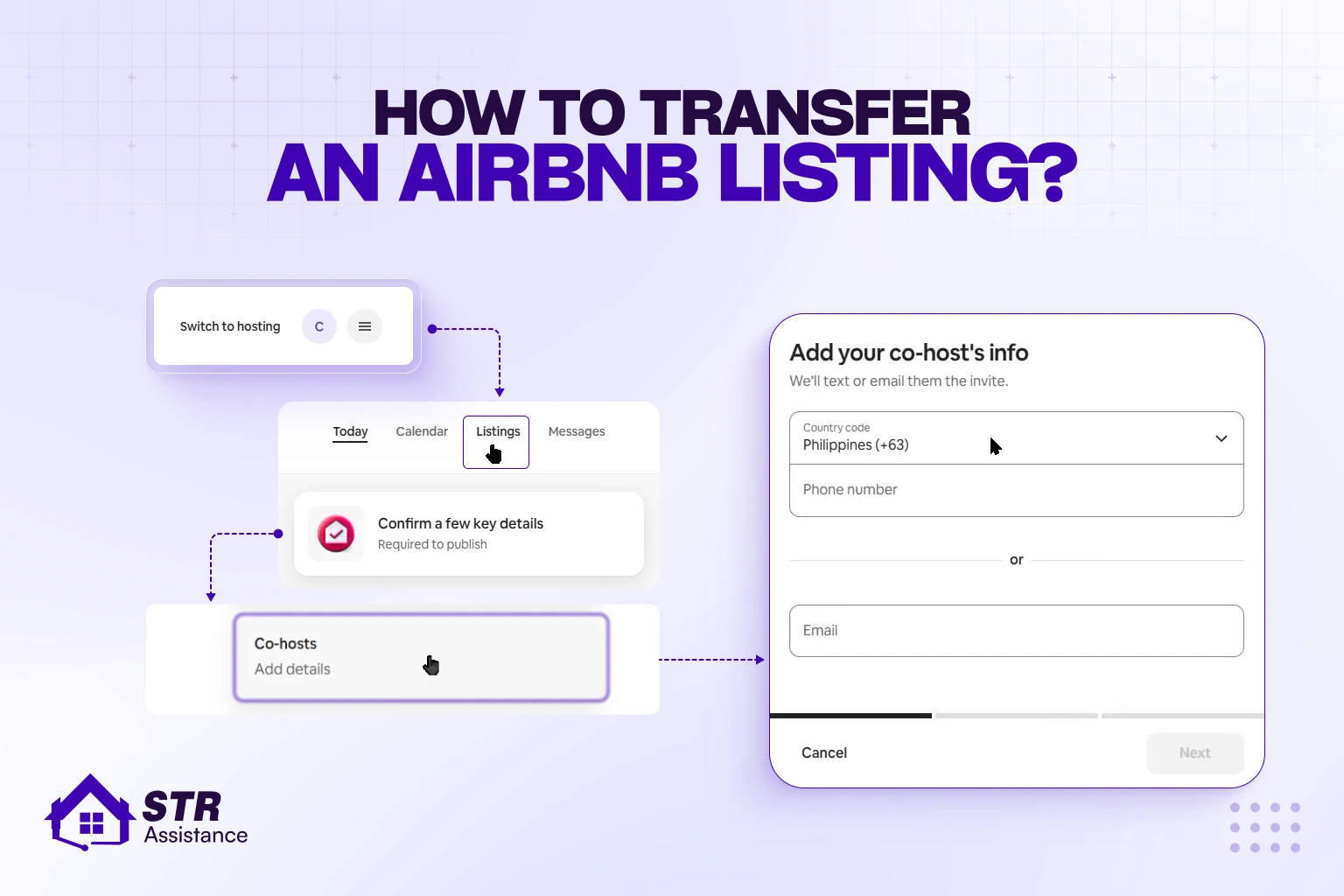
If you cannot physically be present at the property for the verification, you can ask someone else, like a family member, friend, or co-host, to do the verification, but not a guest. Here are two requirements: the person has to have an Airbnb account and the latest Airbnb app on their phone.
The host sends their email to Airbnb, and Airbnb sends the details to that person. The rest is the same as we mentioned in the photo and video verification process. That person has to follow the exact same steps.
- Listings → select the listing.
- Complete required steps → Verify your listing.
- Verify another way → Ask someone else to verify.
- Enter the email address of the person who will verify.
- Add instructions for them, such as how to get into the place.
- Review and click Send.
4. Other Methods: Documents, Public Records, and a Mailed Code
Airbnb can ask you to submit documents for listing verification in the preferred formats (.png, .jpg, or .pdf) inside the same verification flow in the listing, as there is no separate document upload field. Keep the document size under 100 MB, and documents can be no older than 60 days. Airbnb reviews them within 24 hours, and you have only 5 attempts to reupload the documents if the verification fails. Here is what is needed:
- Utility bill.
- Mortgage statement.
- Property tax documents.
- HOA membership.
- Lease agreements under 365 days.
- Documents showing your full and correct name clearly.
Second, the mailed code that Airbnb sends to the property address mailbox, not any package carrier. In the letter, you will find a unique code for your listing address. Hosts have to enter the code online at the URL within 60 days after receiving it to verify, and the results come in minutes.
Lastly, as we mentioned in the definition, based on some criteria, sometimes Airbnb does the verification itself, and those criteria are historical booking data, guest reviews and feedback, publicly available real estate records, and the information provided by the host previously. In such a case, the host does not need to do anything.
How Long Does Airbnb Listing Verification Take?
Airbnb says the listing verification takes 15-30 minutes. And Airbnb can take 24-48 hours to publish the result. That’s why we plan for two days for our hosts for the verification process, for a realistic time expectation. The timing can vary, for example:
- Documents are reviewed within 24 hours.
- A mailed code gives a result within minutes once you enter it.
- Airbnb verifies the listing automatically from public records; there’s no submission and no wait on your side.
- Airbnb asks for more information; the total time depends on how fast you send it.
Why Does Airbnb Listing Verification Fail, and How Do You Fix It?
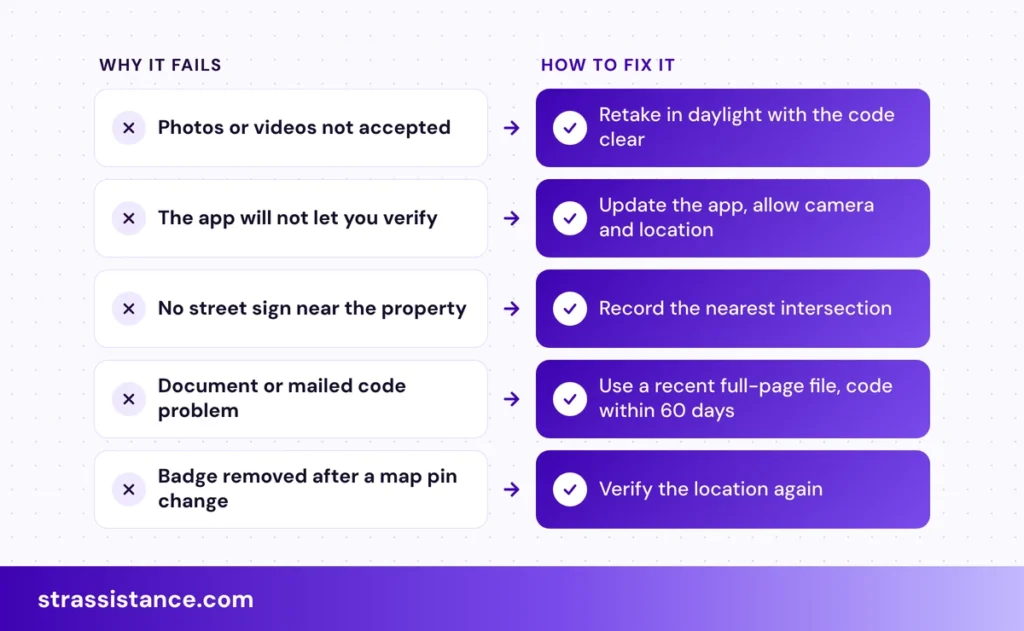
The listing location verification can fail if you do not upload the photos and video in the mentioned structure, upload the wrong format, upload an unclear photo, the code is not shown clearly in the video, the photos do not match anyone in the listing, you missed the deadline for the mailed code verification, and so on. For those who actually provided fake information, the verification must fail, and Airbnb may take action for them.
Also, you have to have the latest Airbnb app on your phone and turn on the location sharing feature and camera permission.
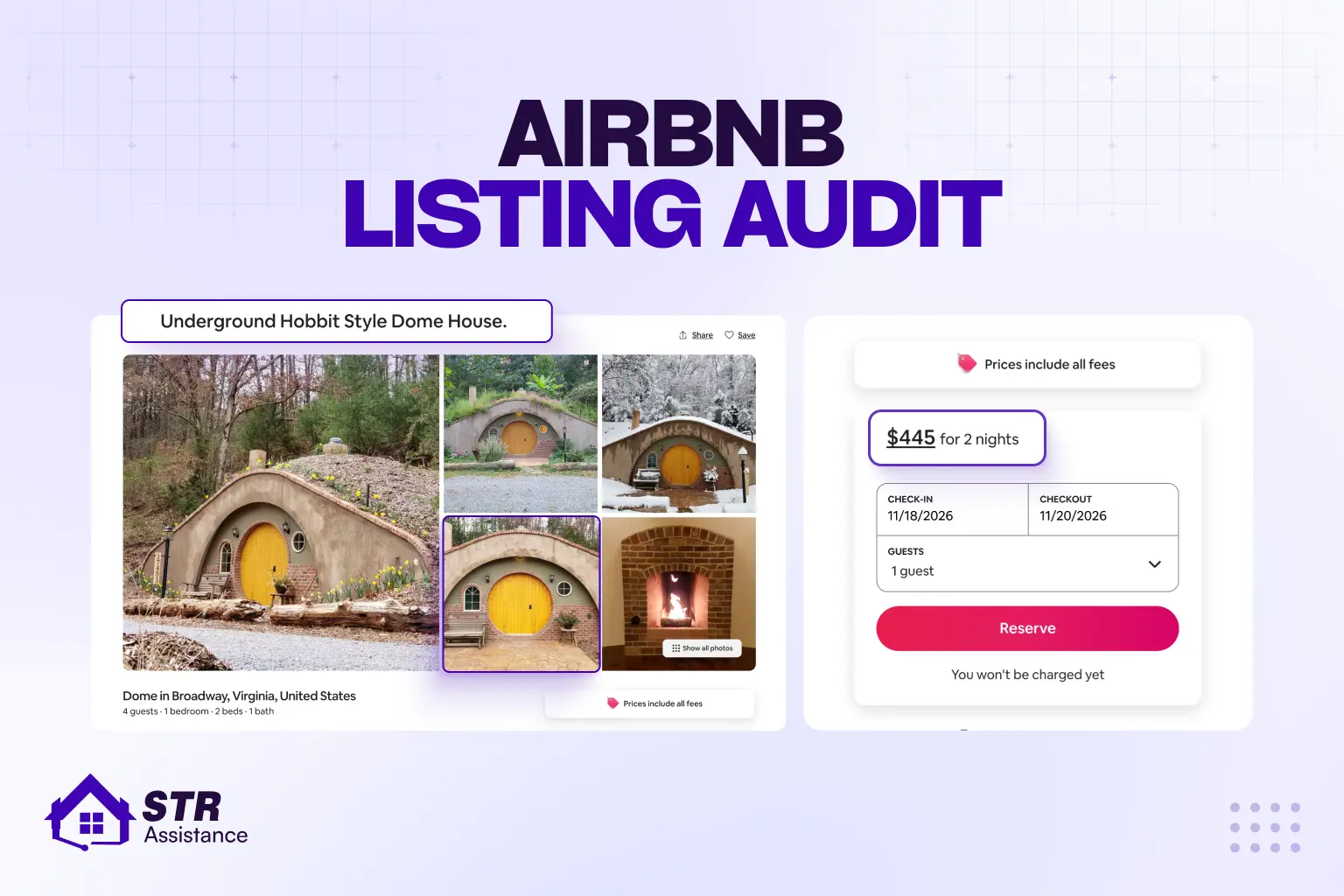
First, do a listing audit, match the photos and videos with the listing uploaded ones, find out why the verification shows failure, and here is how you can fix it.
1. Photos and Videos Not Accepted
If the rejection is related to photos and videos, check the quality, size, resolution, and format. You should retake them and shoot in proper daylight. Use the same angle for the photo, and for video, follow the process we describe, and confirm the 4 digits are clearly shown.
Another reason could be that camera and location sharing were not turned on. So, turn them on, refresh the app, and then shoot again.
2. The App Will Not Let You Verify
The previous version of the Airbnb app does not have all the features, so you have to update the app if you haven’t. Do it from the Google Play Store or the Apple App Store. Once done, do all the processes again.
3. No Street Sign Near the Property
Record the nearest intersection. If your street has no sign, submit a video of the nearest intersection of your street or an intersection no more than two streets away. Airbnb’s video instructions say two blocks, so stay as close as you can. Keep the 4-digit code and your face in the shot, and let the intersection’s signs show clearly.
4. Document or Mailed Code Problem
For the document, there are requirements, like you need to upload a full page that is clear, and the documents have to be no older than 60 days. The lease should be for 365 days. So, check your name and other details, and check the pictures’ sizes and formats also.
For the mailed code, check the listing; you have added the code. If the listing is wrong, the verification will be rejected. Also, a mail code won’t work after 60 days. Also, you have to log in to add the code.
The address of the property has to be a postal address. If the mail does not arrive in 3 weeks, contact Airbnb for a new one.
5. Badge Removed After Changing the Map Pin
If you change the map pin, you will lose the badge. So you have to verify the location again to get the badge. There is no proper explanation for why Airbnb does that. A new pin means a new claim.
What Happens If You Do Not Verify Your Airbnb Listing?
Airbnb officially does not state any compensation or penalty for not verifying the listing and says that it is optional. So, you won’t get any fine if you do not do the verification.
But from our experience, we can say that getting the verification badge helps a lot in helping guests to trust you, especially if you have new listings. It is a kind of trust signal that is not official, but thinking from a guest POV, they prefer listings with badges more.
Who Can Verify Your Airbnb Listing If You Are Not at the Property?
Anyone who has an Airbnb account and whom you trust can do the verification on your behalf. It can be your co-host, property manager, a friend, any family member, a cleaner, or a neighbor. One requirement is that they have to have an Airbnb account; that’s it.
The photos and video assessment based on the criteria, the documents, their relevance, the timeframe, or contacting Airbnb support if the verification failed is a hassle, mostly for busy hosts. In such a case, we recommend getting help from an Airbnb virtual assistant, who can not physically be present at the property but can handle the entire process smoothly for you.
Task | Can a remote VA do it? |
Spot a verification request in the host account. | Yes, with authorized access |
Find which method Airbnb offers for the listing. | Yes |
Write instructions and a checklist for the on-site person. | Yes |
Enter the on-site person’s email under “Ask someone else to verify.” | Yes, with account access |
Take the photos or record the videos. | No, unless physically at the property |
Upload a document such as a utility bill or mortgage statement. | Yes, if the file exists and they’re authorized. |
Enter a mailed security code. | Yes, with the code and authorization |
Ask a guest to verify the listing. | No. Airbnb says never |
If you are transferring an Airbnb listing to a new owner, or you have created a new listing, then you will need to do the verification process again. This is because each listing needs its own verification process, and it can not be shifted even though the property is the same.
How Can STR Assistance Help With Your Airbnb Listing Verification?
We Help Hosts
Manage Airbnb
The listing verification is a structured process, and Airbnb has rules for it. We co-host more than 800 properties, so this is not new to us, and we know what gets accepted and what gets rejected.
Working with the STR Assistance team, you will get a dedicated Airbnb VA who stays active for any such request from Airbnb. When you get the request, we check the method Airbnb wants and start working on that with your permission.
We will guide you, and if you cannot do it, we will guide your preferred person to do the verification. The documentation and everything else is on us.
So, if you want to skip the hassle and get the verification badge, contact us today.
Airbnb Listing Verification FAQs
Do I Have to Verify Before My Listing Can Go Live?
Not for location verification, but yes for identity verification. Airbnb calls location verification optional for most hosts and listings. Identity verification is required, and your listing won’t publish until you finish it. Business hosts in the EU, Brazil, and South Korea must also complete business verification first. In the EU, Airbnb says listings stay invisible to guests until the business information check is complete.
Does Listing Verification Affect My Search Ranking or Bookings?
Airbnb hasn’t said it does. Its page on how search works names quality, popularity, price, and location as the biggest ranking factors, and verification isn’t on that list. Airbnb says verification helps guests book with confidence, so the badge may help conversion. That’s a reasonable expectation and not a published number. A blocked calendar is a different matter. It does keep a listing out of search for the blocked dates.
Is Listing Verification the Same as Host Identity Verification?
No. Identity verification checks you, and listing verification checks the property. Identity verification uses your legal name, address, phone number, or government ID; it’s required before a listing publishes, and it earns a red badge with a checkmark next to your profile photo. Location verification confirms the home is real, correctly placed, and accessible to you. You can pass one and still owe the other.
Is Listing Verification the Same as the Registration Number or a Local Permit?
No. Location verification confirms the property, and a permit is a local legal requirement. Airbnb’s terms make hosts responsible for knowing and following local rules, and some places require a registration number or permit. You enter that number in the listing’s Regulations tab. A Verified Location badge says nothing about whether you hold one.
Is It Safe to Send Photos and Videos of My Home to Airbnb?
Airbnb says it uses the material only to verify the listing and doesn’t show it to guests. According to its page on info shared for location verification, only authorized Airbnb personnel and authorized third-party service providers can access what you submit. It isn’t shared with guests or published on your profile. Airbnb may share it with providers that help detect fraud and verify location, and it deletes the data under its retention periods or when a deletion request is processed. Point the camera at the required views only and keep personal items out of the shot.
How Can a Guest Tell If an Airbnb Listing Is Verified?
They look for the Verified Location badge on the map. That badge is about the property. The host’s identity status is separate and shows as a red badge with a checkmark next to the profile photo. A guest can’t verify a listing for a host, and Airbnb never asks them to.
Conclusion
Airbnb listing verification is the location verification process that actually proves three things: the property is real, the listed address is real, and the host can go there. For the verification host, it does not need to take the initiative; its Airbnb itself sends the request and mentions the preferred method.
Then the hosts need to start work on it if they want the badge. And if someone does not want to verify the listing, there is no penalty for that.
However, we suggest our hosts complete the process, as it does not take much time, and we handle the rest. When you get the badge, your guests become more interested in booking your place, as it shows your listing is real.