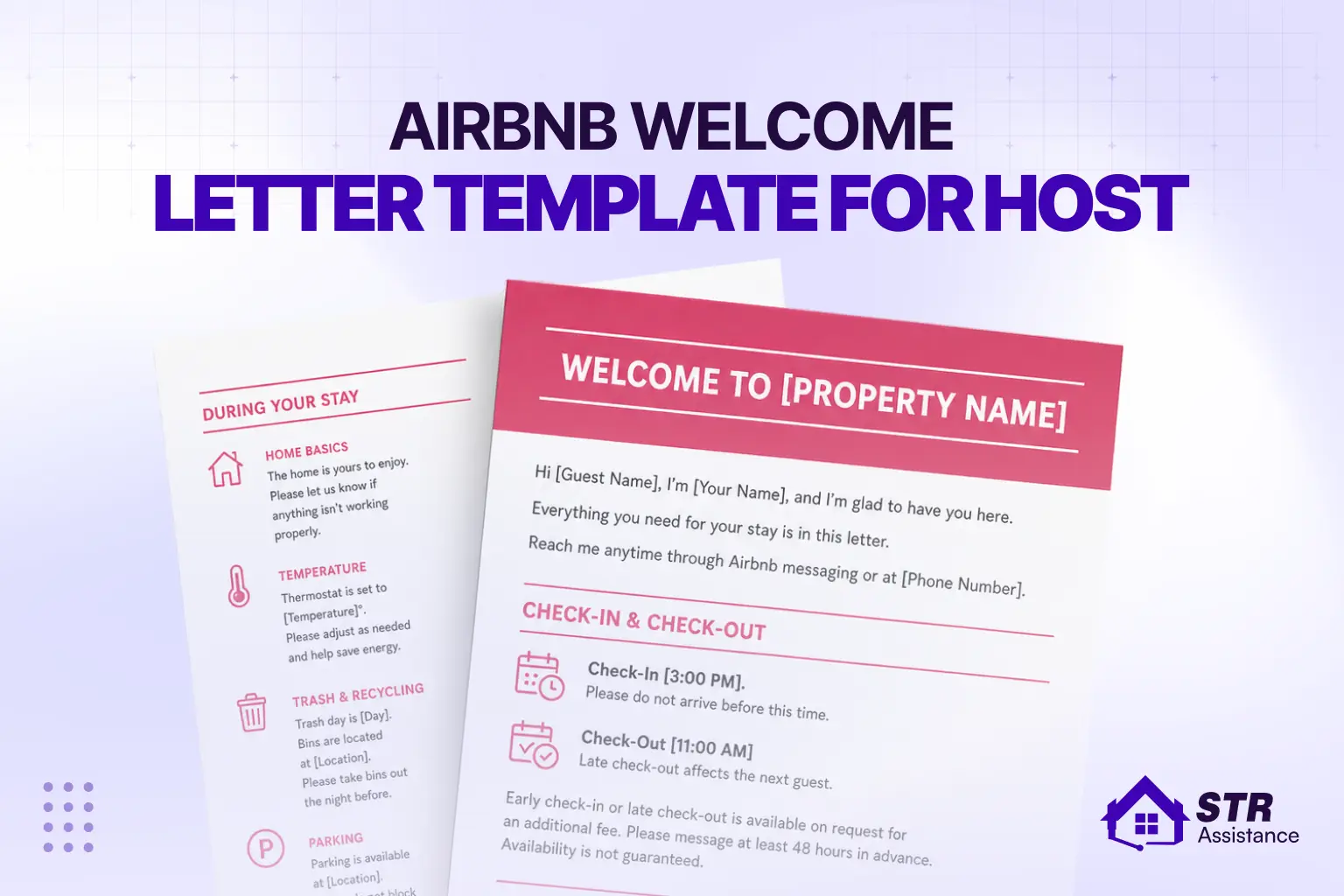
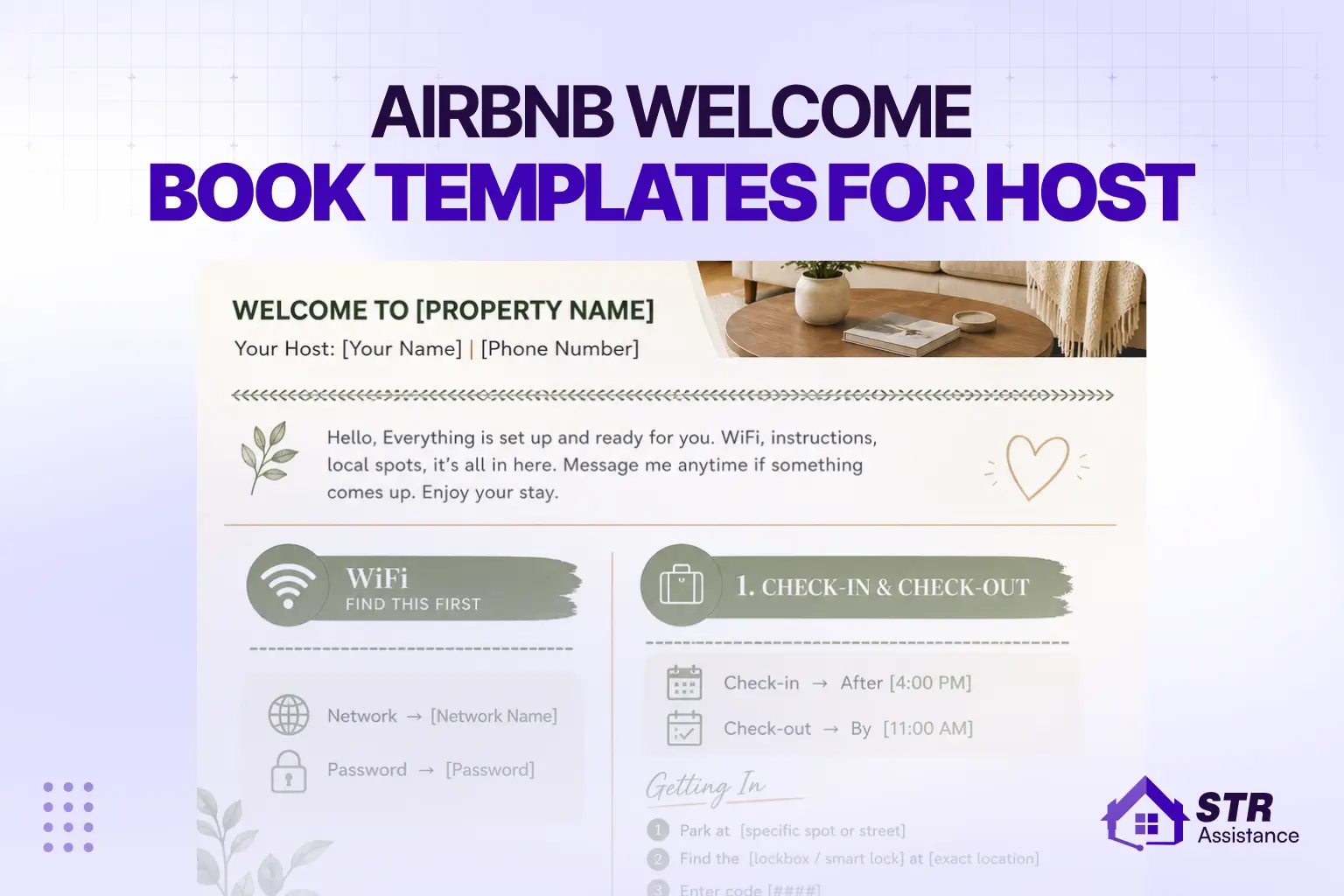
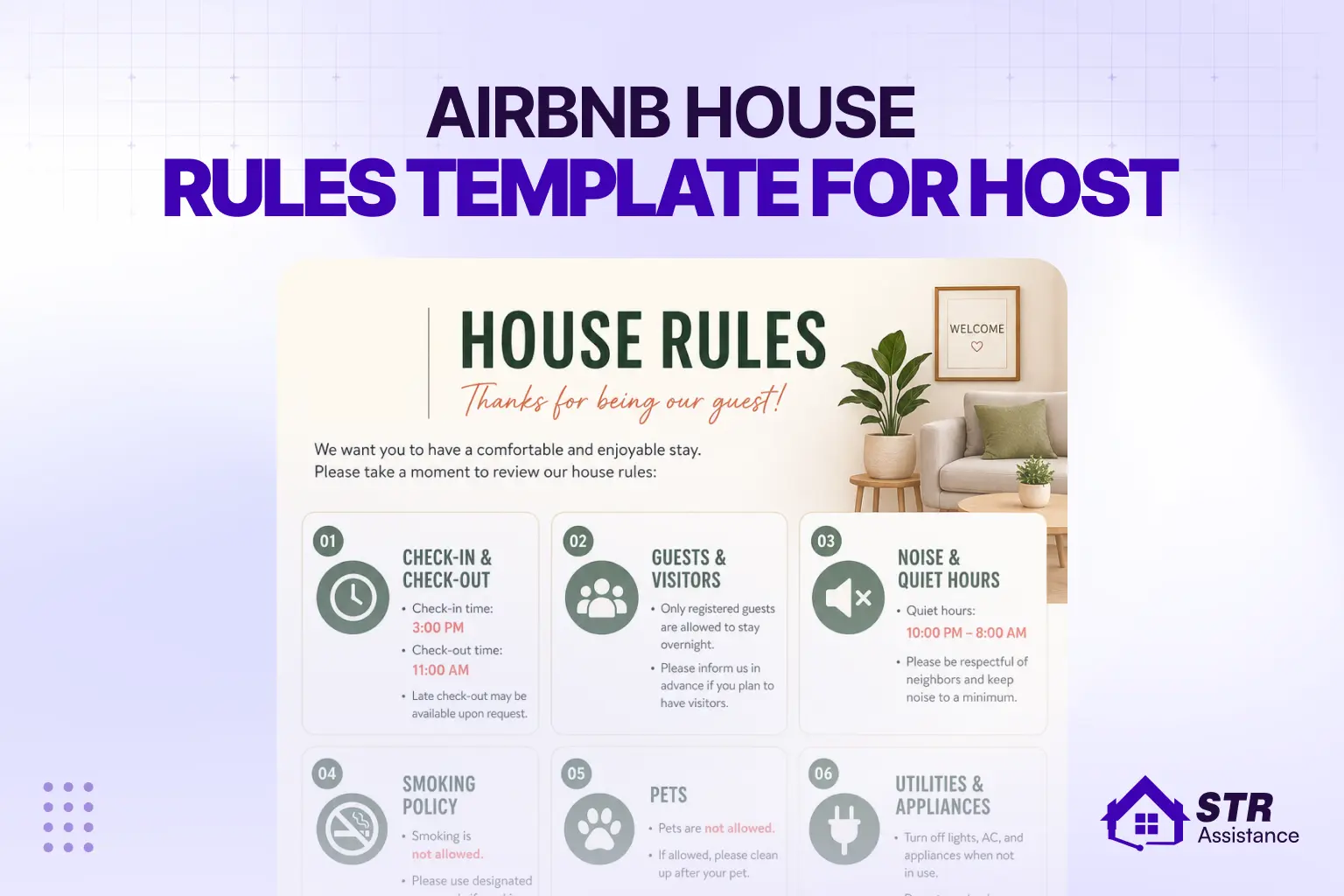
Quick Summrey
Airbnb message templates are pre-written messages that automate guest communication across the entire booking journey. Hosts using structured templates maintain 95%+ response rates, save up to 10 hours per week, and consistently earn more 5-star reviews. This guide covers 10 essential templates we use daily across 800+ active Airbnb listings — from pre-booking inquiry to review request. Plus, get the full template pack as free Canva and PDF downloads, fully editable and ready to use.
Across 800+ active Airbnb listings under our management, we’ve seen the same pattern every single day: hosts who reply fast and communicate clearly get more bookings, fewer complaints, and better reviews. Hosts who don’t, lose Superhost status fast. The difference isn’t talent — it’s Airbnb message templates.
Airbnb tracks your response rate and uses it as a direct ranking factor. A missed message doesn’t just feel bad — it costs you a booking, because the guest already moved on to someone else.
At STR Assistance, our Airbnb virtual assistant team built our entire guest communication workflow around structured Airbnb message templates. The result: 98% response rate, 4.92 average review score, and 78% Superhost retention quarter-over-quarter — across hundreds of listings.
This guide shares the exact templates we use daily — what they are, why they work, and the 10 Airbnb message templates every host needs. We’re also giving away the full template pack as free Canva and PDF downloads, so you can edit, customize, and start using them today.
Free Download: Airbnb Message Templates Pack (Canva + PDF)
Download Free Airbnb Message Template
Built by the STR Assistance VA team — these are the exact templates we use daily across our managed Airbnb listings. The same templates that help us maintain a 98% response rate and 4.92 average review score.
You’re getting both formats:
Canva editable version — customize directly in your browser
PDF version — print, share, or save for reference
All 10 templates included — pre-booking to review request
How to Edit these Airbnb Message Templates
Canva version:
- Click the link → Canva opens in your browser
- Click “Use this template” → creates your personal copy
- Edit text blocks with your details (name, address, WiFi, rules)
- Replace [Guest Name], [Address] placeholders with your info
- Save and download as PDF, or copy directly into Airbnb
PDF version:
- Open the PDF on any device
- Copy the template text
- Paste into Airbnb’s scheduled messages
- Replace placeholders with your property details
What Are Airbnb Message Templates?
An Airbnb message template is a pre-written message you save and reuse across every booking. You write it once and it works across every guest, every listing, every time. It lets you quickly answer common guest questions, stay on top of bookings, and send consistent messages throughout the entire guest journey — from first inquiry to post-checkout review request.
Inside Airbnb, you can create saved responses (also called quick replies) directly in the inbox using the built-in scheduled messages feature. You select the template when needed and send it in seconds. For hosts who want full automation, property management systems (PMS) go further — they send templates automatically based on booking triggers without any manual action.
For example, when a booking is confirmed, the system sends your confirmation message automatically. Three days before check-in, it sends arrival instructions. On checkout day, it sends your checkout reminder. None of it requires you to be at your phone.
Manual Messaging vs Template-Based Messaging
Factor | Manual Messaging | Template-Based Messaging |
Time per message | 5–10 minutes | Under 30 seconds |
Response rate average | 70–80% | 95%+ |
Consistency | Varies by mood/availability | Identical every time |
Scalability | 1–2 listings max | Unlimited listings |
Risk of missed messages | High | Near zero |
Superhost qualification | Difficult | Effortless |
Why Airbnb Message Templates Are Important?
Airbnb message templates help hosts reply faster, stay consistent, and keep guests informed at every stage of the guest journey. They protect your response rate, reduce complaints, and directly improve your chances of a five-star review. Industry data shows hosts using automated templates save up to 10 hours per week — that’s 520 hours annually that goes back into growing the business.
Here’s what each factor actually means in practice:
Improve Response Time and Boost Your Ranking
Reply slowly, and your rank drops. Reply fast, and you stay visible. Airbnb measures response rate and response time as direct listing ranking factors, and hosts who reply within one hour consistently rank higher in search results.
A saved template means you can reply in seconds, even in the middle of managing turnovers, even on your phone, between other tasks. According to data from active STR operations, hosts using automated message templates maintain response rates above 95% compared to 70-80% for hosts messaging manually across multiple listings.
Save Time When Managing Multiple Listings
Writing fresh messages for each guest at every stage is unsustainable. Most hosts try it and it works for a while — until they’re managing 5 or 10 listings at once. Solo hosts can keep up with 1-2 listings manually, but beyond 3 listings, missed messages become weekly events — and missed messages directly impact your Superhost qualification.
Templates remove that pressure entirely because the message goes out whether you’re free or not. For professional Airbnb listing management, templates aren’t optional — they’re the foundation of the operation.
Ensure a Consistent Guest Experience
When messages are written manually, things get missed. One guest gets full details. Another gets half-partial information because the host was busy or distracted. You don’t notice it. The guest does. Templates fix sending the same parking details, same house rules, and same access instructions. Every guest gets the same information every time and feels you care about them.
Reduce Misunderstandings and Cancellations
Sending a proper house rule template before arriving as an Airbnb message template reduces misunderstandings and cancellations. In this way, guests know about street parking, and checkout was at ten, not eleven. This pre-planning massage template addressed guests’ questions before they even thought to ask.
Increase Your Chances of a Five-Star Review
Reviews are not just about the property. It reflects how the stay felt from start to finish. A clear confirmation message sets the tone. Good check-in instructions remove stress. A quick follow-up during the stay shows you’re present. That’s what guests remember. The guest satisfaction comes from how you guide the guest. In daily operations, better communication guidance leads to better reviews.
Types of Airbnb Message Templates Every Host Needs
In daily vacation rental operations, most guest issues come from gaps in communication. Using the right message at the right time is the best solution. Each stage has a different type of template. Here are the core Airbnb message templates that cover the full guest stage journey.
Pre-Booking Inquiry Message
When a potential guest sends an inquiry before confirming a booking, your response speed and tone decide whether they book or move on to the next listing. This is the first touchpoint in the guest journey and most hosts either reply too slowly or too generically. With instant booking turned off, every inquiry is an opportunity you can win or lose within minutes. This is exactly why many hosts learn about Airbnb Instant Booking for hosts, since turning it on removes this window entirely and shifts your messaging priorities from winning the booking to preparing the guest for arrival.
Keep this message warm, specific to their question, and under 5 lines. Do not send your full house rules here. Just answer their question and make them feel confident about booking.
Booking Confirmation Message
This booking confirmation goes out right after a reservation is confirmed. Keep it short and welcoming for the guest. Confirm dates and show appreciation. This is not the place for long instructions. So, you don’t need to send everything here. Just set the tone and let them know more details are coming. Set that expectation early. It tells them you’re organized and that they made a good choice booking with you.
Pre-Arrival Instructions
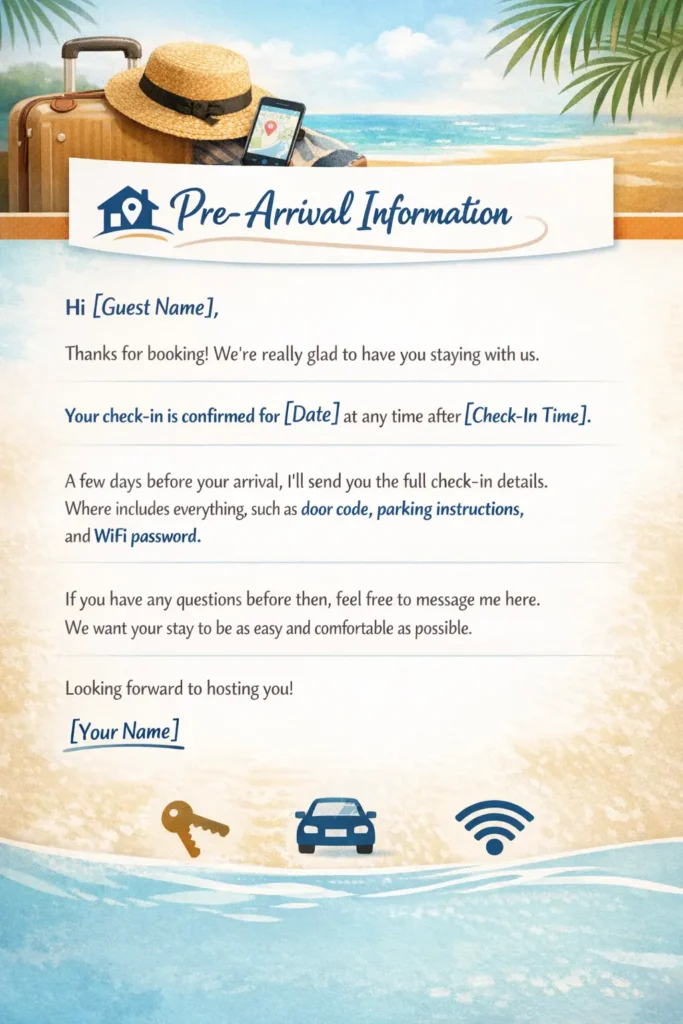
This is the most important message. Send these two to three days before check-in. This message prevents most problems before they start. Include:
- Exact address and location guide
- Parking details
- Entry method and access codes
- House rules reminder
In the check-in instruction template, not gonna be a long list, just the ones that matter. Most check-in problems happen when this message is unclear or incomplete. Get this right, because a guest who arrives with this already in hand rarely needs to call you.
House Rules Message
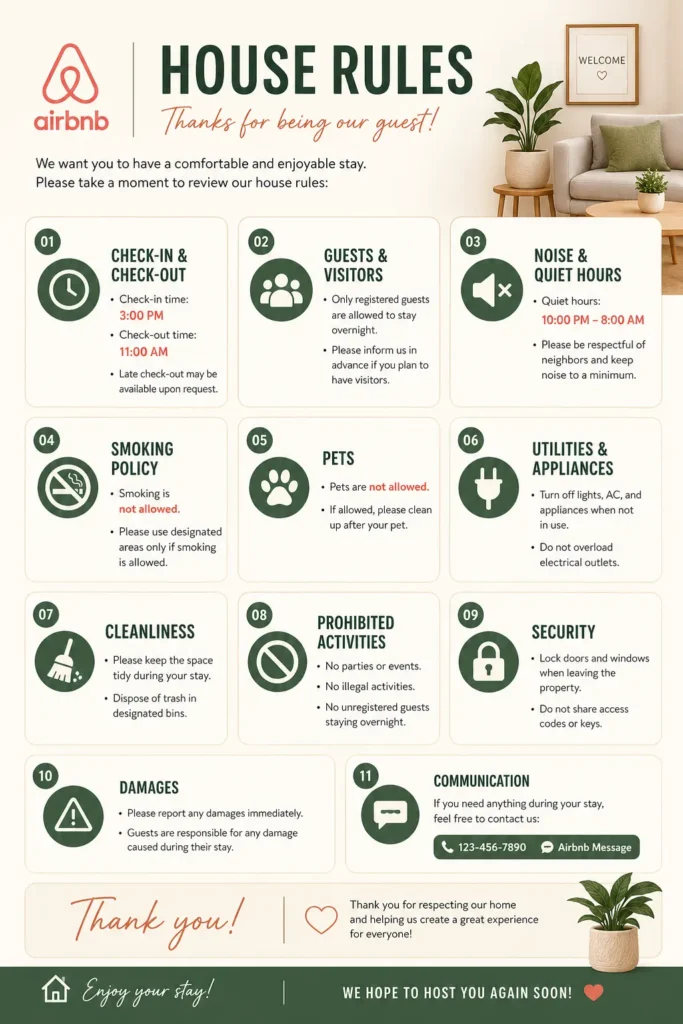
Send this as a standalone message one day before check-in, separate from your pre-arrival instructions. Guests read it more carefully when it is not buried inside a longer message. A dedicated house rules message sets clear expectations without feeling like a lecture and it protects you if a guest later claims they were not informed.
Check-In Message
On the morning they arrive, send a short, friendly message. By this point, they have all the details, so this is not about repeating instructions. A quick, friendly message to confirm they’re arriving. It is about letting them know you are present. Include:
- Final access instructions
- A short welcome
- Emergency or contact details
This reassures the guest that you’re available if something goes wrong. Guests arriving at an unfamiliar place feel better knowing there is a real person on the other end.
Late Check-Out Request Response
Guests frequently request late checkouts. Having a pre-written response saves time and keeps your answer consistent. Whether you approve or decline, your response should be immediate and clear. A delayed reply here often leads to the guest simply staying late and disrupting your cleaning schedule.
During Stay Follow-Up
Send this on the second day of the stay. A simple message asking how their stay is going does more than it seems. It opens the door for guests to mention small issues while you still have time to fix them. A simple message works: “Hope everything is going well. Let me know if you need anything.”
This does two things- Shows you’re present and gives the guest a chance to raise issues early. Small problems fixed early don’t turn into bad reviews later.
We have used this stage to get a better review. It proved that this during-stay follow-up really helps prevent complaints and earn better reviews. As a host, you should utilize every corner of opportunity for your hosting reputation and become a super host or hold super host status. Small detailed count here.
Checkout Instructions
Sending the checkout instruction template the evening before checkout or the first thing that morning. Remind them of the checkout time so there are no delays for your cleaner. Guests forget, and you always remind them. Include:
- Checkout time
- Key return or lock instructions
Simple tasks (trash, dishes if needed) - A short thank you
- A quick look at any essential forget to pack ( Bedroom and bathroom)
Something simple like letting them know it was great having them leave on a good note. Also, maintaining clear checkout messages keeps your cleaning schedule on track.
Review Request Message
Send this within 24 hours after checkout. Keep it polite and simple. Thank them for staying. Ask for feedback. Let them know reviews help your listing.
Also, let them know you submitted a review of the good people who stayed at my property. No long message needed, keeping it short and genuine works better for a 5-star review.
Issue Resolution Message
You won’t use this often, but when you do, it matters. This message handles problems during the stay. Keep it professional:
- Acknowledge the issue
- Apologize if needed
- Explain what you’re doing to fix it
- Give a clear timeline
How you respond matters more than the problem itself. The way you respond here often decides the final review.
Airbnb Message Templates Examples
These are templates we’ve refined through real daily operations. Personalize them with your property name, check-in details, and house rules. The structure works. Don’t over-edit it.
Template 1 — Pre-Booking Inquiry Response
Hi [Guest Name],
Thanks for reaching out — we’d love to host you!
To answer your question: [Specific answer to their inquiry]
A few quick details about the listing:
- Check-in: [Time] |
- Check-out: [Time]
- [Key feature or amenity]
- [One important house rule]
Feel free to book directly or ask anything else. Looking forward to welcoming you!
[Your Name]
Template 2 — Booking Confirmation
Hi [Guest Name],
Thank you for booking — we’re really looking forward to hosting you!
Your reservation is confirmed for [Check-in Date] to [Check-out Date].
A few days before your arrival, I’ll send full check-in instructions, the address, parking details, and everything else you need for a smooth stay.
In the meantime, feel free to message me with any questions. See you soon!
[Your Name]
Template 3 — House Rules Reminder
Hi [Guest Name],
Excited to welcome you tomorrow! Just a quick reminder of our house rules before you arrive:
– No smoking inside the property
– Maximum [X] guests at any time
– Quiet hours: [Time] to [Time]
– No parties or events
– Pets: [Allowed / Not allowed]
These help us keep the space great for every guest. Thanks for understanding — see you soon!
[Your Name]
Template 4 — Pre-Arrival Instructions
Hi [Guest Name],
Your stay is coming up and I want to make sure you have everything you need.
Address: [Full Address]
Parking: [Parking details]
Check-in time: [Time] | Check-out time: [Time]
Access instructions:
[Lockbox / door code / key collection details]
WiFi: [Network name] | Password: [Password]
A few house rules to keep in mind:
– No smoking inside the property
– Maximum [X] guests at any time
– Quiet hours from [Time] to [Time]
For anything urgent: [Phone number]
Looking forward to your stay!
[Your Name]
Template 5 — Check-In Day Welcome Message
Hi [Guest Name],
Today’s the day — welcome! Hope your journey is going smoothly.
Just a quick reminder:
– Access code: [Code]
– Address: [Address]
– I’m available at [Phone/Airbnb message] if anything comes up
Enjoy your stay and don’t hesitate to reach out for anything at all.
[Your Name]
Template 6 — Early Check-In Request Response
If Approved:
Hi [Guest Name],
Good news — early check-in works for us! You’re welcome to arrive from [New Time] onwards.
The access code is [Code] and the address is [Address]. Let me know if you need anything else before arrival.
Safe travels!
[Your Name]
If Declined:
Hi [Guest Name],
Thank you for asking! Unfortunately we have guests checking in later today and our cleaning team needs the full turnaround window — so we do need to stick with [Original Checkout Time].
If you need somewhere to store your bags while you explore, [Local option if applicable] works well.
Thanks so much for understanding!
[Your Name]
Template 7 — During-Stay Follow-Up
Hi [Guest Name],
Just checking in — hope everything’s going well so far!
If there’s anything you need or anything we can improve during your stay, just let me know. Happy to help with anything.
Enjoy the rest of your time!
[Your Name]
Template 8 — Late Check-Out Request Response
If Approved:
Hi [Guest Name],
No problem at all — you’re welcome to check out by [New Time] instead.
Please note our cleaning team arrives at [Time], so checking out by [New Time] helps us keep everything on schedule for the next guests.
Thanks for asking in advance and enjoy the extra time!
[Your Name]
If Approved:
Hi [Guest Name],
Thank you for asking! Unfortunately we have guests checking in later today and our cleaning team needs the full turnaround window — so we do need to stick with [Original Checkout Time].
If you need somewhere to store your bags while you explore, [Local option if applicable] works well.
Thanks so much for understanding!
[Your Name]
Template 9 — Checkout Reminder
Hi [Guest Name],
Just a quick reminder that checkout is tomorrow at [Time].
Before you leave:
– Lock all doors and windows
– Return keys to [Lockbox / location]
– Leave used towels in the bathroom
– [Any other specific instruction]
– Quick check: bedroom and bathroom for any items left behind
It’s been a genuine pleasure having you. Safe travels!
[Your Name]
Template 10 — Review Request
Hi [Guest Name],
Thank you so much for staying with us — we hope you had a great time.
I’ve already left you a review on Airbnb. If you have a moment, your honest feedback really helps our listing and helps future guests know what to expect.
Wishing you safe travels — and we hope to host you again sometime!
[Your Name]
How to Automate Airbnb Message Templates
These are templates we’ve refined through real daily operations. Personalize them with your property name, check-in details, and house rules. The structure works. Don’t over-edit it.
Airbnb's Built-In Scheduled Messages
Airbnb has a free built-in automation tool that most hosts never set up. Here is how to access it:
Messages tab → Settings (slider icon) → Scheduled Messages → Create New Message → Choose your template → Set your trigger → Save
Once live, Airbnb sends the message automatically every time that trigger fires. No manual action needed. Use shortcodes to personalize each message without typing manually:
- Guest name → [guest_first_name]
- Check-in time → [checkin_time]
- Checkout time → [checkout_time]
- Listing name → [listing_name]
Every message goes out with the correct guest details already filled in.
Note: If you do not see Scheduled Messages in your account, navigate to your Airbnb inbox → click the gear/settings icon → the option may appear as “Saved Messages” depending on your account version. Airbnb’s interface updates periodically.
Third-Party Tools for More Control
Airbnb’s native tool handles the basics well. For hosts managing multiple listings or working across Vrbo and Booking.com, you need more control. That’s where property management software comes in. Popular options used in real STR operations:
- Hospitable: Best for solo hosts and small portfolios
- Hostaway: Strong for multi-platform management
- Guesty: Built for larger operations and co-hosting teams
- Lodgify: Good for hosts with their own direct booking site
These tools connect to your Airbnb account and let you build smarter message logic. Skip the mid-stay follow-up if the stay is one night. Route messages to a team inbox. Adjust timing based on guest behavior. The native Airbnb tool doesn’t do any of that.
Using AI for Airbnb Message Templates
AI tools are now being used alongside templates to handle guest questions that fall outside your scheduled messages. Tools like Hospitable’s AI assistant and Hostaway’s AI responder can generate replies to common guest questions automatically, based on your listing details.
The most effective communication system today combines both templates to handle your scheduled touchpoints throughout the guest journey, and AI handles real-time questions. If you manage multiple listings, this combination saves the most time without sacrificing response quality.
If you want a full messaging system built and managed for you, our Airbnb virtual assistant team handles everything from template setup to live 24/7 guest responses.
Setting Your Triggers
The trigger is what makes the whole system work. Get the timing wrong, and the message is useless. Here is the sequence we run across the listings we manage:
- Booking confirmed ➡ Confirmation message ➡ Send within 5 minutes
- 3 days before check-in ➡ Pre-arrival instructions ➡ Address, access code, WiFi, house rules
- Morning of check-in ➡ Short welcome message ➡ Confirm you’re available
- Day 2 of stay ➡ Mid-stay follow-up ➡ Ask if everything is going well
- Evening before checkout ➡ Checkout reminder ➡ Time, keys, lockup steps
- 1 day after departure ➡ Review request ➡ Keep it short and genuine
Before you go live, run one test booking. Check every message sent at the right time. Confirm the shortcodes pull the correct details. One test catches problems before they reach a real guest.
If you want a team to build and manage your full messaging setup, our Airbnb guest communication services handle everything from template setup to live guest responses.
The trigger is what makes the whole system work. Get the timing wrong and the message becomes useless. Here is the exact sequence we run across the listings we manage:
Trigger | Message | Timing |
Booking confirmed | Confirmation message | Within 5 minutes |
3 days before check-in | Pre-arrival instructions (Address, access code, WiFi, house rules) | 3 days before check-in |
1 day before check-in | House rules reminder (Standalone, clear) | 1 day before check-in |
Morning of check-in | Welcome message (Confirm availability) | Morning of check-in |
Day 2 of stay | Mid-stay follow-up (Ask if everything is going well) | Day 2 of stay |
The evening before checkout | Checkout reminder (Time, keys, lockup) | The evening before checkout |
1 day after departure | Review request (Short and genuine) | 1 day after departure |
Best Practices for Writing Airbnb Messages
Good templates only work if the writing inside them is clear and human. Here is what we follow across every listing we manage:
- Use the guest’s first name. Airbnb shows it at the time of booking. Use it from the very first message. It makes every template feel personal rather than automated, even when it is.
- Keep messages short and scannable. Guests do not read walls of text, they scan. If your message is long, they will miss the important parts. Use bullet points for instructions and keep each message focused on one purpose.
- Be specific with instructions. Never say “check-in is easy.” Say exactly what to do. “Enter code 4892 on the lockbox next to the front door.” Specific steps prevent late-night calls and confusion at arrival.
- Sound human, not robotic. Templates should not sound like automated emails. Read your message once after writing it. If it feels stiff or corporate, simplify it. The goal is to sound like a helpful host, not a system.
- Always include a contact line. Guests need to know you are reachable. Every message should include at least one line telling guests how to reach you if something comes up.
- Consider a digital welcome book. For guests who want more detail, like local restaurant recommendations, appliance instructions, and neighborhood tips, a linked digital guidebook keeps your messages short while giving guests everything they need. Tools like Hostfully or a simple Google Doc work well for this.
Don't Over-Message, Instead Follow Our Pattern
Too many messages feel like spam. Guests start ignoring them, including the important ones. Stick to the six core touchpoints and nothing more.
- Booking confirmed > Confirmation
- 2 to 3 days before arrival > Pre-arrival instructions
- Morning of check-in > Welcome message
- Day 2 of stay > Mid-stay follow-up
- Evening before checkout > Checkout reminder
- 1 day after departure > Review request
Remember, every message outside this list needs a real reason to exist.
How STR Assistance Handles Airbnb Messaging?
STR Assistance is a short-term rental virtual assistant company. We have trained virtual assistants for Airbnb and other vacation rental platforms. Every listing we manage is handled with full accountability and a clear focus on achieving and maintaining Superhost status.
That’s why, when we take on a new listing, the first thing we look at is the messaging workflow. Most hosts have no system. Some have templates written months ago that are vague, missing key details, or completely off-tone for the property.
We build a full messaging sequence from scratch. Tailored to the property, the guest type, and how the host communicates. Then we connect it to the right automation tool and set every trigger correctly before anything goes live.
Beyond the templates, we handle live guest messages daily. Questions during the stay, complaints, special requests, and early check-in requests. Whatever comes in gets handled quickly and correctly.
Hosts who run with our setup see fewer complaints during stays, faster response rates on Airbnb, and reviews that reflect the actual guest experience rather than gaps in communication.
FAQs
Are Airbnb message templates actually effective?
Yes. In daily active operations, structured messaging improves response rate, guest satisfaction, and review scores. You see the difference quickly when you compare before and after using a proper template system.
Can I automate all Airbnb messages?
Not all. You can automate the core touchpoints. Such as confirmation, pre-arrival, check-in day, mid-stay, checkout, and review request. Guest questions still need a human. Automation handles routine work. You handle exceptions.
Do message templates help with Airbnb ranking?
Yes. Response rate and response time are ranking factors. Templates let you reply in seconds instead of minutes. That speed improves your visibility in search.
What іs the best Airbnb message tо send guests?
The pre-arrival message matters most. It sets expectations, explains access, and removes confusion before the guest arrives. A strong pre-arrival message prevents most mid-stay issues.
Final Thoughts
Guest communication is not a small part of STR operations. It is the whole operating system. Because every message you send either builds trust or creates friction.
Airbnb message templates are a vital part that ensures consistent communication. Whether you’re stretched across multiple listings and tasks. Set them up once, and watch where guests still get confused. Refine them as per it over time. This template actually comes from these types of tests and refinements. Now we can see the results in reviews, ranking, and workload.
Systems don’t build themselves. You have to build them around your own operation, based on how you actually host it in your everyday. When you’re already busy managing guests, calendars, and turnovers, it’s not something you can properly set up on the side.

STR Assistance Team
We are a dedicated team of virtual assistants specializing in managing and optimizing short-term rental properties. With a passion for simplifying the lives of property owners, our team brings years of expertise in guest communication, pricing optimization, cleaning coordination, and overall property management across multiple rental platforms like Airbnb, Vrbo, and Booking.com.