- Key Takeaways
- Airbnb response rate measures the percentage of new guest inquiries and reservation requests you answer within 24 hours, tracked over a rolling 30-day period.
- A 90% response rate is the minimum to qualify for and keep Superhost status; Superhosts must maintain 95% or higher.
- Only five actions count as a response: accept, decline, pre-approve, send a special offer, or send a message; letting a request expire counts as zero.
- Response rate and response time are different metrics: rate measures consistency within 24 hours, while time measures your average speed to first reply.
- Low-volume listings are hit hardest by missed replies; for a host with only 5-10 monthly inquiries, one missed message can drop the rate by 10-20%.
- Fixing notifications, building a decline habit, using saved replies, enabling Instant Book, and covering off-hours with a VA are the fastest ways to raise and protect your response rate.
Airbnb response rate and response time are among the core ranking factors, where replying within 1 hour is considered best, and failing to reply within 24 hours reduces the response rate. This directly impacts listing performance, visibility, and Superhost status. A high response rate shows reliability and attentiveness. For guests, when hosts reply early, they get assurance that they will receive good service during their stay.
Airbnb’s algorithm only recognizes five qualifying actions as valid responses (accept, decline, pre-approve, send a special offer, or send a message), and staying silent counts as zero. Even worse, if you let the request expire without taking any action, it counts against you.
Today we will be talking about Airbnb response rate, why it is so important, and how simply accepting requests does not mean you are responsive. Also, without knowing it, you may unintentionally leave a guest message unanswered. We will show you how Airbnb calculates the response rate and how it is related to response time.
Stay tuned, because we will give you solutions if you are not a host who can be available for 24/, as at STR Assistance we have experts who provide 24/7 guest communication and help you achieve a higher response rate.
What Is Airbnb Response Rate?
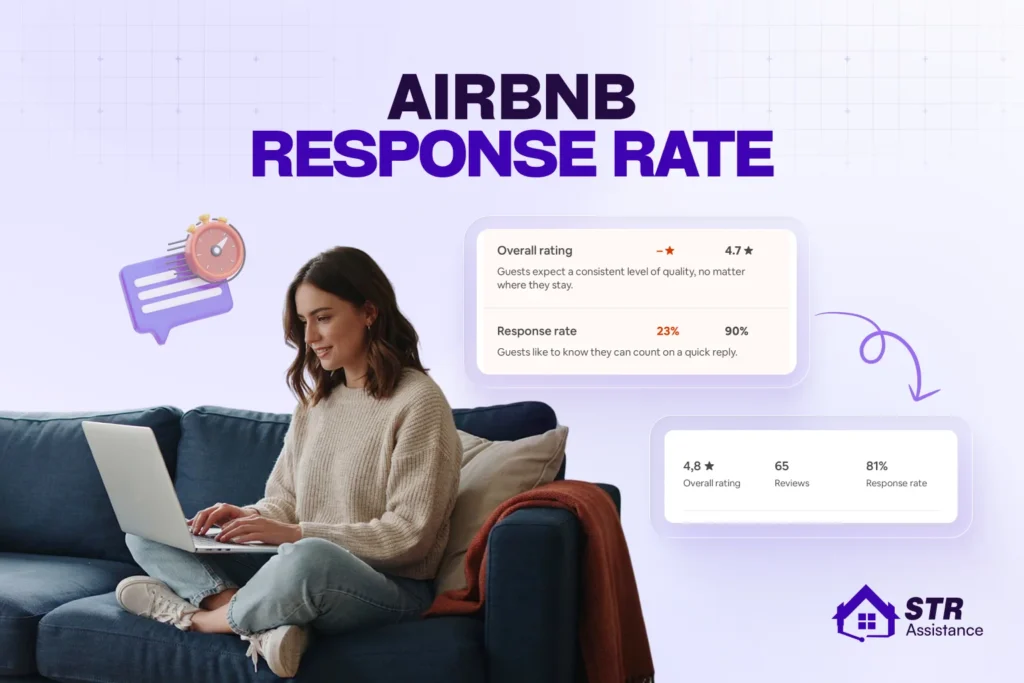
According to Airbnb’s official definition, “Airbnb’s response rate is the percentage of new guest inquiries and reservation requests that a host responds to within 24 hours, measured over the previous 30 days.”
It starts the moment a guest sends a reservation request or query, and you have 24 hours to reply. Airbnb calculates the rate by observing a 30-day period of consistency. As you already know, to maintain Superhost status, you need a response rate of 90%, and those who already have Superhost status must keep the rate at 95%. This leaves very few chances to ignore a guest message.
Also, when hosts reply faster, such as within 1 hour, guests are reassured that you will take proper care of them during their stay. Also, when guests are searching for a place, if you respond earlier than other hosts, the chance of booking your Airbnb becomes higher. Isn’t it?
You can check your response rate and response time at the bottom of your listing page.
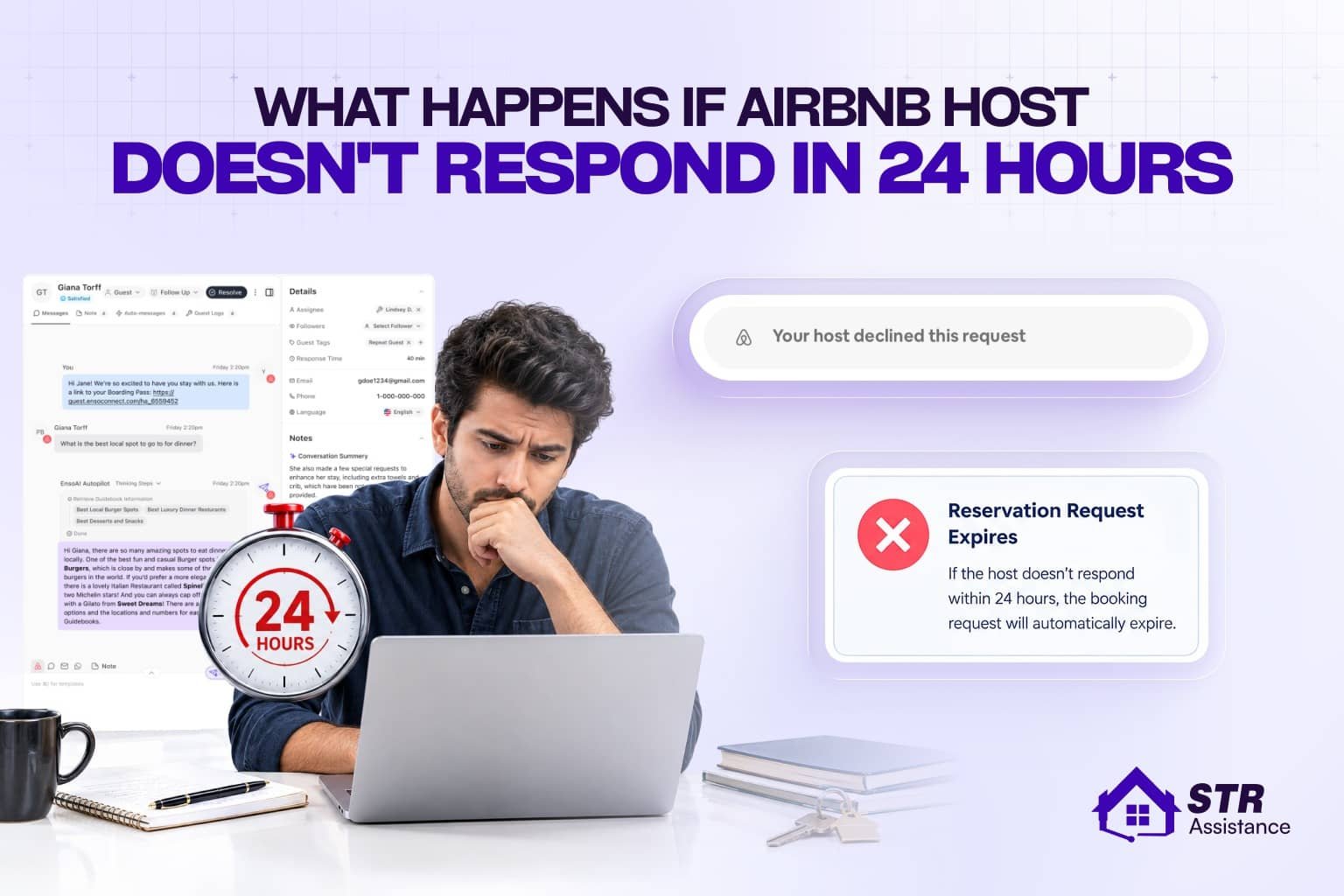
If you do not respond within 24 hours, it can impact your hosting performance, listing performance, lower your ranking, reduce your visibility, and ultimately reduce your number of bookings.
A real sweet spot for independent hosts who want a direct site and dependable sync without becoming a PMS power user to get it. Skip it if you specifically need deep owner accounting or team workflow tools, that’s outside what Lodgify is trying to be.
How Is Airbnb Response Rate Calculated?
The response time window is 24 hours within a 30-day period, which is used to calculate your response rate as a percentage of all new inquiries and reservation requests you receive from guests.
For Superhost status, however, the response rate is calculated on a quarterly basis over a 12-month period. According to Airbnb, the assessment occurs every three months, beginning January 1, April 1, July 1, and October 1.
A response does not only mean accepting the booking request; you can decline too, but you have to make sure you reply to your guest rather than making them wait for days. If you let a reservation request expire without any response, this will lower your response rate.

The Formula Airbnb Uses
The formula for calculating the response rate is the same for both the 30-day period and the 12-month Superhost status, except for the total number of inquiries or requests used.
This means that when checking your response rate percentage, you calculate it using new messages or requests from the last 30 days. For Superhost status, you use the inquiries or requests from the last 12 months.
The numerator includes only the threads where you made your first host response within 24 hours.
Here is the formula:
Response rate=(New inquiries and requests answered within 24 hours / Total new inquiries and requests)×100
What Counts as a Response
A response counts as either accepting or declining the reservation request within 24 hours, or as early as possible. If any query is sent through Airbnb’s message option, reply to it too, and a good option can be a templated message.
Many hosts confuse this, and we have seen several scenarios like this. Hosts have told us that they accepted all their requests, but their response rate was still low.
When we looked into it further, we found that they never actually declined the requests. If they felt a particular guest might not be suitable, they simply let the request expire instead. This is a common mistake.
These are counts as response:
- Accepting a request: counts.
- Pre-approving a request: counts.
- Declining a request: counts, which is the point most hosts miss.
- Sending a message reply: counts for inquiries.
- Ignoring it: does not count, and this is the only way the metric drops.
What Does Not Count Toward the Metric
If you set automatic messages that are not meaningful, or any follow-ups, they won’t count as responses for the response rate metric.
- Follow-up messages in existing conversations.
- Messages from guests with existing reservations (check-in instructions, during-stay questions).
- Automated booking confirmations (Instant Book reservations don’t generate “requests” to respond to).
- Review messages or post-stay communication.
Response Rate vs Response Time
So far we haven’t talked about response time, and you might be wondering why, as many hosts think response rate and response time are the same, which they are not. Airbnb clearly states, “Response time is the average amount of time that it took for hosts to respond to all new messages in the past 30 days.” The two metrics are related but with slight differences.
How consistently a host answers new guest inquiries and reservation requests within 24 hours is the response rate. On the other hand, how quickly, on average, a host responds to new guest messages, with earlier replies counting toward a better response time.
Airbnb response rate | Airbnb response time |
“Does this host usually respond within Airbnb’s required timeframe?” | “How long might I wait for this host to reply?” |
(New inquiries/requests answered within 24 hours / Total new inquiries/requests) × 100 | Airbnb’s average time taken to send the first response to new guest messages |
A percentage, such as a 95% response rate for Superhost status. | A time estimate, such as responding within 1 hour for Superhost status. |
A response must be made within 24 hours to count as timely. | Lower time is better; an answer within minutes or hours improves the average. |
A message, acceptance, decline, pre-approval, or special offer sent within 24 hours | The first qualifying host reply or action after a guest starts a new conversation |
Must be at least 90% during Airbnb’s rolling 12-month performance review, assessed quarterly. | Not a separate published Superhost threshold, but slow replies can indirectly hurt response rate when they exceed 24 hours. |
What Counts as a Good Airbnb Response Rate
A good Airbnb response rate is 90% or higher, since 90% is the minimum response-rate benchmark for Superhost eligibility. But hosts should aim for 95% to 100% to create a buffer against missed messages, vacations, notification failures, and unexpected operational issues.
Remember, response rate is only one of four Superhost criteria: hosts must also meet the stay or night threshold, keep their cancellation rate below 1%, and maintain a 4.8+ overall rating.
Response rate is a percentage, but every unanswered guest message has a much larger impact when the total message volume is small. Check this simple calculation for clarity.
New eligible guest messages | Maximum late or missed replies while staying at or above 90% | Result if one message is missed |
5 | 0 | 4/5×100=80% |
9 | 0 | 8/9×100=88.9% |
10 | 1 | 9/10×100=90% |
20 | 2 | 18/20×100=90% |
50 | 5 | 45/50×100=90% |
For a newer, seasonal, or low-volume listing, one late response can therefore cause a major percentage drop. For example, a host who replies on time to 9 out of 10 new contacts has exactly 90%; another missed reply would reduce the rate to:
9/11×100=81.81%
That is why low-volume hosts should treat every inquiry and reservation request as time-sensitive, even if they expect to decline it. A timely decline still shows that the guest received a response.
What Does the Response Rate Actually Affect?
A high response rate is one of the important factors for Airbnb SEO, leading to higher listing ranking, more visibility, greater guest trust, more conversions, and ultimately eligibility for Superhost status. Airbnb favors quick and clear guest communication, as its core focus is higher guest satisfaction.
Airbnb’s search guidance also says its algorithm considers whether a host is a Superhost or is meeting some or all Superhost requirements, including responding quickly to booking inquiries. Guests can also filter search results specifically for Superhost listings.
The metric does not mean that every message needs a lengthy, final answer within 24 hours. A short first reply can protect the response rate while buying time to verify availability, pricing, pet rules, check-in details, or a special request.
Why Response Rates Drop
The response rate can drop due to time zone gaps between hosts and guests, notification alerts never ringing, a host hesitating to accept a booking because of a guest’s background, or a host not being in the full-time STR business.
Overnight and time zone gaps: Time zone mismatches are one of the most common reasons response rates drop, because Airbnb’s 24-hour clock starts the instant a guest sends an inquiry or booking request. No time is deducted for sleep, offline hours, or international time differences.
Notifications that do not reach you: Push notification failures are a silent response-rate killer because hosts assume they’ll be alerted the moment a guest messages. But much later they realize their phone never buzzed, their email went to spam, or the Airbnb app was background-restricted by their operating system.
iOS and Android both aggressively battery-optimize apps in the background, which can delay or completely block push notifications from the Airbnb app. If you’ve turned off “Background App Refresh,” enabled Low Power Mode, or have poor cellular/WiFi signal in your home or workplace, you won’t get notifications.
Email notifications face similar issues: Gmail’s Promotions tab, Outlook’s Focused Inbox, or corporate spam filters can silence Airbnb alerts without you realizing it.
Hesitating on a request you are unsure about: Hosts often lose response-rate points not because they ignore requests, but because they overthink them. This hesitation is common with requests from guests with no reviews but polite messages, last-minute bookings from locals (which Airbnb flags as higher risk), or inquiries with unusual special requests (early check-in, extra guests, pets). All of these require mental calculation before responding.
Replying to the wrong messages: When hosts respond to follow-up messages in existing conversation threads while ignoring brand-new inquiries or booking requests that arrived in the same inbox, they leave the new guest request unanswered. Airbnb’s response rate metric only counts your first reply to each new conversation thread. So hosts need to be careful about replying to the right messages.
Travel, day jobs, and offline periods: This is a disadvantage for hosts who aren’t full-time, location-independent operators; those with 9-to-5 jobs, caregiving responsibilities, or irregular schedules are more likely to miss overnight or same-day inquiries. This results in lower response rates, reduced search visibility, and missed Superhost qualifications compared to always-online competitors.
A slow month: Response rates can drop during slow booking periods precisely because inquiry volume is low, each individual message carries disproportionate weight in the 30-day rolling calculation. So missing even one or two requests in a quiet month can tank your percentage from 100% to 80% overnight.
How to Improve Your Airbnb Response Rate
The rule to improve your Airbnb response rate Airbnb suggests:
- Either accept or decline the reservation requests, but do not let it expire.
- Pre-approve or turn down booking inquiries
- Send special offers to guests after they inquire
- Respond to new guest inquiries
However, we have come up with 6 tips that we follow for our hosts, which have significantly improved their response rate and can help you too.
Fix the Notifications First
If you are handling all the property management tasks alone, or have multiple properties, you may miss notifications for booking requests or guest messages. So the first step should be fixing the notification alerts.
Enable all the alerts wherever you are active, such as on your smartphone, laptop, or even your smartwatch. Turn on email and SMS notifications too, as they work as backup alerts, because guests can message anytime and you have to be prepared always so as not to miss anything.
Build a Decline Habit
Make it a habit to decline the reservation if you find a problem with the guest, or you are not free. Declining a request won’t impact your rating, but staying quiet and letting it expire will.
Use Saved Replies and Scheduled Messages
There are common inquiry patterns guests send most often, and you can create an FAQ-type template or saved replies. Quick replies let you insert pre-written answers into the Airbnb inbox instead of typing the same response repeatedly. Scheduled messages also work well, as they give you more time to reply personally if you are stuck with something.
Turn On Instant Book If It Fits Your Setup
If it fits your setup instant booking can save you a lot of time, and many hosts turn on the Airbnb instant booking setup. Also, guests filter listings by instant booking options, as they might not want to wait. This way, no guest has to wait to book your property, and you don’t need to manually accept the booking. So make sure you have set up the instant booking option.
Cover the Hours You Cannot
If you have a team, it’s better to have 1 or 2 people specifically for guest communication. If not, hire an Airbnb VA who would be cost-effective, and you can hire them for one or multiple tasks. To stay always available for guests and respond whenever they contact you, you can hire an Airbnb VA who can help you increase the response rate by staying active. This helps prevent unanswered inquiries from sitting in your inbox and keeps your response rate on track.
How Long Recovery Takes
A missed response can affect your response rate, so don’t assume one delayed message will fix itself immediately. Once you notice a missed inquiry, respond as soon as possible and keep responding promptly to new messages. Consistent replies over time can help bring your response rate back up.
How We Help Hosts Keep Response Rates High
A high response rate is one of the key metrics for Airbnb hosts to get Superhost status, stay at a higher listing rank, and overall impact their STR income. But it’s not that easy to respond to every new inquiry or request that comes in, because you might not be available 24/7, or you may not have a dedicated team. Guest screening and accepting or declining requests take time.
At STR Assistance, we provide short-term rental virtual assistants with round-the-clock service across 3 shifts of our VAs, so a single message never escapes our attention. Our response time is at most 5 minutes, which never lets a guest end up in your competitors’ hands.
On top of that, our guest screening service maintains a strict process so no red flags step into your property. And for hosts who love travelling, or simply need time for personal life while generating revenue from Airbnb, our STR expert team can handle all of it.
We have 5 years of experience in the rental industry and are here to help you with guest communication, listing management, cleaning coordination, and co-host services– anything you need. Get a dedicated Airbnb VA or a full-time team, whatever suits you.
Conclusion
Response rate means how a host responds to a new guest booking request or message within 24 hours. The faster and earlier a host replies, the better it is for listing performance and Superhost status.
Airbnb focuses more on guest satisfaction and favors hosts who are proactive, and guest communication is one of the major factors.
So instead of ignoring a message or request, it is better to accept or decline it, but stay responsive. We have shown different tips, like setting up instant booking, enabling notifications, or having a dedicated person to respond on time.
Frequently Asked Questions
No. Declining a request does not directly lower your response rate. The key is to respond to the request within the required timeframe.
No. Instant Book reservations do not require you to accept or decline the booking, so they are not treated like reservation requests that require a response.
Your response rate can still drop if you missed or let a qualifying request expire. Also, not every message is necessarily included in the response-rate calculation.
It depends on the calculation period and how many new qualifying requests you respond to on time. Keep responding within 24 hours to improve your rate over time.
No. Superhost status does not reset your response rate. The Superhost calculation uses a longer 12-month period.
If the message is a qualifying guest inquiry, it is safest to respond within 24 hours. Spam or messages that Airbnb excludes from the calculation may be treated differently.
The response can count as long as it is sent through the Airbnb account or messaging system connected to the listing. What matters is whether the qualifying inquiry receives a response within 24 hours.
Airbnb's response rate is generally calculated based on qualifying inquiries and reservation requests associated with your hosting activity, rather than simply giving each listing a separate response rate.