Quick Summrey
An Airbnb welcome book template is a guest guide covering check-in, WiFi, house rules, appliances, local tips, and checkout. Across 800+ active Airbnb listings under our management, properties with structured welcome books generate up to 70% fewer mid-stay messages — directly protecting your response rate and Superhost status. Below: free PDF, Canva, and Google Docs templates, fully editable and built from real guest conversations.
If you’re tired of guests messaging at 11 pm asking for the WiFi password, or at 6 am asking how the coffee maker works, you need an Airbnb welcome book template — not another half-written house manual.
A welcome book is a guest guide that covers everything: WiFi, check-in steps, house rules, appliance instructions, local recommendations, emergency contacts, and checkout details. Written once, used by every guest. Most hosts underestimate its impact and end up answering the same questions every single stay.
According to Airbnb’s Superhost requirements, hosts must respond to at least 90% of guest messages within 24 hours to qualify. The fastest way to protect that response rate isn’t faster typing, it’s giving guests answers before they need to ask. That’s exactly what a welcome book does.
The format that works best depends on your property. A printed booklet suits family homes, cabins, and beach houses. A digital PDF works for urban apartments with high turnover. Canva gives you something branded and visual. Google Docs is the fastest to build and the easiest to update.
At STR Assistance, our short-term rental virtual assistant team builds welcome books for every new property we onboard — across 800+ active Airbnb listings under our management. The templates below are the same starting framework we use daily, built from real guest conversations. Free to download in PDF, Canva, and Google Docs — fully editable, ready to customize for your property.
What to Include in Your Airbnb Welcome Book
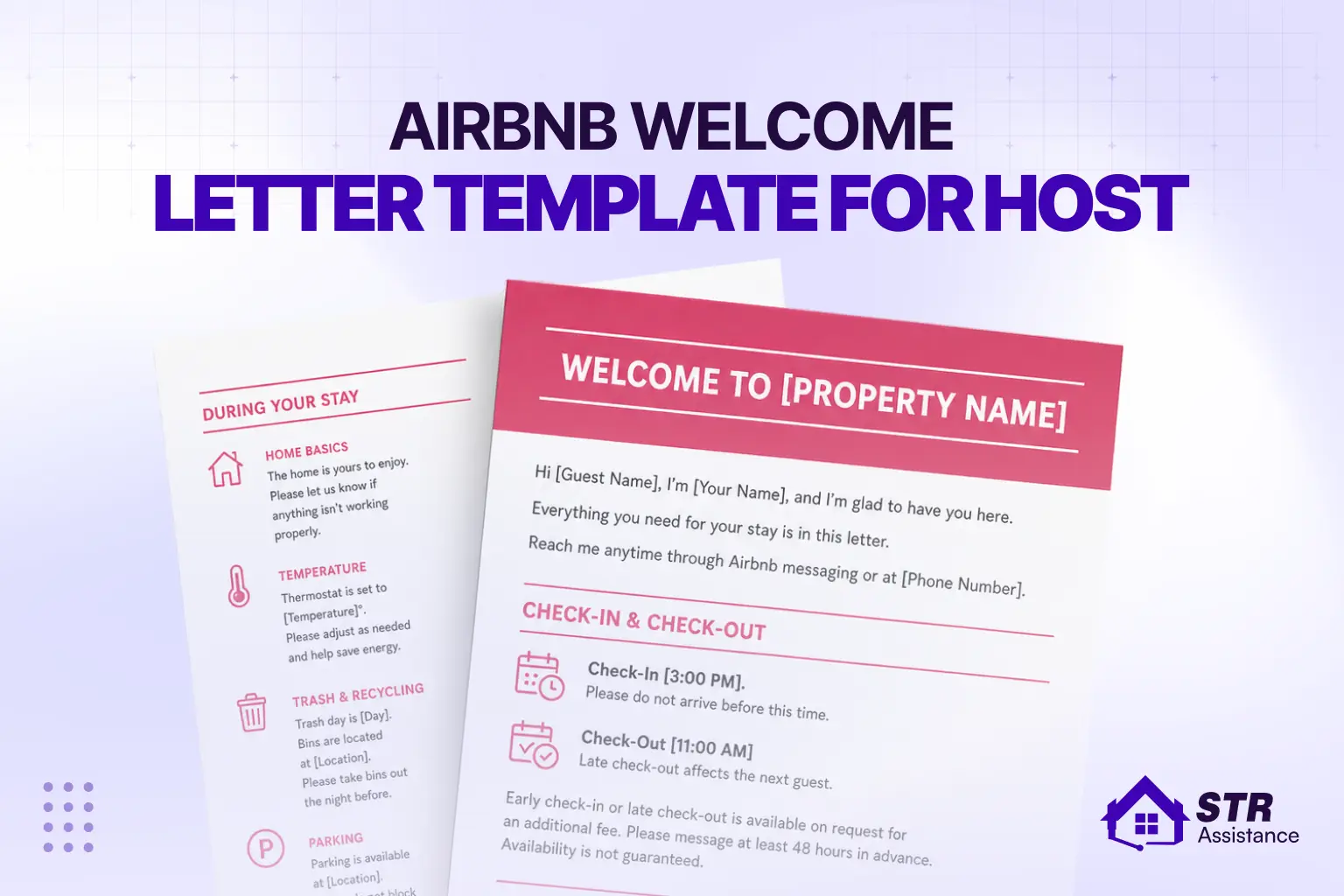
Include a clear welcome message, check-in steps, WiFi details, house rules, appliance guides, local recommendations, emergency info, checkout instructions, and a short review request. Keep everything simple, ordered by the guest journey, and easy to follow during the stay.
The order of sections in your Airbnb welcome book matters more than most hosts realize. Guests move through your property in a sequence. They arrive, settle in, use things, and eventually leave. Your template for Airbnb welcome book should follow that same sequence. Here is what we include in every welcome book for Airbnb templates we build.
1. Welcome Message and Host Introduction
Write one short paragraph. Your name, one sentence about the property, and one thing you want guests to notice. That is all it needs.
While we manage guest communication, we have seen this clearly. Guests who feel a personal connection leave longer and more specific reviews. Simple and personal works better than a formal intro.
Do go with the traditional message, something like “Welcome to our home, we hope you have a wonderful stay.” These same things guests have read a hundred times. Instead, use this kind of tone in your message:
“Hey, I’m [your name]. Welcome in. Everything you need is already set up for you here. The WiFi details are inside, along with how things work around the place. If you need anything during your stay, just message me. Enjoy your time here.”
2. Check-In & Check-Out Instructions
Write this as a clear numbered list, not a paragraph. Include door code, parking, key location, and entry process. Guests don’t re-read your Airbnb message thread when they’re standing outside your door at night. They look for the essentials — door code, parking spot, key location, and building access.
Use your base Airbnb check-in instructions template here. It helps you cover lockboxes, smart locks, keyless entry, intercoms, and gate access without missing anything. State your check-in window clearly. Many guests genuinely don’t know what time Airbnb check-in begins unless you spell it out.
One line about late check-out is worth adding too. Even if you don’t offer it, guests want to know. It stops the 10:45 am message asking for one more hour.
3. WiFi and Tech Setup
Network name and password go at the top of this page in large text. This is the most photographed section in any physical welcome book.
Below that, cover what guests will actually touch. TV input, streaming apps, thermostat model, and smart home devices. If you have a Nest or Ecobee, tell guests the temperature range you are comfortable with. A single sentence there prevents a real problem.
4. House Rules Summary
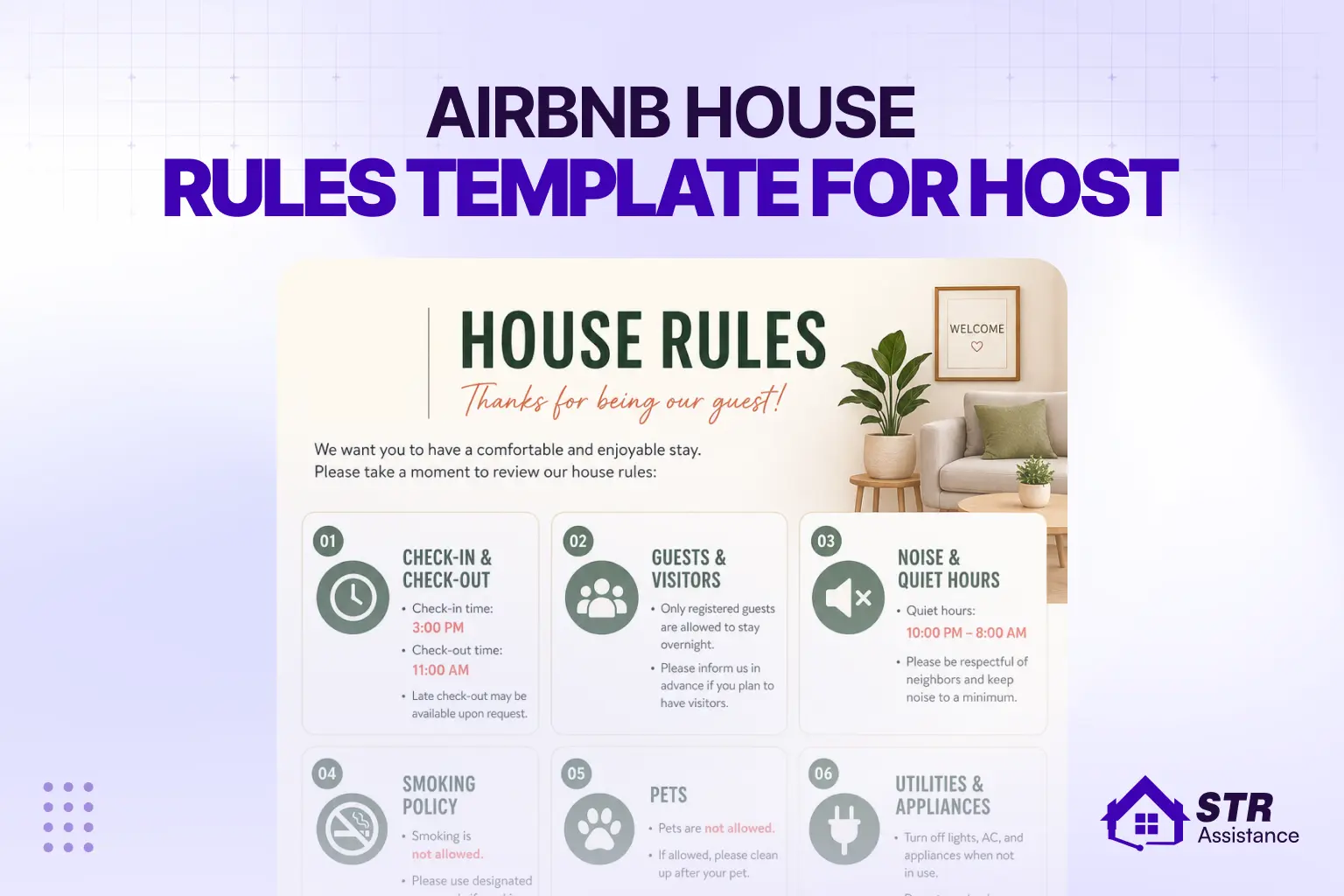
For the house rule template, take the 5-10 key rules from your Airbnb listing and write them in plain language. Keep it the way you would say it to a friend, not the way a policy document feels like it reads.
Clearly state quiet hours, a pet policy, a no-smoking policy, and the maximum guest count in your house rules. Hosts who do not set a clear line about these often face midnight noise issues and neighbor complaints that come through the HOA with a fine or warning. A written document always helps when a dispute comes up.
5. Appliances and How-To Guides
Cover the basics such as the washer, dryer, dishwasher, coffee maker, and HVAC. Two to three sentences each, that’s enough, no need to write the whole section. You can also highlight your top Airbnb amenities in the welcome book so guests know which features are available and how to use them.
For anything complicated, just say where the manual is. “The espresso machine manual is in the kitchen drawer” is more useful than a full written guide. Guests find it, read what they need, and move on. That is the outcome you want.
6. Local Area Guide
Keep the List of five to seven restaurants you would actually go to.
- One grocery store
- One pharmacy
- Two or three nearby things worth doing.
Keep it to your immediate neighborhood. Guests can search Google for anything. What they cannot get from google which is your real opinion.
Small details help a lot. Say things like “Free street parking after 6 pm” or “sit near the window if you can,” and tell guests you have actually been there. That kind of detail shows up in reviews more than hosts expect.
7. Emergency and Safety Information
This section is not optional. Every welcome book needs it. Clearly state the nearest hospital, local emergency numbers, fire extinguisher location, and first aid kit. Place it somewhere easy to find. We have rarely seen guests needing it, but when needs it, it’s needed within a minute.
As a host, you should keep this in mind, refill supplies as needed, and keep details up to date using your Airbnb safety checklist. In a stressful moment, guests should find help fast without searching.
8. Checkout Reminders
Before guests leave, give them the actual checkout instructions so the cleaner and your property are all ready on time. Simple, direct like trash out, towels on the bathroom floor, doors locked, windows closed, keys back in the lockbox.
Say the exact checkout time. Airbnb checkout time is 11 am by default. If yours is different, write it here clearly. Do not leave it for guests to remember from the booking page, instead send checkout reminders.
9. Review Request
Add one short paragraph at the end with a warm tone. Smartly mention something specific like:
"If you loved the rooftop or the quiet block, we'd appreciate you sharing that in your review."
Then ask directly: “Leave us a review if you had a good stay.” This helps guests write better reviews.
Generic review requests produce generic reviews. When you give guests a clear idea of what to mention, the reviews come out specific and better. The way you respond to guest reviews on Airbnb also matters — keep it polite and warm, whether the review is good or bad.
Free Airbnb Welcome Book Template Download
Our Airbnb welcome book templates are built, tested, and used in real STR operations. Download and adjust the use of your active properties. Below are three formats for the Airbnb welcome book template free download. Choose the one that matches how you work. All three cover the same sections listed above.
- PDF - Printable
- Canva - Editable Design
- Google Docs - Quick Edit
These templates are the same starting framework our VAs use when onboarding new Airbnb hosts. We update them based on guest feedback across active properties. The sections reflect what guests actually ask, not what sounds complete on paper.
Airbnb Welcome Book Template Canva
Canva is the simplest way to build a welcome book that looks designed. You do not need a designer. You do not need a paid account. The free tier handles everything in this template.
What Canva does well is consistency. You set your property colors once, upload your photos, and every page looks like it belongs together. For mid-range and higher-end listings, that visual consistency is part of what guests experience upon arrival.
The other practical advantage: Canva exports directly as a PDF. Your editable source file and your printable output are the same document. You maintain one file, not two.
A few things we have found that work well across STR properties:
- Use your property exterior or main living area as the cover photo.
- Keep interior pages clean with one accent color.
- Avoid templates with heavy decorative elements. They look cluttered on screen and print poorly.
The free Airbnb welcome book template Canva version is ready to duplicate and edit. No design experience needed.
Printable Airbnb Welcome Book Template
Printed welcome books work best for properties where guests spend more time on-site. Such as cabins, beach houses, and large vacation homes. Urban apartments with high turnover are better served by a digital PDF link in the check-in message.
Also, placement matters here. Most hosts leave one copy on the living room coffee table. We recommend placing one in the bedroom and another in the kitchen. Guests do not want to walk across the property to find basic information mid-stay.
For formatting, use at least 11pt body font and keep your margins generous. Avoid colored page backgrounds. They look fine on screen and waste ink when printed. Portrait orientation reads naturally when held in hand.
You can laminate the cover page and the WiFi page. Those two pages get handled the most across multiple guest stays. The rest you can reprint whenever something changes.
Airbnb Welcome Book Template Google Docs
Google Docs is the fastest way to get a welcome book live. If you manage one or two properties and need something working today, start here. No design skills, no software, nothing to install.
The real strength of Docs is that it is built for teams. You share one link with your co-host, your cleaner, or your VA. Everyone works on the same version. Nothing gets lost in email threads.
When something changes at the property, you update the Doc. The link stays the same. Every guest who receives it in their check-in message automatically gets the current version.
Paste the shareable Docs link directly into your Airbnb automated check-in message. Guests open it on any device instantly. It is simpler than attaching a file, and it never goes out of date.
How to Customize Your Airbnb Welcome Book Template
Customize your Airbnb welcome book by replacing template text with your property details, adding photos, setting clear instructions, and sharing it as a PDF or link with every guest.
You do not need design skills for this. You just need to replace the right details and keep it clear for your guests. We follow the same simple process across every Airbnb welcome book template, Canva, free, and Airbnb welcome book template Google Docs we use in daily operations.
Customizing the Canva Template
- Open your template in Canva and click “Use template.” This creates your own copy.
- Go page by page. Replace all placeholder text with your property details. Write it the way you would explain it to a guest in person.
- Upload one or two real photos of your property. Place them on the cover and key sections, such as check-in or living space.
- Change the colors to match your property style using the color tool. Keep it simple and easy to read.
- Download the file as a PDF. Use “PDF Print” if you will print it. Use “PDF Standard” if you will send it digitally.
- The free version of Canva is enough. You do not need a paid plan for this.
Customizing the Google Docs Template
- Open your Airbnb welcome book template in Google Docs. Click File, then “Make a copy.” This saves it to your drive.
- Start from the top. Fill each section with your real property details. Follow the order your guest will experience the stay.
- Share the document with your co-host or VA. This keeps everything updated without back-and-forth.
- Copy the shareable link. Paste it into your Airbnb check-in message. Guests will have access as soon as they book.
- You can also print this version if you want a simple physical copy.
Customizing the PDF Template
- Use the PDF version when you want something physical at the property.
- Open it in Adobe Acrobat Reader or a browser tool like Smallpdf or PDF24.
- Fill in the editable fields with your property details.
- Save one master file. This is your base version.
- Print the file and place it inside the property. Guests will use it during their stay.
- Laminate the cover page and the WiFi page. These pages get used the most and wear out fast.
- When something changes, update your master file. Then print only the pages you need to replace.
Common Mistakes to Avoid in Your Airbnb Welcome Book
During our consultation, we noticed many hosts making these types of mistakes. For these reasons, they are affected and asking for professional help. Common mistakes are:
- Writing it once and never updating it: Property details change. Restaurants close. Appliances get replaced. An outdated welcome book creates confusion and mid-stay messages. Review it every three months.
- Too much information: Guests scan, they do not read. If a section runs more than five lines, cut it. Short answers get read. Long ones get skipped.
- No checkout instructions: Guests leave without locking doors or taking out the trash because no one clearly told them to. Your cleaner flags it, and it becomes your problem. Write the checkout steps in a plain numbered list, and keep it to 6 items.
- No house rules: Guests rarely re-read rules after booking. A brief summary in the welcome book quietly reminds them. It also gives you something to point to in an Airbnb dispute. Rules written and present at the property carry real weight.
- Generic local recommendations: Guests can Google “best restaurants nearby” themselves. Your picks only carry weight if you have actually been there. One honest suggestion beats five copied ones.
- WiFi password buried inside: Guests want it the moment they walk in. Put it on the first page or on a visible card on the counter. Not in section five.
How a Good Welcome Book Improves Reviews and Reduces Problems
A clear welcome book answers common questions before guests ask. This reduces the number of messages, prevents confusion, and improves reviews. Also helps maintain your Airbnb response rate and overall listing performance.
Let’s brief you in detail here:
The connection between a clear welcome book and fewer guest complaints is direct. When guests have answers at hand, they do not message. When they do not message, their stay feels smooth. When the stay feels smooth, the review reflects that.
In daily STR operations, the properties that generate the most mid-stay support messages are always the ones where guests have to ask for basic information. What is the WiFi password? Where are the extra towels? What time is checkout? These are questions a welcome book answers before they get asked.
Fewer messages also means your response time metric stays clean on Airbnb. That metric affects your search ranking. A well-structured welcome book is not just a guest tool. It protects your Superhost status too. If you are working toward that, the Superhost requirements include response-rate thresholds that a good welcome book helps you meet.
The review quality improves as well. Guests who had a clear, comfortable stay write specific positive reviews. Guests who felt confused or had to chase information wrote vague or negative ones.
A welcome book also reduces disputes. When house rules are written and physically present in the property, guests cannot claim they did not know. That matters when a noise complaint or a damage claim comes up, and you need documentation.
How STR Assistance Creates Welcome Books for Airbnb Hosts
STR Assistance is a short-term rental virtual assistant company that supports Airbnb and other vacation rental hosts with trained VAs. Here, we create Airbnb welcome books by collecting property details, drafting a custom guide, and then refining it after real guest stays.
The goal is simple: fewer repeated questions and smoother check-ins. creates Airbnb welcome books by gathering property details and drafting a custom welcome book. Also refining it after real guest stays, and reducing repeated guest questions during bookings.
When we onboard a new host, the first thing our VA builds is a welcome book for that property. From the beginning, we build a clear template that goes out 3- 7 days before the first guest arrives. It starts with questions.
- What are the quirks of this property?
- What do guests ask in the first two hours?
- What has gone wrong before?
Those answers drive the perfect template that brings guest satisfaction every stay. No generic template fills that in.
The host reviews the first draft- before that, we revise and then update it according to their feedback. Once real guest behavior shows us what’s missing. What you end up with reflects your actual property, not a guess about it.
Properties with a solid welcome book get fewer mid-stay messages. That means your VA spends time on real problems instead of explaining the WiFi password for the fifth time that week.
The Airbnb guest welcome book template is the same base we use in our own work. not from assumption or the same guess version used everywhere. It’s the starting framework before we layer in property-specific details like WiFi, check-in steps, house rules, and local info.
If you want us to build and manage the welcome book as part of full listing operations, our Airbnb virtual assistant services cover everything — from welcome book setup to 24/7 guest communication, listing management, and dispute handling.
FAQs
What is an Airbnb welcome book?
A guide left at your property covering check-in, checkout, WiFi, house rules, appliance instructions, local recommendations, and emergency contacts. Guests get answers without having to message you every hour.
Is a welcome book necessary for Airbnb?
Airbnb doesn’t require one. But properties without a welcome book get significantly more mid-stay messages. Each one costs you time and chips away at your response rate score. One hour to create it saves dozens of hours of hosting.
Can I get a free Airbnb welcome book template?
Yes. We offer three free formats above: PDF for printing, Canva for branded visual design, and Google Docs for quick editing. Download, customize, done.
What format is best (PDF, Canva, or Google Docs)?
Depends on how you operate. Canva, if you want it designed and print-ready. Google Docs if you update it often or share it with a co-host. PDF іf you want something print-ready with minimal setup. Most hosts start in Google Docs, then move to Canva once the content is locked in.
How long should a welcome book be?
Six to twelve pages. Under six and you’re missing something guests will ask about. Over twelve and nobody reads it. Guests should be able to scan it in under 3 minutes and find what they need without reading every word.
Final Thought
A clear Airbnb welcome book template removes confusion before it starts. You guide guests step by step. They find answers without asking. Fewer questions. Smoother stays. Better reviews follow.
You do not need to build this from scratch. We already tested what works in real settings. You take the template, add your property details, and make it yours. That is where most hosts see the shift.
At STR Assistance, we use this same base for client listings every day. If you want it done for you, we handle setup, updates, and guest communication end-to-end.

STR Assistance Team
We are a dedicated team of virtual assistants specializing in managing and optimizing short-term rental properties. With a passion for simplifying the lives of property owners, our team brings years of expertise in guest communication, pricing optimization, cleaning coordination, and overall property management across multiple rental platforms like Airbnb, Vrbo, and Booking.com.