- Key Takeaways
- API sync offers faster, real-time updates and significantly reduces the risk of double bookings compared with iCal.
- Free iCal sync can still be enough for hosts managing one or two properties with relatively low booking volume.
- Choose software based on your actual needs, including property count, pricing, automation, direct booking features, and supported channels.
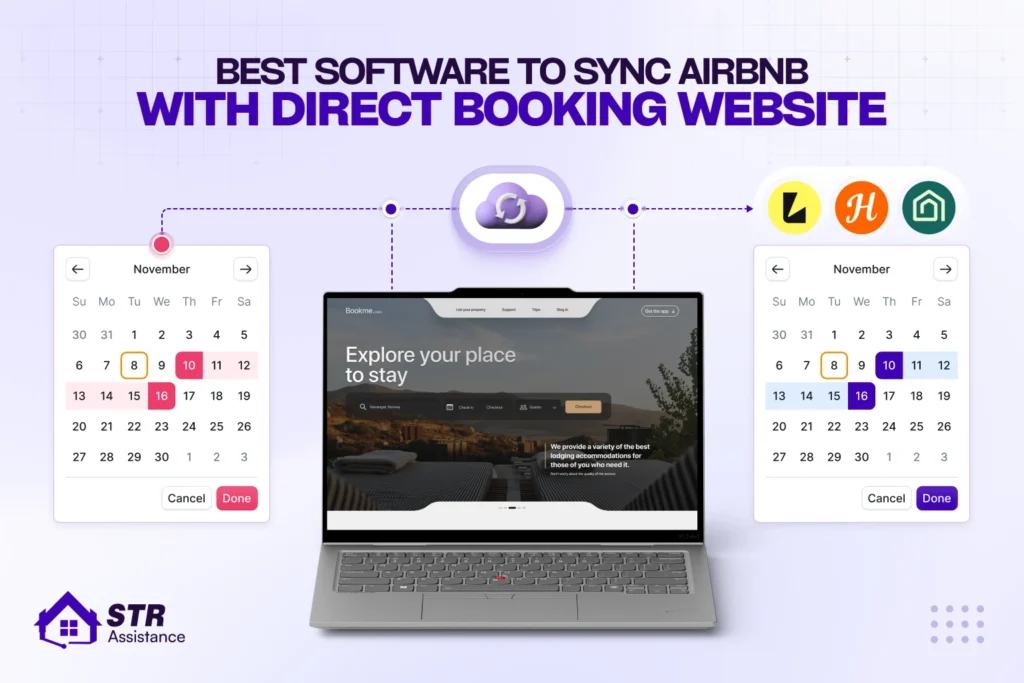
- Always set up two-way calendar sync so bookings made on Airbnb or your direct website automatically block availability on the other.
- Consider tools like Hostaway, Guesty, Lodgify, Hospitable, OwnerRez, and Smoobu, depending on your portfolio size and requirements.
- Test and monitor your calendar connections regularly to catch broken links or sync delays before they result in double bookings.
You can sync Airbnb with a direct booking website in two ways: either using Airbnb’s free iCal calendar link or paying for software or a channel manager. Though Airbnb offers a calendar link to connect with your rental website, this is not suitable for hosts with a large portfolio or who want more than just calendar sync.
iCal is a calendar link you paste into both systems, free, simple, and slow. API is a live connection a piece of software manages for you, instant, and it carries more than just dates. So, you need to choose wisely, because one duplicate booking, or a day-long failure of booking calendar sync, can bring you negative reviews and a bad impression from Airbnb.
That’s why we have come up with the 10 best software options to sync your Airbnb calendar with your direct booking website.
We’re not guessing at this from a features page. STR Assistance builds and runs short-term rental direct booking website for hosts, which means we’ve actually used most of the tools below in live setups, not just read about them. This list comes from what’s worked and what’s caused a problem at 11 pm on a Friday, not a vendor’s marketing copy.
Today we will discuss tips to decide how to choose the suitable software, 10 listed tools, which sync method actually fits your situation, and what keeps a sync setup healthy months after you’ve stopped thinking about it. Jump straight to the comparison table if you already know your situation.
Best Software to Sync Airbnb Calendar With a Direct Booking Website
There is no single software we can categorize as the number one best for Airbnb calendar sync with a direct booking website. But we have listed 10, such as Guesty, Lodgify, Hospitable, OwnerRez, and some more based on reviews from our hosts, Reddit discussions, and what the tools actually offer. Based on hosts’ property count, business size, goals, and focus, each tool is suitable for different hosts.
Look for seven things before you pay for any of these.
- Two-way sync, not one-directional, since a booking made on either side needs to block the other.
- Sync method and real speed: API in seconds, iCal on a delay measured in hours, not minutes, whatever the marketing page implies.
- Property count and price triggers, since almost every tool’s real cost shows up once you add a second or third listing.
- Whether a direct booking website is actually included, bundled free, sold as an add-on, or not offered at all.
- Payment processing, built in or requiring a separate Stripe account you manage yourself.
- Google Vacation Rentals support, since this is a real, free visibility channel most tools either support cleanly or don’t mention at all.
- Which other channels connect natively, Vrbo and Booking.com specifically, versus channels only reachable through iCal as a fallback.
Note: One more thing worth knowing before the table: several of these vendors lead their entire marketing pitch with “Airbnb Preferred Partner” status. It’s real; Airbnb genuinely audits data security, API quality, and integration reliability before granting it. What it doesn’t certify is price, support quality, or whether a tool fits your specific portfolio.
Tool | Sync Method | Airbnb Partner Status | Starting Price | Booking Fee | Website Included | Google Vacation Rentals |
Hostaway | API + iCal fallback | Preferred+ | Quote-only, ~$20 to $40/listing/mo industry estimate | None advertised | Included | Yes |
Guesty | API (Preferred Partner) + iCal | Preferred | Lite from ~$9/mo (1 to 3 listings) + 1% fee on that tier | 1% on Lite tier only | Included | Yes |
Lodgify | API + iCal | Not publicly listed as Preferred | ~$16/mo (Starter, annual) | 1.9% on Starter only | Included | Yes, eligible plans |
Hospitable | API + iCal | Preferred | Free tier (Essentials), Host ~$29/mo | None advertised | Included from Professional tier up | Not confirmed |
OwnerRez | API + iCal | Not publicly listed as Preferred | ~$40/mo (1 property) | None | Add-on, ~15firstsitethen~5 each | Not confirmed |
Uplisting | API + iCal | Not publicly listed as Preferred | ~$25 to $50/listing/mo, verify current site | None advertised | Included | Not confirmed |
Smoobu | API (Preferred Partner) + iCal | Preferred | ~€19/mo per property | 0% prepaid plans, ~0.9% flex | Included, commission-free | Not confirmed |
Hosthub | API (200+ channels) + iCal | Not publicly listed as Preferred | Sliding scale per rental | 0.7% on Pro tier only | One-time add-on fee | Not confirmed |
Hostify | API + iCal | Preferred+ | ~$20 to $40/property/mo range | Not publicly confirmed | Included or module; verify current packaging | Not confirmed |
Beds24 | API + iCal | Not publicly listed as Preferred | ~€11/property/mo (a la carte modules) | Varies by module | Included via booking engine module | Not confirmed |
Prices above reflect the most current figures we could confirm at the time of writing, but every vendor here changes pricing without much notice. Check the current page directly before budgeting around any of these numbers.
1. Hostaway

A full-featured property management system and channel manager built for operators who are actively scaling, with a website builder bundled in rather than sold as an afterthought.
- Sync method: both. Real, two-way API sync with Airbnb, Vrbo, and Booking.com, with iCal available as a fallback for smaller channels that don’t support the API.
- Best for: Professional hosts or small-to-mid property managers running five to fifty or more listings who want deep automation without stitching five separate tools together.
- Pricing: Quote-only, no public number on their site. Industry estimates put it around $20 to $40 per listing per month, with onboarding fees reported near $500 and higher tiers triggered by unit count and advanced modules.
- Direct booking website: Included; the website builder is bundled rather than a separate purchase.
- Pros: real-time API sync that genuinely cuts double-booking risk; a large third-party app marketplace for dynamic pricing, smart locks, and accounting; strong automation across messaging and cleaning workflows.
- Cons: no transparent pricing anywhere; you’re on a call before you see a real number; onboarding fees and a real learning curve for anyone managing one or two units; can feel like overkill fast for a tiny portfolio.
Our Take
Genuinely excellent once you’re past a handful of units and need the automation to survive the workload, real API sync, and a real app ecosystem behind it. Skip it if you’re a solo host with one or two properties who wants transparent pricing without a sales call; that’s not who this was built for, and you’ll feel that mismatch fast.
2. Guesty
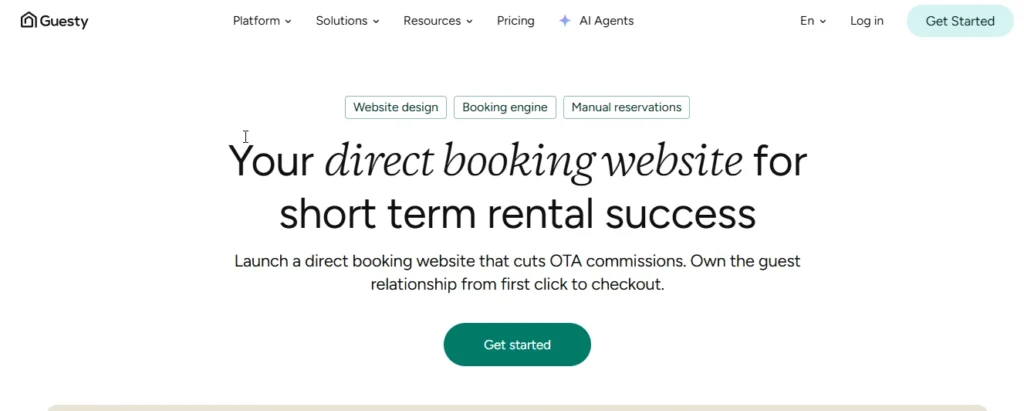
An enterprise-grade PMS and channel manager that most large operators and management agencies eventually run into, whether they choose it or a competitor.
- Sync method: API as an official Airbnb Partner, with iCal as a fallback for a handful of smaller channels.
- Best for: Multi-property managers running 50 or more units, or teams that specifically need role permissions, detailed reporting, and custom contract terms.
- Pricing: Guesty Lite starts around $9/month for one to three listings, with a 1% per-reservation fee attached specifically to its price-optimizer feature. Anything past Lite is quote-based, with setup and module fees layered on top.
- Direct booking website: Included, with native API sync and GuestyPay handling payments, no extra commission beyond normal payment processing.
- Pros: genuinely deep Airbnb API integration across calendar, rates, reservations, and messaging; a free website builder with real-time sync built in; enterprise-grade permissions, SLAs, and dedicated support at scale.
- Cons: Pro and Enterprise pricing stays opaque until you’re deep into a sales conversation, and add-ons push the real cost up fast; the Lite plan’s per-reservation fee and thinner feature set don’t suit anyone serious about direct bookings; support quality reportedly varies with account size.
Our Take
Guesty is built for serious hosts who need scale and control. Skip it under roughly ten units; the Lite tier’s fee structure and the full platform’s opacity both work against a small host far more than they help one.
3. Lodgify
A user-friendly PMS and channel manager built with a genuine focus on the direct booking website itself, not just the operational backend behind it.
- Sync method: API with major OTAs, iCal for broader channel coverage beyond that.
- Best for: Small to mid-size hosts running one to twenty units who want a clean interface and a real built-in booking site without a heavy operations layer they’ll never use.
- Pricing: Starter runs around $16/month per property on annual billing, scaling to roughly $40 to $59/month for Professional and Ultimate tiers as you add properties and features.
- Direct booking website: Included, a genuine website builder with a real booking engine attached, not a stripped-down landing page.
- Pros: transparent, per-property pricing with 0% booking fees once you’re off the entry tier; solid real-time sync across Airbnb, Vrbo, Booking.com, and Expedia; free onboarding and an interface built for non-technical hosts specifically.
- Cons: real API access and deeper automation are gated to higher tiers; messaging and workflow depth don’t match a full enterprise PMS; per-property costs climb noticeably past around ten units.
Our Take
A real sweet spot for independent hosts who want a direct site and dependable sync without becoming a PMS power user to get it. Skip it if you specifically need deep owner accounting or team workflow tools, that’s outside what Lodgify is trying to be.
4. Hospitable
An automation-first tool built around AI messaging and simple operations, with direct booking capability as an add-on rather than the core pitch.
The free tier here genuinely surprised us the first time a client asked us to set it up. Unlimited properties, real calendar sync, a working inbox, all before paying a cent. That’s not something most tools in this category offer at all.
- Sync method: API with major OTAs, plus iCal support for smaller channels and some direct booking setups.
- Best for: Independent hosts and small managers running one to fifty listings who care more about messaging automation and simple day-to-day ops than a fully branded website.
- Pricing: Essentials is free for unlimited properties with basic sync and inbox. Host runs around $29/month, Professional around $59/month and adds the direct booking site, Mogul sits near $99/month for three properties with additional units around $30 each.
- Direct booking website: Included starting at the Professional tier, a functional booking page rather than a fully custom, CMS-style site.
- Pros: a genuinely free tier with unlimited properties for sync and a unified inbox, rare in this category; strong AI-driven auto-replies and workflow automation right out of the box; clean, per-property pricing with an obvious upgrade path.
- Cons: the direct booking site itself is basic, not what you’d want if a fully branded, design-forward website matters to you; deeper accounting and owner-facing features sit behind the top tiers only; some channels sync on multi-hour cycles depending on which listing is set as the lead.
Our Take
Best for a host who wants set-and-forget messaging and either free or genuinely cheap sync, and doesn’t need the website to carry the brand on its own. Skip it if the direct booking site itself needs to look custom and premium, that’s not the strength here.
5. OwnerRez
A powerful, highly customizable PMS especially popular with U.S. owner-operators who want granular control over how every rule and fee actually works.
- Sync method: API with Airbnb, Vrbo, and Booking.com, plus iCal for additional channels beyond those.
- Best for: Owner-operators and small agencies who want deep control over rules, accounting, and the direct booking flow itself, not just a pretty template.
- Pricing: Around $40/month for a single property, sliding down per property as you scale, roughly $88/month at five properties and $127/month at ten. The hosted website is a separate add-on, about $15 for the first site and $5 for each additional one.
- Direct booking website: Add-on, a hosted website module rather than something bundled by default.
- Pros: unusually deep customization across rules, fees, and owner accounting; genuinely strong direct booking capability with your own domain and templates; transparent per-property pricing that actually scales down as your portfolio grows.
- Cons: a real learning curve, the interface reads more “professional tool” than “consumer app”; the website is an extra line item on top of the base subscription; a noticeably smaller integration marketplace than Hostaway or Guesty.
Our Take
A strong fit for a detail-oriented owner who wants real control and doesn’t mind assembling the pieces themselves. Skip it if you want a single subscription with a polished website already baked in, you’ll be paying and configuring for that separately here.
6. Uplisting
A channel manager and lightweight PMS built around aggressive automation and pricing that adjusts for each channel’s real commission, not just a flat rate everywhere.
The smart-rates feature is the real differentiator here, and it’s genuinely underused as a selling point given how directly it addresses something most tools ignore entirely: the fact that a $200 booking on Airbnb and the same $200 booking direct don’t actually net you the same amount. That gap adds up fast across a full year of bookings.
- Sync method: API with major OTAs, iCal supported, and the direct website syncs on the same real-time connection.
- Best for: Hosts who want automation and commission-aware pricing working together across Airbnb, Vrbo, Booking.com, and their own direct site at once.
- Pricing: Roughly $25 to $50 per listing per month depending on scale and feature set, confirm the current number directly since it’s not granularly published.
- Direct booking website: Included, built and hosted directly on Uplisting’s own system.
- Pros: “smart rates” that automatically adjust for each channel’s commission so your actual take-home stays consistent; instant sync of bookings, availability, and rates across every connected channel; genuinely strong automation for pricing and calendar rules specifically.
- Cons: less brand recognition and a noticeably smaller integration list than Hostaway or Guesty; pricing isn’t granularly published, so budgeting requires an actual quote; the interface and onboarding feel more utilitarian than polished.
Our Take
Excellent for a host obsessed with net revenue per booking and comfortable with heavy automation running the show. Skip it if a large app ecosystem or a design-forward marketing site matters more to you than the pricing logic underneath it.
7. Smoobu
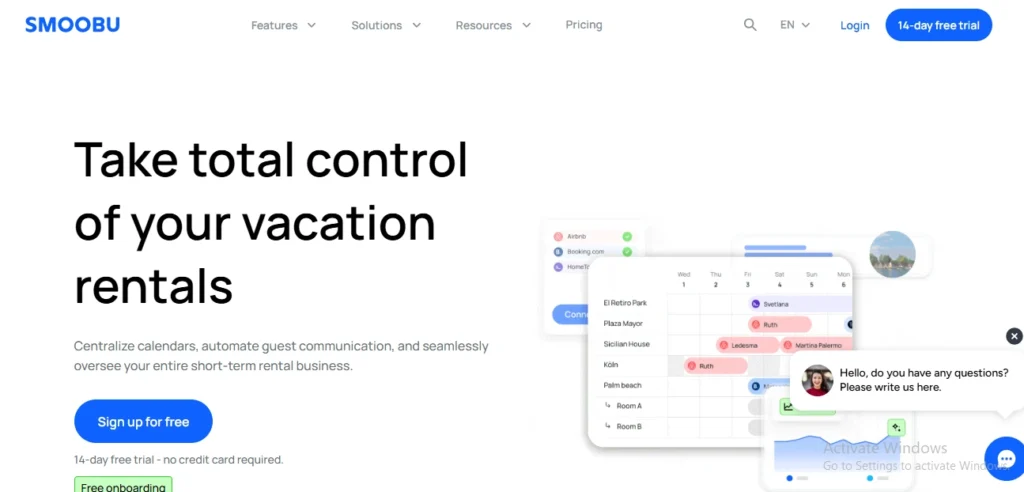
A reliable, budget-friendly channel manager with a real direct booking website bundled in, popular first in Europe but genuinely global at this point.
Smoobu tends to get compared against Beds24 constantly, and the honest difference is philosophy: Smoobu wants you set up and running fast with sensible defaults, Beds24 wants to hand you every knob and let you configure it yourself. Neither approach is wrong, they’re just built for different hosts.
- Sync method: API as an official Airbnb Preferred Partner, with iCal available for additional channels.
- Best for: Budget-conscious new hosts and small portfolios of one to twenty units who want real-time sync and a working direct site without a big monthly bill.
- Pricing: Around €19 to €29 per property per month, roughly $20 to $32, on annual or monthly billing, with additional units running about €9.60/month each. Booking fees sit at 0% on prepaid plans and around 0.9% on the flexible plan.
- Direct booking website: Included, commission-free, on every plan tier.
- Pros: transparent, genuinely low-cost pricing with no hidden booking fee on prepaid plans; real API sync with Airbnb and every major OTA; a simple, functional direct site included at no extra charge.
- Cons: dynamic pricing and team tools sit behind add-ons or higher tiers; the interface and reporting read less sophisticated than a full enterprise PMS; support is strongest in European time zones, worth checking if that matters for your location.
Our Take
One of the strongest value picks for one to ten units if reliable sync and a basic direct site cover what you actually need. Skip it if you’re chasing deep operations or accounting features, that’s genuinely not the point of this tool.
8. Hosthub
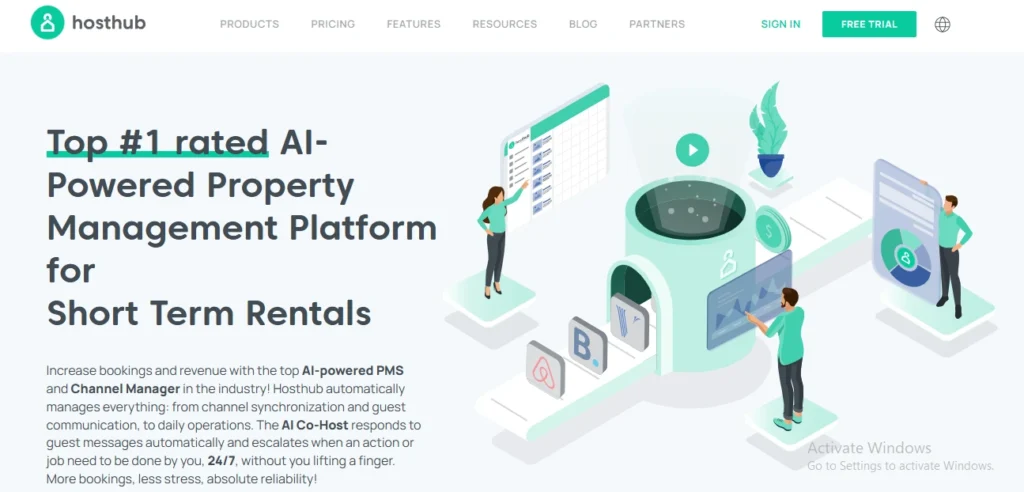
A channel manager built around a unified inbox, automated messaging, and an optional AI co-host feature, aimed squarely at broad, cost-effective multi-channel coverage.
- Sync method: API across more than 200 channels, with iCal support and direct booking handled through a separate add-on.
- Best for: Price-sensitive hosts and small managers who list on a wide range of channels, including smaller, niche OTAs beyond the usual three.
- Pricing: A sliding per-rental monthly rate, cheaper on annual billing. The Pro tier adds the standard rate plus 0.7% of net booking value. The website builder runs a one-time fee around $799; the booking engine alone is around $599.
- Direct booking website: An add-on, paid one-time rather than bundled or billed monthly.
- Pros: genuinely broad channel coverage, useful if you’re listing beyond just Airbnb and Vrbo; an optional AI co-host and enhanced reporting on the Pro tier; a “zero double booking” guarantee up to a capped amount.
- Cons: the direct booking site is a real added cost, not something bundled in; the Pro tier’s 0.7% fee adds up fast at higher booking volume; some users report sync-delay complaints worth testing directly in a trial.
Our Take
Solid if you need wide channel coverage and like the AI add-on angle. Skip it if you want a website included by default rather than a separate line item, and want the simplest possible flat pricing.
9. Hostify
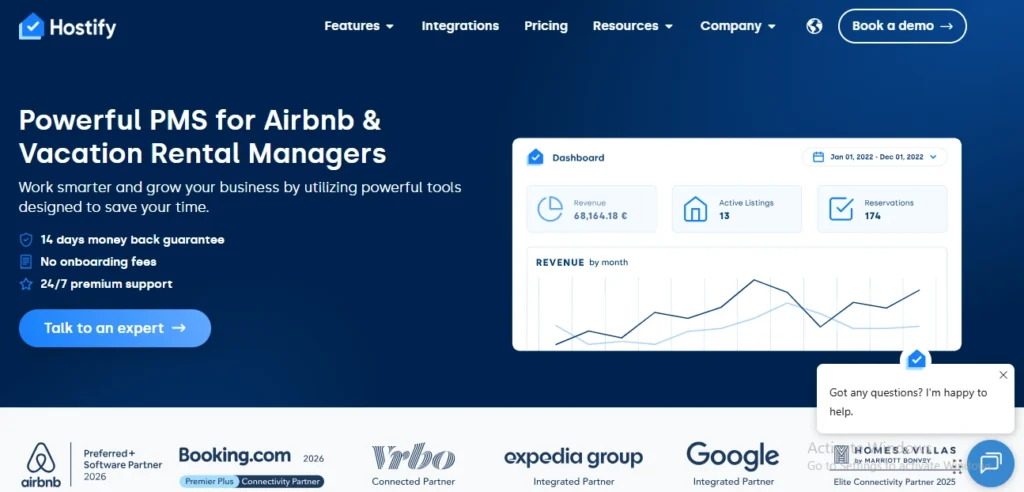
A PMS and channel manager positioned for small-to-mid portfolios, with a unified inbox and automation aimed at co-hosts and small agencies specifically.
Hostify holds Airbnb’s higher Preferred+ tier, which says something real about the technical integration quality, even while the broader public track record is thinner than its bigger competitors.
- Sync method: API with major OTAs, iCal for additional channels, typical for this category, though worth confirming the exact split directly on their current site.
- Best for: Small agencies and co-hosts wanting a balance of automation and affordability, without stepping up to a full enterprise PMS.
- Pricing: Commonly positioned in the $20 to $40 per property per month range depending on plan and property count, with higher tiers adding more units and modules.
- Direct booking website: Offered, typically included or available as a module depending on plan, current packaging is worth double-checking since it shifts.
- Pros: competitive pricing for a small portfolio; a real unified inbox and automated messaging that cuts down manual replies; decent coverage across the mainstream OTAs.
- Cons: meaningfully fewer independent reviews than Hostaway, Guesty, or Lodgify, less third-party validation to lean on; advanced features and integrations don’t run as deep as top-tier competitors; packaging and feature splits vary by region.
Our Take
Worth a genuine trial if a plan fits your exact property count and needs. Skip it if you specifically want a large ecosystem of verified integrations and a long public track record to lean on before committing.
10. Beds24
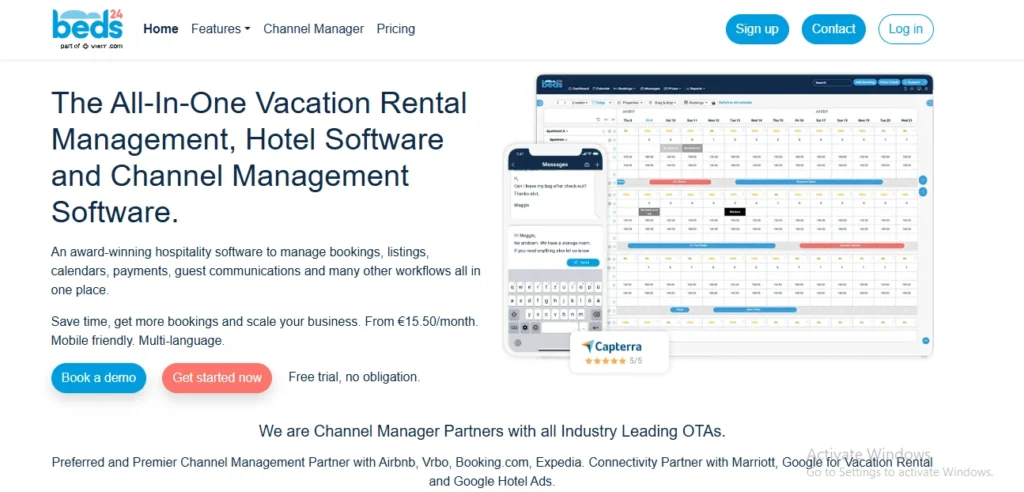
A long-standing, highly configurable channel manager and booking engine, popular with independent hosts and small agencies who don’t mind assembling the setup themselves.
Beds24’s API is a real standout for anyone comfortable building around it directly, full REST access without the developer headaches some competitors’ APIs create. That’s exactly the audience this tool is built for, and exactly why it feels dense to everyone else.
- Sync method: API and iCal, supporting a wide mix of OTAs and niche channels depending on which each individual channel offers.
- Best for: Technically comfortable hosts who want granular control and a genuinely wide channel list without a steep monthly bill.
- Pricing: Low base fees, roughly €11 per property per month, plus paid modules for automation, API access, and the booking engine, structured a la carte rather than as one flat tier.
- Direct booking website: Offered through the booking engine module, part of the broader channel manager stack rather than a separate standalone product.
- Pros: extremely flexible, with support for a long list of channels including genuinely niche ones; can run very cheap for small volume if you configure it carefully; a long track record and stable core sync functionality.
- Cons: the interface and onboarding feel dated next to newer competitors; the a la carte pricing model gets genuinely complex once you’re stacking several modules; noticeably less “all-in-one” polish than a modern PMS with a website built in from day one.
Our Take
Good for a genuine tinkerer who wants maximum channel flexibility at low cost and doesn’t mind a technical setup. Skip it if you want modern, hand-holding onboarding and a slick website included without extra configuration.
iCal Sync vs API Sync: The Difference That Decides Everything
The single biggest factor in whether you get double-booked isn’t your pricing or your photos; it’s your sync method. iCal is a slow, availability-only calendar feed. API is a real-time, two-way data pipeline that moves rates, rules, and reservations the instant something changes.
How Each Method Works
iCal is fundamentally a calendar-sharing link, poll-based, not instant. Each side periodically checks the other’s link for new blocked dates, on a schedule, not the moment something actually changes.
- Airbnb gives you a URL; you paste it into your website or booking system.
- You take your site’s own calendar URL and paste that back into Airbnb.
API sync works the opposite way.
- Your PMS or channel manager connects through an official partner API.
- The instant a booking, modification, or cancellation happens, the platform pushes that event to your system in real time. There’s no waiting for the next check. Something changed, and every connected channel hears about it within seconds.
Tip: The short version: iCal is your system asking “anything new?” on a timer. API is the platform telling you “something changed” the moment it happens.
What iCal Does Not Sync
Main limitation iCal only exchanges calendar availability- blocked or open, nothing else. It isn’t a real-time management system for pricing, listing content, guest messages, or booking rules, whatever most hosts assume it’s doing.
iCal transfers blocked dates, full stop. It carries none of the following, and hosts routinely assume their “whole calendar” is synced when only one narrow slice of it actually is.
- Rates and pricing, nightly rates, weekend premiums, and seasonal adjustments stay entirely local to each platform.
- Fees and taxes, cleaning fees, pet fees, and occupancy tax stay siloed per channel.
- Minimum and maximum stay rules, along with check-in and check-out day restrictions and advance notice settings.
- Guest details and messages, names, contact info, and conversation threads never cross over.
- Listing content, photos, descriptions, amenities, and house rules stay separate on each platform entirely.
A night booked elsewhere syncs back to Airbnb automatically once connected, but a night you manually block on another site may or may not carry over, depending on that other platform’s own advance notice and preparation time settings. Two calendars that look identical can quietly disagree about a manually blocked date.
The Sync Delay Window Where Double Bookings Happen
A double booking is a race condition: two guests booking the same dates before the second channel has learned about the first. iCal’s whole architecture creates that window by design; it’s not a bug, it’s just how a polling system works.
Airbnb’s own current help documentation states its imported calendars update every 3 hours automatically, with a manual refresh option if you need it sooner. You’ll see other numbers floating around; some sources cite roughly an hour, Vrbo’s own help center states 30 minutes for its feed specifically, and one figure circulating online claims up to 24 hours. Those aren’t necessarily wrong; they’re often describing a different platform, a different channel manager’s polling interval layered on top, or older documentation.
One or two properties with modest booking volume rarely collide inside a multi-hour window. Multiple properties, high-demand dates, or listings spread across several platforms at once raise the odds meaningfully, which is exactly why professional managers tend to treat API sync as non-negotiable rather than a nice-to-have.
Can You Sync Without Paying for Software?
Yes, and plenty of hosts genuinely don’t need to pay for anything. Free iCal sync between Airbnb and your direct site handles the basics fine for the right situation.
Manual blocking is still worth keeping as a backup layer even with iCal connected. If you personally know a date needs to be off the market, an owner stay, a maintenance visit, block it directly on every platform yourself rather than trusting the sync alone to catch it in time.
When Free iCal Is Genuinely Enough?
- One or two properties, where the odds of a same-hour double booking stay genuinely low.
- Low booking velocity, a handful of reservations a month rather than daily turnover.
- Most bookings coming from one primary platform, rather than split evenly across three or four competing for the same dates.
When It Stops Being Enough?
- Three or more properties, where manually checking multiple iCal links becomes its own part-time job.
- High-demand periods, holidays, local events, anything where dates fill within hours, not days.
- Real revenue on the line, where the cost of software is genuinely smaller than the cost of one bad double booking and the review that follows it.
How to Sync Your Airbnb Calendar With a Direct Booking Website
Airbnb’s own current process runs through four steps, confirmed directly from Airbnb’s help documentation rather than an older guide that may not match what’s actually live today.
Exporting Your Airbnb Calendar Link
From your Airbnb dashboard, go to Calendar, select the listing, click Availability, then under Connect Calendars choose Connect to Another Website. Copy the Airbnb calendar link that appears; this is what you’ll paste into your direct booking site or PMS.
Importing Your Direct Booking Site Calendar Into Airbnb
Your direct booking website builder or PMS has its own export link, usually ending in .ics, sitting somewhere in its own calendar or availability settings. Copy that link, go back to the same Connect to Another Website screen in Airbnb, paste it into the calendar address field, give it a name, and save.
Setting Up Sync in Both Directions
One direction alone isn’t sync; it’s a one-way notice. Do both steps above for true two-way protection; Airbnb needs to know what your site has booked, and your site needs to know what Airbnb has booked, at the same time.
Tip: Airbnb imports up to two years of calendar data and won’t let you pause an imported calendar, only disconnect and reconnect it. Keep that in mind if you’re troubleshooting a stuck sync rather than assuming there’s a pause button hiding somewhere.
Testing That Your Sync Actually Works
Block a random date a few months out on your direct site, then check Airbnb to confirm it shows blocked too, and do the reverse. Time how long it actually takes, since Airbnb’s own stated 3-hour window is the outer edge, not a guarantee it’ll always take that long.
If you’re also running Instant Book on Airbnb alongside a direct site, the sync speed underneath it matters even more, since an instant booking gives you zero warning before the date needs to be blocked everywhere else. Our guide to Airbnb Instant Booking covers exactly how that setting interacts with this whole sync question, worth a read if you haven’t already turned it on.
Keeping Sync Healthy After Setup
Don’t be the host who just set up the sync and forgets about it, and it will lead to double booking. Clever hosts don’t just rely on software and keep up regular checkups.
The software rarely fails outright. What actually breaks it is quieter: an expired link, a platform that changed something on its end, a builder switch nobody bothered to re-sync afterward.
Audit Your iCal URLs Quarterly (They Do Expire or Break).
- Open each iCal export URL in a browser. It should download or display an .ics file with your blocked dates.
- If you see a 404, login prompt, or empty file, re-export the calendar from the source platform and update the import URL on all connected systems.
- Keep a simple spreadsheet: Platform → iCal Export URL → Last Verified Date → Notes.
Set Aggressive Sync Intervals and Actually Use “Sync Now” Buttons
Most hosts leave sync intervals at default (often 15–60+ minutes) and never manually trigger sync during high-risk windows.
- On every platform and channel manager, set the fastest available polling interval (e.g., 1–5 minutes where possible).
- During peak seasons or high-demand periods, use platform “sync now” or “refresh calendar” buttons after every booking or manual block.
- Create a micro-SOP: “After any booking or block, hit sync-now on all major platforms within 2 minutes.”
Build Operational Guardrails: Buffers, Minimums, and Pre-Arrival Audits
- 24-hour minimum advance notice on all platforms
- Buffer day after checkout (if feasible)
- 24-hour pre-arrival audit
Monthly test block and Check quarterly.
- Block a future date (e.g., 60–90 days out) on your primary platform, then time how long it takes to appear on all other channels.
- Log the results: Platform → Time to Sync → Any Issues.
- Weekly: Quick visual check of all calendars for obvious mismatches.
- Monthly: Test block and timing audit.
- Quarterly: iCal URL verification and SOP review.
- Annually: Full stack review does your current tool still match your portfolio size and complexity?
How We Help Hosts Keep Calendars in Sync
We are a short-term virtual assistant company where we support hosts with their rental business, and we have already built 100+ direct booking websites for short-term rentals on different platforms, including Hostway, Ownerzz, Guesty, and more.
Every one of them needs a sync setup that actually holds up once the site goes live, not just on launch day when everyone’s paying attention. When we build a site, we’re also deciding which sync method actually fits that specific host’s portfolio, and then checking on it afterward.
If you want a direct booking site built with the sync question handled properly from day one, our direct booking website service covers the whole build, calendar sync included, and one month of free support after the website launch.
The Bottom Line
There’s no single “best” tool on this list, and anyone telling you otherwise is probably selling one of them. What actually decides it is your property count, your booking volume, and whether a multi-hour iCal delay is a real risk for your specific calendar or just a theoretical one.
Start with what your situation genuinely needs, not the flashiest feature list. A solo host with two properties and free iCal sync is often making the right call. A five-property operator still relying on the same free link is usually one busy weekend away from finding out the hard way why API sync exists.
Frequently Asked Questions
Calendar sync just keeps availability matching across platforms, blocked or open, nothing more. A channel manager does that plus pricing, listing content, and often guest messaging, all from one central dashboard. Sync is the narrow version; a channel manager is the fuller operational layer built on top of it.
Every 3 hours automatically, confirmed directly in Airbnb's own current help documentation. You can manually refresh sooner if you don't want to wait for the next automatic cycle.
Yes, from the same Connect to Another Website screen where you set up the sync originally. Select the connected calendar and choose Refresh. Airbnb does cap how many manual refresh requests it'll process before you have to wait for the next automatic update.
No. iCal only carries blocked and open dates, nothing about rates, fees, minimum stays, or booking rules. Those all need to be set and maintained separately on each platform, iCal doesn't touch any of them.
Yes, as long as your WordPress booking plugin generates or accepts a standard .ics calendar link. Most rental-specific plugins support this. Confirm the specific plugin you're using actually has iCal export and import built in before assuming it works.
Yes, each connection is set up as its own separate iCal link or API integration, but there's nothing stopping you from linking all three at once. Most of the software covered in this guide is built specifically to handle exactly that kind of multi-channel setup.
Contact both guests immediately, decide which reservation you're able to honor, and understand the cancellation penalty that comes with the one you can't. This deserves its own full walkthrough rather than a quick answer here, since a host in that exact situation right now is searching a very different, more urgent question than this page answers.
Generally yes, a host-initiated cancellation carries real consequences on Airbnb, even when the root cause was a sync failure rather than something you did directly. This is exactly why prevention matters so much more than having a good excuse after the fact.
Not necessarily; fix the sync speed first. Instant Book itself isn't the risk; an unreliable sync feeding it stale availability is. A same-day Instant Book landing during a multi-hour iCal delay window is genuinely dangerous, but real-time API sync largely neutralizes that same risk.
Your old sync connection generally breaks the moment you switch, since it was tied to the old builder's specific calendar link. You'll need to set up fresh iCal or API connections on the new platform immediately; treat this as a required step on launch day, not something to get to later.
No, they're different pieces entirely. A channel manager keeps your calendars and pricing in sync across platforms. Your direct booking website is the actual guest-facing page where someone books and pays you directly. Most of the tools in this guide bundle both together, but they remain two separate functions doing two separate jobs.
Not necessarily. With just two calendars to keep in sync, free iCal linking often covers this fine, especially at lower booking volume. A paid channel manager earns its cost once you add a third platform, increase your booking pace, or want the real-time speed only API sync actually delivers.