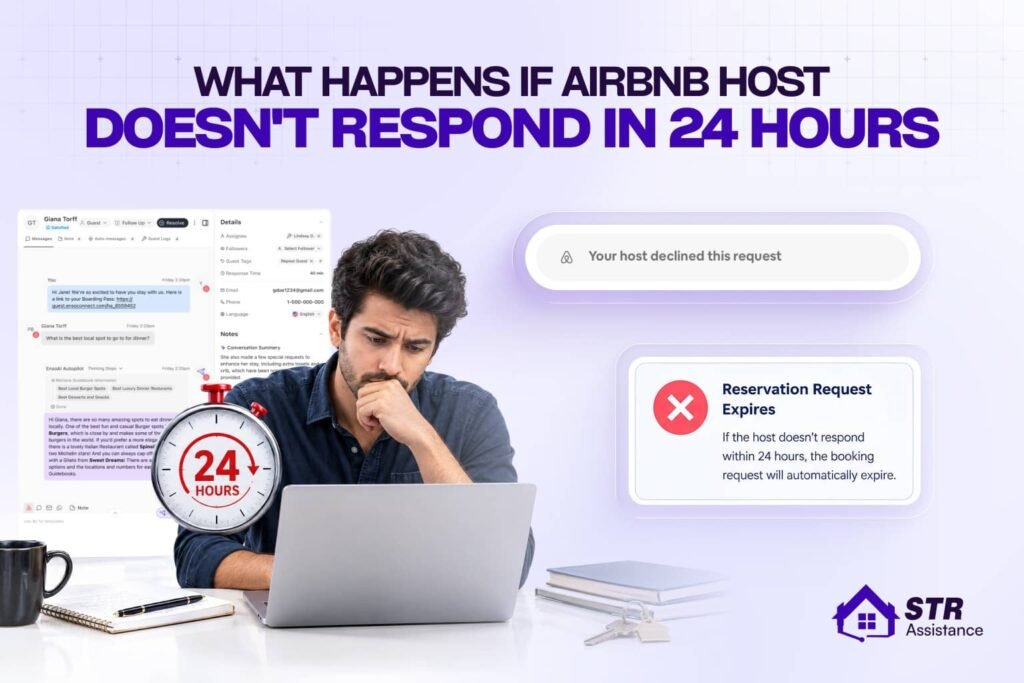
When an Airbnb host does not respond to a guest booking request within 24 hours, the request automatically gets cancelled, which indicates a low response rate and a drop in listing ranking if continuous. Also, it can impact the host’s Superhost status. Statistics show that below a 90% response rate can impact listing ranking. Also, within this time frame, the calendar shows as booked for the listing, and no other guest can book. As a result, the host loses the opportunity for a potential reservation.
Though Airbnb does not penalize any fees directly for unresponsiveness, the Airbnb response rate is one of the key metrics for listing ranking and Superhost status. From the guest’s end, once the 24-hour timeline is over, they are free to search for and make another booking.
At STR Assistances, we have seen many hosts get confused that responding to guests means only accepting the booking, which is completely wrong. Thus they sometimes intentionally or intentionally stay quiet. One of our clients came in a rush as he lost SuperHost status and could not find the reason, and when we audited we found he used to miss communication with most guests when they book. But responding means you can decline too.
This query might sound simple, but it is related to your Superhost status and other listing ranking factors. So, today lets share our experience rather than just answering the question where you will get to know what happens when you don’t respond to guests, how bad it can be if hosts become quiet after booking, and how you can avoid such situations.
What Happens When an Airbnb Host Does Not Respond Within 24 Hours
As we already mentioned, when Airbnb hosts do not respond to guests’ bookings, either by accepting or declining, after 24 hours, it expires, and then guests can wait for a further 48 hours or search for another Airbnb.
Here, we have highlighted what happens on both ends, host and guest.
What Happens for the Host
Airbnb property management needs constant attention, as guests can book anytime, day or night. If hosts stay silent or ignorant, they may lose the guest and this can impact the hosting performance. Airbnb offers 24 hours to respond to guests; otherwise, the booking gets expired, and you cannot revive the request unless the guest wants to book again.
- Another point most hosts might not know: When a guest sends a booking request on Airbnb, the calendar stays blocked for the specific dates the guest selected, not just for 24 hours. The guest’s selected check-in and check-out dates are temporarily held on your calendar while the request is pending.
- Due to the unresponsiveness, which is important for Airbnb SEO, its response rate drops and affects your listing ranking. Rather, it’s simple: You accept the request dates and become a confirmed reservation. If you decline, the request dates are immediately unblocked.
- Your response rate impacts Superhost status because it’s one of the four mandatory criteria Airbnb uses to evaluate hosts quarterly.
- Ultimately, your year-long effort of gaining positive reviews and Superhost status becomes more difficult to achieve again.
What Happens for the Guest
On the guest’s part, it can be a bit stressful, but Airbnb doesn’t charge anything if the host does not respond. Also, after 24 hours, the payment gets released, and guests are free to book somewhere else. The scenario would be the same if the host simply declined the reservation.
But if any guest wants to book the specific property, they can reach out to Airbnb Help Center after waiting for 24 hours, message the host, or contact the host using the phone number available on Airbnb.
What If a Host Goes Quiet After the Booking Is Confirmed
Even if a host goes quiet after the guest booking is confirmed, check-in instructions often automatically appear 48 hours before arrival. Also, after the confirmation, the guest would find a phone number through which they can try to reach out to the host, while the host surely gets penalized for the unresponsive behavior.
Host penalties the host faces:
- Cancellation fee (10–50% of reservation value).
- Blocked calendar for those dates (can’t rebook them).
- Search ranking downgrade.
- Potential removal from the platform for repeated bad-faith behavior.
What Airbnb Will Do?
- Rebooking assistance: Airbnb will help you find alternative accommodation (another Airbnb or even a hotel if nothing is available).
- Full refund: If the host can’t accommodate you or goes silent, you’re entitled to a full refund of all nights.
On the guests’ part, they can:
- Message the host through the Airbnb App.
- Wait 24–48 hours, but not past check-in.
- Contact Airbnb Support, Call: +1-844-234-2500 (fastest option for urgent issues).
Why Declining Is Safer Than Letting a Request Expire
We always suggest declining the booking request if they are in trouble or cannot respond properly to the guest’s message. Otherwise, the calendar would be blocked for 24 hours, and the check-in and check-out dates will show as reserved, where other guests won’t be able to book.
This is what you exactly need to know before letting the request expire automatically.
- Dates do NOT automatically unblock: If you don’t respond within 24 hours, the request expires, but the calendar remains blocked for those dates.
- Manual action required: You must go into your calendar and manually unblock the dates to make them available again.
- Revenue loss risk: Many hosts forget this step and lose potential bookings because the dates appear unavailable to other guests.
Though not all hosts do it intentionally, as the workload is so heavy with Airbnb management tasks, sometimes it slips through the mind. But hosts working with us have never had to face this, because our response rate is 5 minutes, and we have seen significant growth in their listing performance.
How Airbnb Calculates Your Response Rate
Airbnb calculates your response rate as the percentage of new guest inquiries and reservation requests you reply to within 24 hours over a rolling 30-day period.
Response Rate = (Number of new messages responded to within 24 hours ÷ Total number of new messages received) × 100
Time window: Last 30 days (rolling, updated daily)

What Counts as a Response
- Accepting or declining a reservation request.
- Pre-approving a guest or sending a special offer.
- Sending a message back to a new inquiry.
- Note: Declining a request protects your score, but letting it expire counts as a non-response. Only your very first reply in a new thread matters.
How Hosts Avoid Missing the 24-Hour Window
If you do not want to miss the 24-hour response window, the best solution for now is setting an automated message to the guest. This way, you can show you are active and communicating with the guest.
There are more options available that hosts can use, such as automation tools, mobile alerts, and pre-saved templates.
Follow these tips and thank us later.
- Enable Notifications: Keep push alerts active on mobile devices for the app, SMS, and email.
- Use Automation: Set up automated messaging software using Hospitable, Guesty, or whatever you want to handle basic inquiries and send instant, human-like replies.
- Save Quick Replies: Create templates for frequent questions regarding check-in, checkout, or parking to reply in seconds.
- Pre-Approve or Decline: Take formal action on booking requests by pre-approving, sending a special offer, or declining within the limit if you cannot host.
- Establish Coverage: Delegate messaging duties to co-hosts or team members to ensure coverage during weekends or time off.
How We Help Hosts Stay Within the 24-Hour Window
Let’s Talk to Your 24/7 Airbnb VA Team
As a short-term rental virtual assistant company, STR Assistance focuses on supporting hosts with 24/7 guest communication through trained VAs who specialize in the STR industry. We see every day that tons of hosts are losing potential bookings because they cannot respond in a timely manner. But our dedicated guest communication team works 24/7, dividing shifts into 3 parts, so not a single query gets missed under our nose. Our response rate is 5 minutes, which keeps our hosts one step ahead of being a responsive host compared to others.
Let us help you because good response rates help your Superhost status, as you must respond properly to 90% of messages consistently.
In the meantime, we don’t just accept the booking. We do proper guest screening, and if something raises a red flag, we may decline the booking but surely let you know first. Our Airbnb virtual assistants are specifically trained in the STR industry and are well-knowledgeable about Airbnb platforms, along with all other major platforms.
So, next time, if you don’t want to get penalized because you could not reply to a single message, knock us today.
Frequently Asked Questions
No. Once the booking request expires, the host cannot accept it. The guest needs to send a new booking request.
No. An expired request is considered a non-response, not a decline, and can affect your response rate.
No. If the request expires without confirmation, the guest is not charged for the booking.
The timing can vary depending on the guest's bank or payment provider. Airbnb releases the authorization, but the bank may take additional time to make the funds available.
Declining a request does not automatically hurt your Superhost status. However, frequent declines may affect other aspects of your hosting performance.
Generally, Airbnb's response rate focuses on responding to new inquiries and reservation requests within the required time frame. Follow-up messages in an existing conversation do not normally work the same way.
The requested dates may remain blocked, so check your calendar and make the dates available again if needed.
Repeatedly ignoring guests can lead to consequences for a host or listing, depending on the circumstances and Airbnb's policies.
No. A co-host or VA can respond on your behalf, and the response can still count toward your response rate as long as it is handled through the Airbnb platform within the required time.